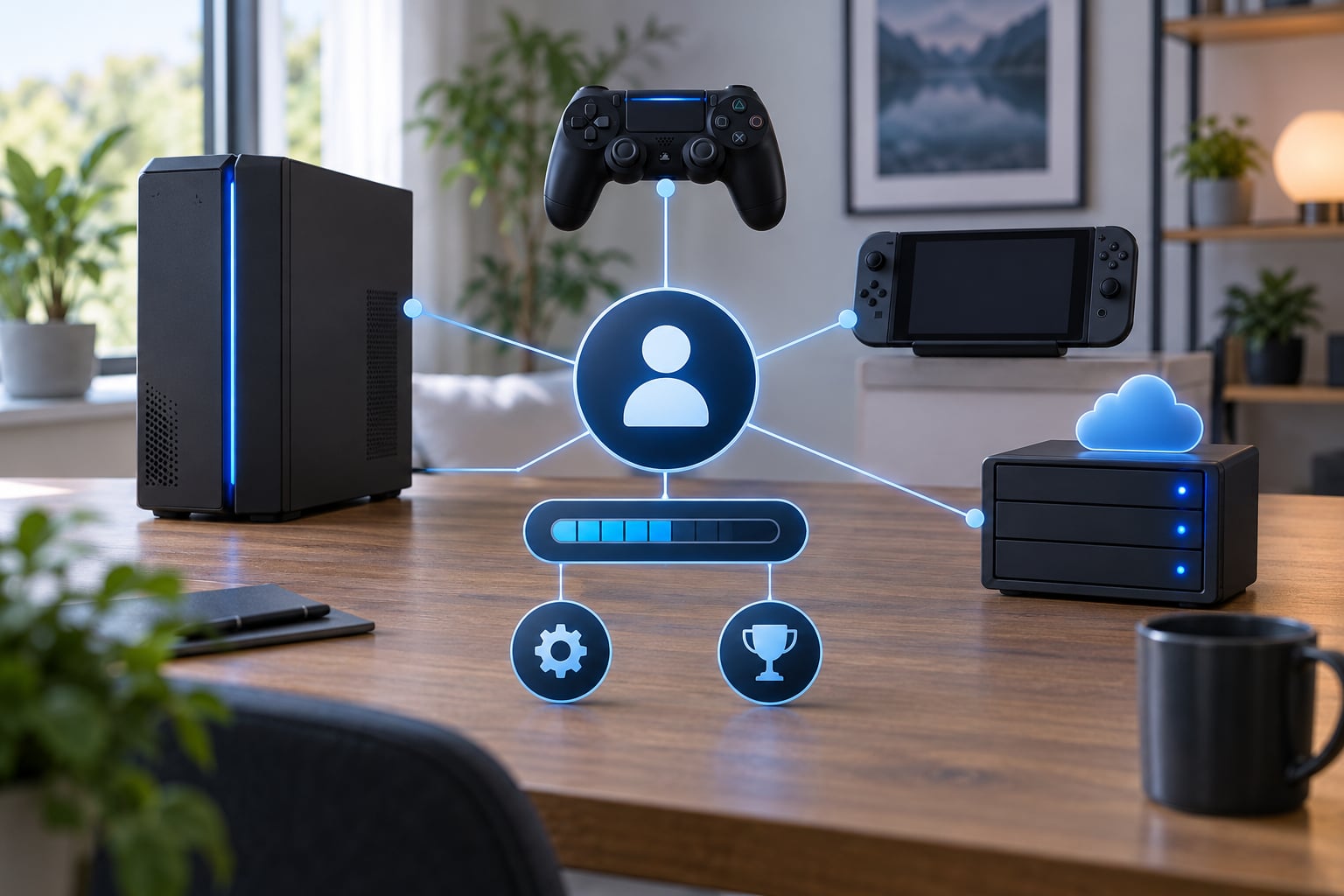
Cross progression is what lets you keep your character levels, unlocked gear and account rewards when you move between a console, PC and other devices, instead of starting from zero. It works by linking every platform login to one publisher account, so the game’s servers treat all of them as the same player.
The catch is that only the games that build it actually offer it, and the rules differ more than most people expect. This guide covers what carries over, what stays behind, how to check your own status, and what to do when a sync goes wrong.
Table of Contents
- 1How Cross Progression Works: The Core Idea
- 2The short version of how cross progression works
- 3Does Cross Progression Carry Every Unlock?
- 4How Do Game Accounts Become Eligible?
- 5What Is the Difference Between Cross Progression and Cross-Play?
- 6What Is the Difference Between Cross Progression and Cross-Save?
- 7Which Platforms Can Be Linked?
- 8How to Check Your Cross Progression Status
- 9Why Might Cross Progression Fail?
- 10Why studios limit it in the first place
- 11Frequently Asked Questions
- 12Does cross progression work between PC and console?
- 13Do I have to buy the game again on another platform?
- 14Can cross progression transfer competitive ranks or ranked items?
- 15What happens if I play before linking my accounts?
- 16Can I unlink a platform after enabling cross progression?
- 17Is cloud saving the same as cross progression?
- 18Conclusion
How Cross Progression Works: The Core Idea
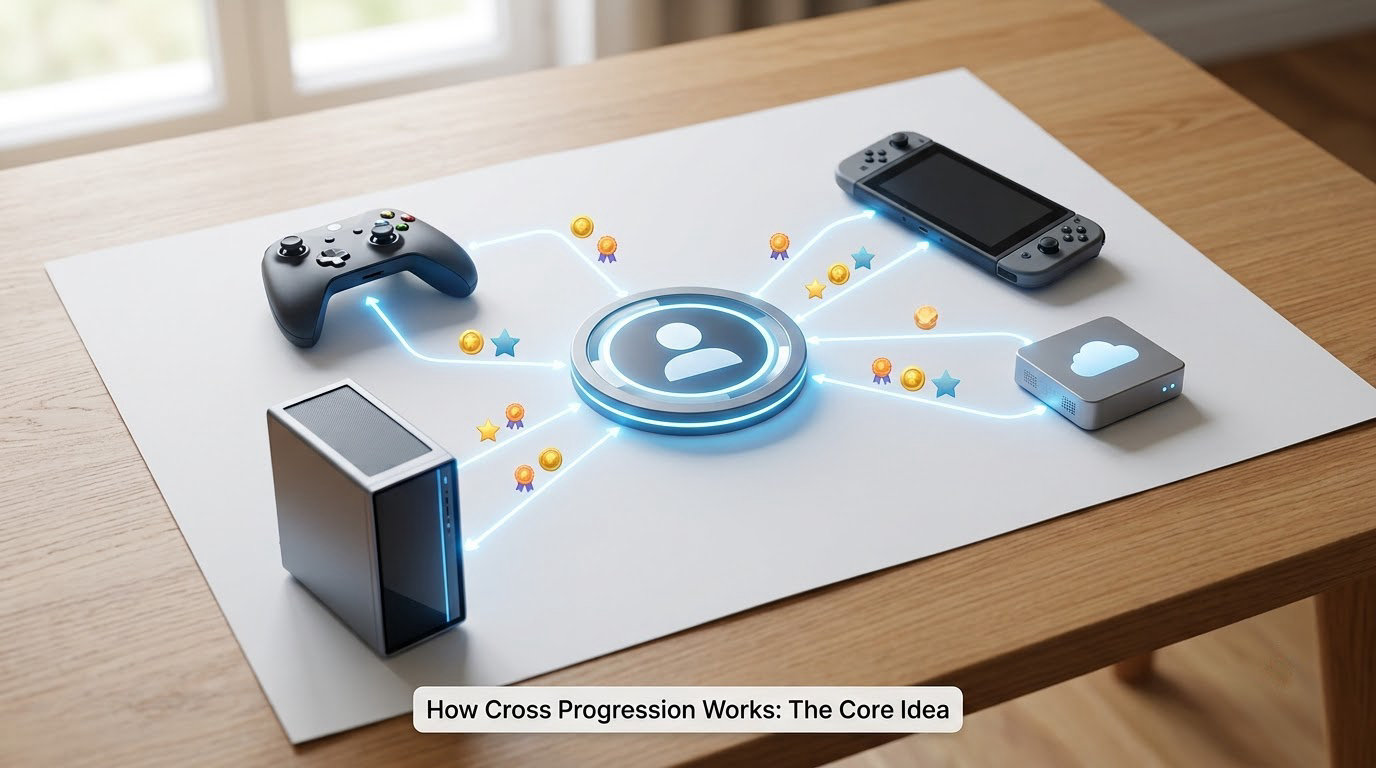
The simplest way to describe it: one account, several devices, one shared state. You connect the PlayStation, Xbox, Steam or platform logins you use to a single publisher account, and the game’s servers start treating everything attached to that account as one save.
The short version of how cross progression works
Pick the account with your most progress and mark it primary. Sign in to the publisher’s account system on each device and connect the other platform logins to the primary. Every time you launch the game, it pulls your progress from the server rather than from a local file.
That last part matters most. Without cross progression, a PlayStation 5 copy and a PC copy are two separate games with two separate save files that never speak to each other. With it, both versions ask the same database what you own.
The player who benefits most is the one who owns more than one version, or who upgrades hardware mid-cycle. The player who benefits least is the single-device player, who will never notice the system exists.
There is also a reason developers sometimes leave it out, which I get into further down. The short version is that platform holders, competition rules and in-game economies all push in different directions.
Does Cross Progression Carry Every Unlock?
Not even close. Studios decide item by item what moves, and the categories that transfer most reliably are the ones tied to your account’s long-term record rather than to the store you paid through.
| What you own | Usually transfers? | Why |
|---|---|---|
| Character and account levels | Yes | Cheap to store, central to the account |
| Unlocked weapons, gear and cosmetics | Usually | Part of the inventory on the account |
| Quest and story progress | Often, sometimes not | Some are stored per save, not per account |
| Achievements and trophy list | Often on separate award systems | Each platform tracks its own |
| Competitive rank and match history | Varies widely | Ranked ladders are usually platform-specific |
| Battle pass and seasonal track progress | Sometimes | Often tied to a single season window |
| Premium currency and paid items | Frequently not | Platform stores and refund rules interfere |
| DLC you bought but did not own the base game for | Rarely | Entitlement checks fail on the new platform |
| Real-money purchases made on one console | Rarely | Platform rules limit cross-store trading of value |
The premium currency row is the one that surprises people most. Ubisoft and Warframe both spell out that paid items bought through one platform’s store do not simply appear in another platform’s version of your account. Progress transfers. Purchased value often does not.
A useful test when reading any game’s rules: ask whether the thing is stored on your account or stored on your save file. Account-level data is easy to share. Local save data has to be uploaded first, and games with older architectures never did that.
Some games also split progression into two stores, one for the account and one for the platform, and only ever sync the account half. That is why a campaign can carry and a competitive rank cannot.
How Do Game Accounts Become Eligible?
Eligibility is never automatic. It comes down to account linking, and linking happens in one of two ways that players routinely mix up.
Account linking is permanent and shared. Your console logins point at one publisher account, and you use that account on every device. This is what most modern live-service games use.
Account merging combines two separate accounts into one, usually during a limited window. Warframe ran merges for years and then retired the feature on January 17, 2025, which left late adopters unable to combine older accounts at all. Treat a merge as a window that may already be closed.
On top of that, most games require an account with the publisher itself. Ubisoft games require a Ubisoft account, Cyberpunk 2077 asks you to connect a CD PROJEKT RED account from the load game menu, and Warframe routes linking through its own account management page. If you signed up for a game with a console login only, you often have to create the publisher account before anything can be shared.
Region and edition rules sit on top of that. Accounts created in one storefront or country may not be linkable to another, and a digital deluxe purchase on one edition may not satisfy the ownership check on a cheaper edition elsewhere.
What Is the Difference Between Cross Progression and Cross-Play?
Cross-play is about who you share a match with. Cross progression is about what you keep when you switch machines. A game can have either, both or neither.
| Feature | What it does | What you need |
|---|---|---|
| Cross-play | Puts players on different platforms in the same match or lobby | Compatible builds and a platform account |
| Cross-save | Syncs the current state of your save between platforms | Cloud save and a shared account system |
| Cross progression | Carries levels, items, unlocks and rewards between platforms | Linked accounts and a designated primary |
| All three together | Match with anyone anywhere and keep everything you earned | The full account link with a primary chosen |
Competitive shooters are the usual example of cross-play without cross progression. You can queue against console players on PC while your rank, unlocks and account level stay firmly on the platform where you started. That is a deliberate choice, because ranked ladders are easier to police when they never move.
Free-to-play games lean the other way. Progress is the product there, so the account is the only thing that matters and the platform is just a way to launch it.
What Is the Difference Between Cross Progression and Cross-Save?
Cross-save synchronises where you are right now. Cross progression decides what you are allowed to bring along. They overlap heavily, which is why you will see the terms used interchangeably on support pages.
A cross-save system can hold your checkpoint, your inventory and your settings, and call the job done. Cross progression goes further and includes the accumulated record: the levels you never logged in to grind, rewards claimed once and no longer in your save, battle pass tiers, long-unlocked cosmetics.
The practical test is what happens after you move. With plain cross-save, you might arrive on your new console with your last session intact but your inventory empty and your rewards gone. With cross progression, everything comes with you, because the account itself moved.
Servers that only sync a local file are doing cross-save, not cross progression. So are cloud save features on a single platform, which many players call cross-save without any second platform involved at all.
Which Platforms Can Be Linked?
Platform families are the filter that catches most people out. A console and its successor generation are usually one family, so a PlayStation 4 to PlayStation 5 move is straightforward. PC often sits outside that family entirely, and mobile frequently sits outside everything.
| Combination | Support level | Watch out for |
|---|---|---|
| Same console, second device | Almost always | Same region on the physical disc or download |
| Older console to newer console | Common | Some games keep cross-gen saves on a separate profile |
| Console to PC | Game dependent | Storefront region and launcher account must match |
| Console to console, different brands | Rare | Usually requires separate copies and full linking |
| Console or PC to handheld | Game dependent | Many handhelds run the mobile or streaming build instead |
| Cloud gaming session | Follows the linked account | Some cloud builds keep a separate save slot |
| Regional storefront variants | Often blocked | Account region mismatches are a frequent failure |
When a player reports losing years of progress after moving between a PlayStation and a PC version, the cause is usually this family boundary rather than a bug. The two builds were never reading from the same place, so the move looked like a wipe even though the old save was untouched.
Handhelds add a wrinkle because many of them run a separate port with its own save. If the handheld build has no linking option, your progress stops at the screen it stopped at.
How to Check Your Cross Progression Status
Checking takes about five minutes, and doing it before you play avoids most of the problems in the next section. Work through it in order rather than guessing.
- Read the game’s official cross-progression page. Support documentation is the only source that reflects the current rules, and policy pages do change. Look for the exact wording on which data is shared and which is excluded.
- Open the in-game account or load screen. Cyberpunk 2077 puts a cross-progression option in the load game menu, and most other games have a comparable entry under settings, account or profile. If nothing appears there, the build you are running has no linking feature at all.
- Open the publisher’s account hub. This is where linked platform accounts are listed and where the primary is set. If your console login is missing from that list, nothing you do in-game will sync.
- Confirm which account is primary. This is the single most common cause of failed cross-progression. Players on r/RogueCompany traced their own sync problems back to not having a primary account designated, even though linking had clearly succeeded.
- Run a small non-critical test. Earn one cheap item or complete a single short objective, then load the game on the other device before doing anything substantial. If the new item is there, you are linked.
One caution before you test. Linking is usually permanent and rarely reversible, so do not experiment with a secondary account that holds real progress until you have read the terms on the primary selection screen.
Why Might Cross Progression Fail?
When progress does not move, it is almost always one of a short list of causes rather than a broken feature. Work down it in order.
- No primary account is set. The most frequent cause. Linking creates the connection but does not always choose which side wins. Until you mark a primary, the game has no idea whose data to use.
- You are signed into the wrong account. A console often keeps you signed in to a secondary or offline profile. Verify which profile actually launched the game before assuming a sync failure.
- The platforms are in different families. Console to PC, mobile to console and cross-brand console pairs often have no shared backend at all.
- Regional or storefront mismatch. Accounts created under different regional stores sometimes cannot be connected, and the error message rarely says so plainly.
- Edition or entitlement mismatch. If one copy is a different edition, or the other platform does not recognise your base-game ownership, the link will fail at launch.
- Two accounts, one message. Players on r/SkateEA described linked accounts where the PC save simply never appeared on Xbox. The link was fine; the game was loading a different save slot.
- Server delays after a fresh link. A newly linked account sometimes needs a full sync cycle before it reads correctly. Sign out completely, restart the console, and try again.
- A closed merge window. If you were trying to combine two older accounts rather than link them, the feature may have been retired.
- A compliance hold on the account. Accounts under review for policy or security issues often refuse to sync. Support is the only route through this one.
Players on r/SuicideSquadGaming describe the emotional side of this clearly, with people mourning lost skins and end-game progress after a switch. That fear is what stops most people from linking at all, and it is understandable, but it is usually based on a misunderstanding. Linking rarely deletes anything. It changes which account the game reads from.
A few players on r/apexuniversity report being locked out of cross progression entirely despite years of account investment and no working fix from support. That outcome exists, and it is worth knowing before you invest time in a title.
Why studios limit it in the first place
Cross progression is not a default feature that publishers forgot to switch on. There are four recurring reasons a studio ships without it, and knowing them explains the gaps in support.
Platform holders set certification rules that decide where saves live and what can be shared between their own hardware generations. Those rules can be stricter than a studio would choose on its own.
Platform stores take a cut of anything sold through them, and letting a player carry a purchased item onto a competing storefront avoids a sale that would otherwise happen. This is the commercial reason premium currency rarely travels.
Competitive integrity is the third. When a ranked ladder spans devices, a studio needs anti-cheat and identity rules that work everywhere, and some decide the cost of getting that wrong is higher than the cost of leaving the ladder alone.
The fourth is old architecture. Games built before cloud saves were standard store progress on a local disk. Porting that to shared servers means rebuilding the save layer, and plenty of older titles never had the budget.
Frequently Asked Questions
Does cross progression work between PC and console?
Sometimes, and only when the developer has built it. Console to PC is one of the most common supported combinations because both versions can read the same server account. Support depends on the game, the platform and sometimes the region each account was created in. Check the game’s official cross-progression documentation first, because console to PC is a large part of the support matrix but not all of it.
Do I have to buy the game again on another platform?
Usually yes, because each platform’s store sells its own copy. Buying the game again does not transfer anything on its own; you still need to link accounts through the publisher’s system and mark a primary. One exception is cloud and streaming builds, which often run the version you already own. Another is single-player titles with no online features, where the copy you own may be the only copy you need.
Can cross progression transfer competitive ranks or ranked items?
Rarely. Ranked ladders are usually kept per platform because they are the easiest system to police and the easiest to abuse. This is why competitive shooters frequently offer cross-play without cross progression. You can queue against console players on PC while your rank and ranked rewards stay where you started. Non-competitive gear and account levels transfer far more often than anything attached to a ranked queue.
What happens if I play before linking my accounts?
Your second account keeps playing on its own separate save, and that progress stays there. Linking later does not normally wipe it, but it also does not merge it in. If you want both sets of progress in one place, you need a merge, and merge windows are often limited or already closed. Warframe retired its account merging feature in January 2025, which is a good example of a window that closed for good.
Can I unlink a platform after enabling cross progression?
Most publishers treat linking as permanent, and the primary account choice even more so. There is rarely an unlink button, and support teams are seldom able to reverse it. This is why the safe order is to back up first, decide which account is primary, and only then connect the others. If you link the wrong account as primary, the older progress on the secondary is generally not recoverable.
Is cloud saving the same as cross progression?
No. Cloud saving keeps one device’s data backed up and restores it, which is useful but not the same thing. Cross progression requires linking separate platform accounts to one publisher account so the game treats them as a single player. A cloud save on one console never reaches a PC version. Cross progression can still use cloud saves underneath, but it is the account link that makes progress travel between platforms.
Conclusion
Verify the eligibility rules on the game’s own support page before you assume cross progression exists, because plenty of games simply do not offer it.
Then pick the account with the most progress, mark it primary before you connect anything else, and confirm the link with one cheap item rather than a weekend of play.
The distinction to remember is small. Cross-play decides who shares your match. Cross-save syncs where you left off. Cross progression decides what you keep, and that is the one you should think about before upgrading hardware or buying a second copy.