How data caps affect online gaming comes down to one thing: the cap almost never touches your matches, but it absolutely notices your downloads. An hour of competitive multiplayer typically moves somewhere between 40 MB and 300 MB, which is nothing. A single AAA install can be 120 to 150 GB, and a cloud gaming session burns 6 to 8 GB an hour. Play for free, download at your peril.
That gap is the whole reason capped plans feel broken to gamers. Players log in after three hours of ranked queues, check their remaining allowance, and see 94 percent still there. Then a season update lands, the console quietly pulls 30 GB while they sleep, and the last ten days of the month are spent at a crawl.
So the rest of this guide breaks the mechanics down first, then the numbers, then the fixes. Whether you are on a fixed home plan, satellite, fixed wireless, or a phone hotspot, the levers are the same once you can see them.
Table of Contents
- 1What Is a Data Cap and How Does It Work?
- 2How Data Caps Affect Online Gaming
- 3How data caps affect online gaming during a match
- 4How Much Data Does Online Gaming Use?
- 5Does Throttling Change Ping and Lag?
- 6How to Reduce Gaming Data Use
- 7Which Internet Plan Works Best for Online Gaming?
- 8Frequently Asked Questions
- 9How much data does online gaming use?
- 10How long will 100GB of data last in gaming?
- 11Is 50GB of data enough for online gaming?
- 12How long will 25GB of hotspot data last for gaming?
- 13Is a 10GB hotspot enough for gaming?
- 14What happens when you go over your data cap?
- 15Conclusion
What Is a Data Cap and How Does It Work?
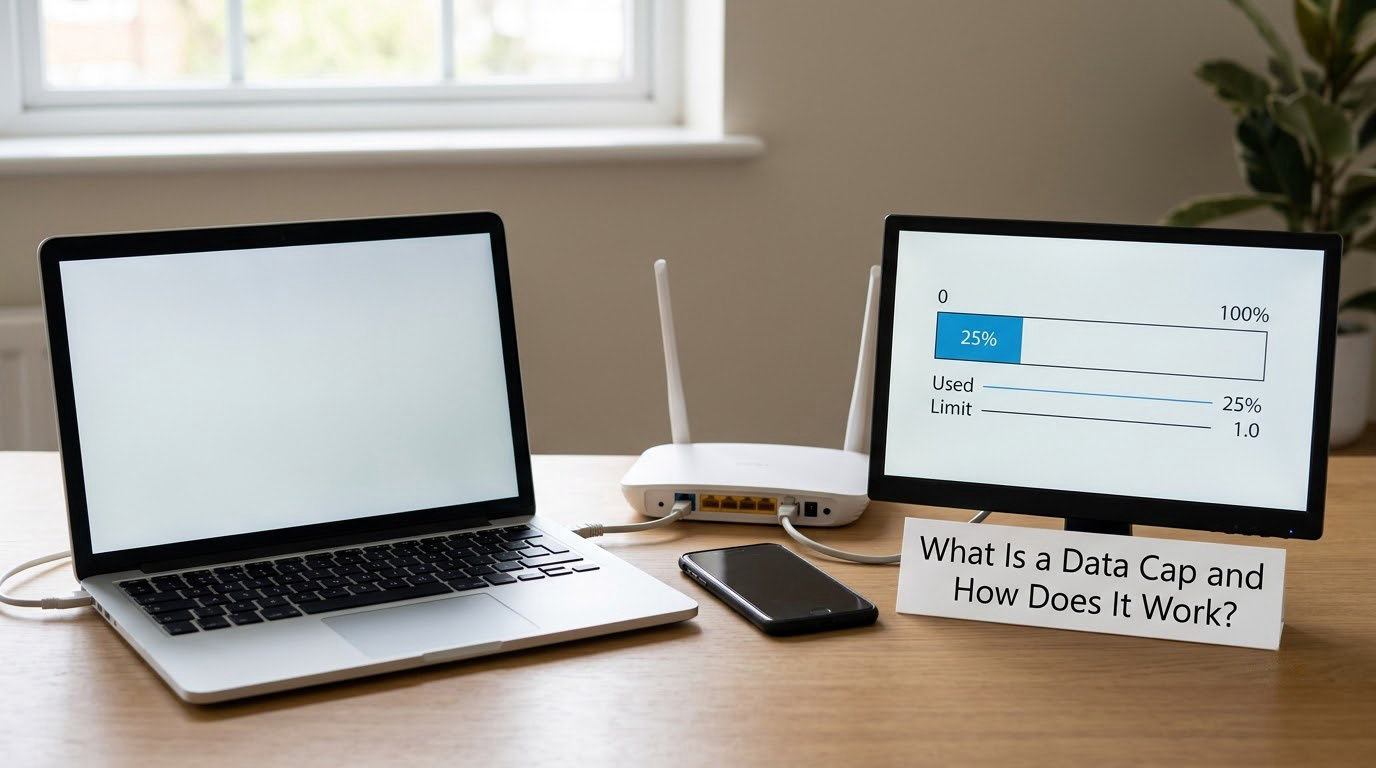
A data cap is a monthly limit on how much data crosses your connection. Once you pass it, your provider does something about it, and what it does falls into three families.
A soft cap slows you down. Your service keeps working, but your throughput drops, sometimes to a range like 1 to 3 Mbps on satellite and some fixed wireless plans. A hard cap stops the data outright, or bills you per gigabyte over the limit until you buy more. Deprioritization is quieter: no number changes, but your traffic gets placed behind everyone else’s during busy hours, which hurts when the evening queue is full.
Plenty of plans advertise unlimited data and still hide a threshold in the terms. Support forums are full of people who only checked the fine print after an ordinary month turned sluggish, and the usual discovery is a number where “unlimited” quietly becomes “managed.” Read your plan document rather than the marketing headline.
Your usage gets metered two ways. Fixed providers bill the total traffic through your line, including downloads, streaming, and system updates. Mobile plans meter data through the carrier, and hotspot sessions usually have their own separate bucket or a higher threshold than on-device use. Both count game traffic the same way, whether you are playing or just installing.
Finding your own limit takes about five minutes. Log into your provider’s account portal and look for a usage or data summary, then check the line in your contract or order confirmation that names the monthly allowance. If it says gigabytes with no threshold, you are on an unmetered plan. If it names a number and a consequence, you have a cap and you know the consequence.
How Data Caps Affect Online Gaming
Caps shape gaming in two very different ways, and most confusion comes from mixing them up. During live play, the impact is small. Around install time, the impact is total.
How data caps affect online gaming during a match
A multiplayer session sends position, input, and state updates constantly, but each packet is tiny. Even a busy hour in a shooter or an MMO stays well inside a few hundred megabytes, which on a 50 GB plan is under half a percent. You will not hit a cap mid-match from playing alone.
The exceptions are all streaming-shaped. Cloud gaming sends your entire picture back from a distant server, so it runs at 6 to 8 GB an hour at 1080p60. Broadcasting the same session to a live audience costs 2 to 4 GB an hour depending on bitrate. Voice chat sits somewhere in between, roughly 30 to 100 MB an hour.
Platform behaviour matters as much as the game. Console auto-downloads and background updates are the quiet offenders, since a console with a finished game on it will happily fetch patches and cloud saves overnight without asking. Owners regularly report waking up to a title that finished downloading in the night and quietly ate into next month’s allowance, with no prompt on screen.
| Activity | Typical usage | Notes |
|---|---|---|
| Competitive multiplayer | 40 to 100 MB per hour | Negligible against any allowance |
| Open-world or MMO session | 100 to 300 MB per hour | More players and more state sync |
| Voice chat in a party | 30 to 100 MB per hour | Rises with quality and members |
| Cloud gaming at 1080p60 | 6 to 8 GB per hour | Full video stream, same as video |
| Live-streaming your gameplay | 2 to 4 GB per hour | Driven by upload bitrate |
| Game install, AAA title | 120 to 150 GB | One sitting can wipe a whole cap |
| Major patch or season update | 20 to 30 GB | Frequently pulled in the background |
| Optional HD texture pack | 40 to 45 GB | Optional on most current titles |
Read that table twice, because the spread is four orders of magnitude. Playing a hundred hours of multiplayer costs less than one AAA install.
How Much Data Does Online Gaming Use?
The honest answer is a range, because a fixed install is a known number while live play moves. Downloads are measurable in your library or launcher. Live play you have to estimate, then verify against your own meter after a heavy week.
Two things shift live usage upward. Voice chat and higher upload activity both push it along, and so does anything running alongside. On a console that background app traffic is easy to forget.
So how long does an allowance actually last? Here is the arithmetic for a player who plays three hours a day and installs nothing new, at 150 MB an hour of play plus 20 GB a month of patches:
| Monthly allowance | Hours of plain multiplayer | Play plus 20 GB of patches | Realistic verdict |
|---|---|---|---|
| 10 GB | About 66 hours | Not viable | One AAA install ends the month |
| 25 GB | About 166 hours | About 106 hours | One smaller title fits, and only one |
| 50 GB | About 333 hours | About 200 hours | Comfortable if you skip HD packs |
| 100 GB | About 666 hours | About 533 hours | Room for one AAA title |
| 300 GB | About 2000 hours | About 1866 hours | Comfortable for a heavy year |
| 1 TB | Uncapped in practice | Uncapped in practice | Download freely |
A 25 GB plan is not hopeless for play alone. It is hopeless for play plus one current-generation install, which is why so many capped players end up buying physical copies or saving their biggest titles for the month the allowance resets.
Checking your own consumption takes a minute per platform. On PC, open Settings, Network, Status and read the last 30 days; Windows also has a metered connection toggle under Network and Internet that stops background downloads entirely. On PS5, the Network settings screen shows a data usage breakdown by app. Xbox has network usage details under the network settings on the console, updated roughly monthly rather than live. On mobile carriers, the app or the dialler code usually pulls a live usage snapshot.
Does Throttling Change Ping and Lag?
Yes, and this is where the intuition breaks. Bandwidth is how much fits through the pipe; latency is how long a packet takes to travel. Throttling after a cap hits bandwidth first, but the game does not experience bandwidth as a number. It experiences latency and jitter, and those come from queueing.
When your throughput drops from 300 Mbps to 2 Mbps, every packet that arrives late now sits behind a queue, and round-trip time climbs even though the line still technically works. At 2 Mbps your upload is usually a fraction of that, which matters because your own input travels upstream. Add packet loss, where a small share of packets never arrive and the game has to interpolate or resend, and you get rubber-banding, hit registration that lags your camera, and teammates dropped mid-fight.
In a casual session that is an annoyance. In ranked play it is the difference between a win and a loss you will think about for a week, and dequeue penalties make it worse. Players describe the moment clearly: everything was fine, the round ended, a download or a patch finished in the background, and everything got worse at once.
Degraded service also looks different from ordinary congestion. Congestion hits everyone on your segment at the same time, usually in the evening. Deprioritization hits you and your neighbours at the same predictable hours. A cap hit hits you alone, on a schedule that matches your own traffic.
To diagnose it, run a speed test and a ping test at a quiet hour and again right after a heavy download. Then check your usage meter. If throughput drops in step with your own traffic crossing a known threshold, that is your cap. A VPN test separates your connection from any middlebox shaping: if speeds change when the tunnel is on, something on the path is inspecting traffic.
How to Reduce Gaming Data Use
The order matters. Do the first four and most capped players never notice a cap again.
- Turn off automatic downloads and updates. On PS5, Settings, System, System Software, Automatic Download Updates. On Xbox, Settings, System, Network Options and manage updates per title. In Steam, Downloads, uncheck the automatic download boxes. This is the single biggest saving, because patches arrive unannounced.
- Skip optional HD texture packs. A high-resolution texture pack on a modern title adds roughly 40 to 45 GB on top of the base install. Visually sharper, and optional by design.
- Download, do not stream. A local copy is a one-time transfer. Streaming the same session is 6 to 8 GB every hour you play.
- Budget one big install at a time. Track what is queued, wait for the allowance to reset, and never start a 150 GB download at 20 GB remaining.
- Use off-peak windows where your plan has one. Some mobile and satellite plans restore full speed or offer bonus data during certain hours. A download moved to 2 AM counts the same but feels faster because nothing else is competing.
- Use an external drive. Moving finished installs off the console storage keeps them from being re-downloaded, which is the quiet way a cap gets eaten twice.
- Buy physical when the plan is tight. Discs install locally with no network transfer at all.
- Set Windows to metered connection. It blocks background sync and app traffic so the game gets the pipe.
Already over the cap? Three moves help. Buy a data add-on if your provider sells one, which usually restores full speed for the rest of the billing period. Check whether your plan has an off-peak window you can move downloads into. And call the provider, because a soft cap is sometimes lifted or raised on request, particularly on satellite and fixed wireless plans.
While you are stuck at reduced speed, plan around it. Turn off voice chat, drop streaming quality, avoid the session where the outcome actually matters to you, and do not queue ranked if ping is unstable.
Which Internet Plan Works Best for Online Gaming?
Match the plan to what you actually do, and separate two questions that get tangled: latency quality and data allowance.
Unlimited fixed home. Best when available, because latency and jitter are stable and no download competes with your session. Fibre or good cable at close range to the exchange gives the most consistent ping.
High-cap fixed home. A 300 GB to 1 TB allowance covers almost everything except constant cloud gaming and multiple large installs in one month. This is a reasonable middle ground for a household that plays digitally and rarely streams.
Satellite. High latency is inherent to the geometry of the orbit, so competitive play suffers regardless of cap. Fine for single-player and downloads, poor for ranked sessions.
Mobile hotspot. 5G gives latency close to good fixed broadband, usually better than LTE. The catch is the allowance, which is typically far smaller, and the possibility of deprioritization on older devices once you pass a threshold. Check whether the hotspot has its own bucket separate from on-device data. Some plans advertise unlimited but apply a high-data threshold where speeds fall off a cliff, and that is the version that ruins a weekend.
Whichever you pick, the ping number matters more than the headline speed. Run a test at the hour you actually play, not at noon.
Frequently Asked Questions
How much data does online gaming use?
Live multiplayer is light: roughly 40 to 100 MB per hour in competitive games and up to about 300 MB per hour in busy open-world sessions. Downloads are the opposite. A current AAA install runs 120 to 150 GB, a major patch runs 20 to 30 GB, and an optional HD texture pack adds around 40 GB. Cloud gaming at 1080p60 sits between the two at 6 to 8 GB per hour, because it streams video.
How long will 100GB of data last in gaming?
About 660 hours of plain multiplayer at 100 MB per hour, or roughly 530 hours once you subtract 20 GB a month of patches. Put differently, 100 GB comfortably covers a heavy player and one full AAA install in the same month. It does not cover two large installs plus a texture pack, which is where capped players start rationing.
Is 50GB of data enough for online gaming?
For playing, yes, and then some. Fifty gigabytes is around 330 hours of competitive multiplayer, and about 200 hours if you also absorb 20 GB a month of patches. It stops being enough the moment you install a current-generation title at 120 to 150 GB. On 50 GB, plan physical copies or skip optional texture packs.
How long will 25GB of hotspot data last for gaming?
Around 160 hours of standard multiplayer, or about 100 hours with 20 GB set aside for patches. Twenty-five gigabytes is fine for a short trip of lighter gaming. It will not survive an AAA download, and since hotspot allowances are often smaller than home plans, leaving a cloud gaming session running on mobile data drains it far faster than expected.
Is a 10GB hotspot enough for gaming?
Only for light play. Ten gigabytes covers roughly 65 to 70 hours of competitive multiplayer with nothing else running, so one download or a couple of hours of cloud gaming uses the rest. Hotspot plans marketed as unlimited usually apply a high-data threshold instead of a hard cap, and once you cross it, speeds drop sharply. Check the threshold before you travel.
What happens when you go over your data cap?
On a soft cap your speeds drop, sometimes to around 1 to 3 Mbps on satellite and fixed wireless plans, and latency and packet loss climb with them. On a hard cap the data stops until you buy an add-on or the month resets. Either way, avoid ranked sessions at reduced speed, because unstable ping costs matches and can bring dequeue penalties with it.
Conclusion
Start by reading your plan and opening your provider’s usage page. Know whether your limit is soft or hard, what percentage is gone, and whether your hotspot threshold is separate from on-device data.
Then protect the two things that actually decide how a session feels: latency and download budget. Keep automatic updates off, skip optional texture packs, download instead of streaming, and never let a 150 GB install start with 20 GB left on the meter.
For the rest of the 2026 season, the single most useful habit is boring: check your console’s network settings tonight. It takes a minute, and it is the number that explains everything else.