Knowing how to avoid overspending on microtransactions comes down to structure, not willpower: a fixed monthly cap, purchases that require more than one tap, a 24-hour waiting rule, and a written log of every purchase. A microtransaction here means any small, real-money purchase made inside a game or app, usually a premium currency pack, a loot box, a battle pass or a cosmetic skin, that you cannot get by simply playing. None of the setup below requires you to quit gaming.
It takes about an hour to set up properly, and most of it happens in your phone or console settings rather than in the game itself. The hard part is not the setup. The hard part is that the spending is designed to feel casual, and the totals are much larger than they look.
Table of Contents
- 1What You Need to Avoid Overspending on Microtransactions
- 2Step-by-Step: Set Limits Before You Shop
- 3Calculate a Spending Limit You Can Afford
- 4Turn Off One-Tap Purchases and Store Credit Buys
- 5Use a Wish List and a 24-Hour Cooling-Off Rule
- 6Set Purchase Alerts and Transaction Reminders
- 7Track Every Purchase and Review the Trigger
- 8How to Avoid Overspending on Microtransactions After a Slip
- 9Common Mistakes
- 10Quick Tips for Keeping Your Gaming Budget Intact
- 11Spending controls by platform
- 12When It Is More Than a Spending Habit
- 13Frequently Asked Questions
- 14How can I avoid overspending on microtransactions?
- 15Should I use a credit card to buy in-game items?
- 16Can I get refunds for unwanted microtransactions?
- 17How do I stop buying when I am frustrated with a game?
- 18Are free-to-play games affordable without buying anything?
- 19What should I do if a child makes an unauthorized purchase?
- 20Conclusion
What You Need to Avoid Overspending on Microtransactions
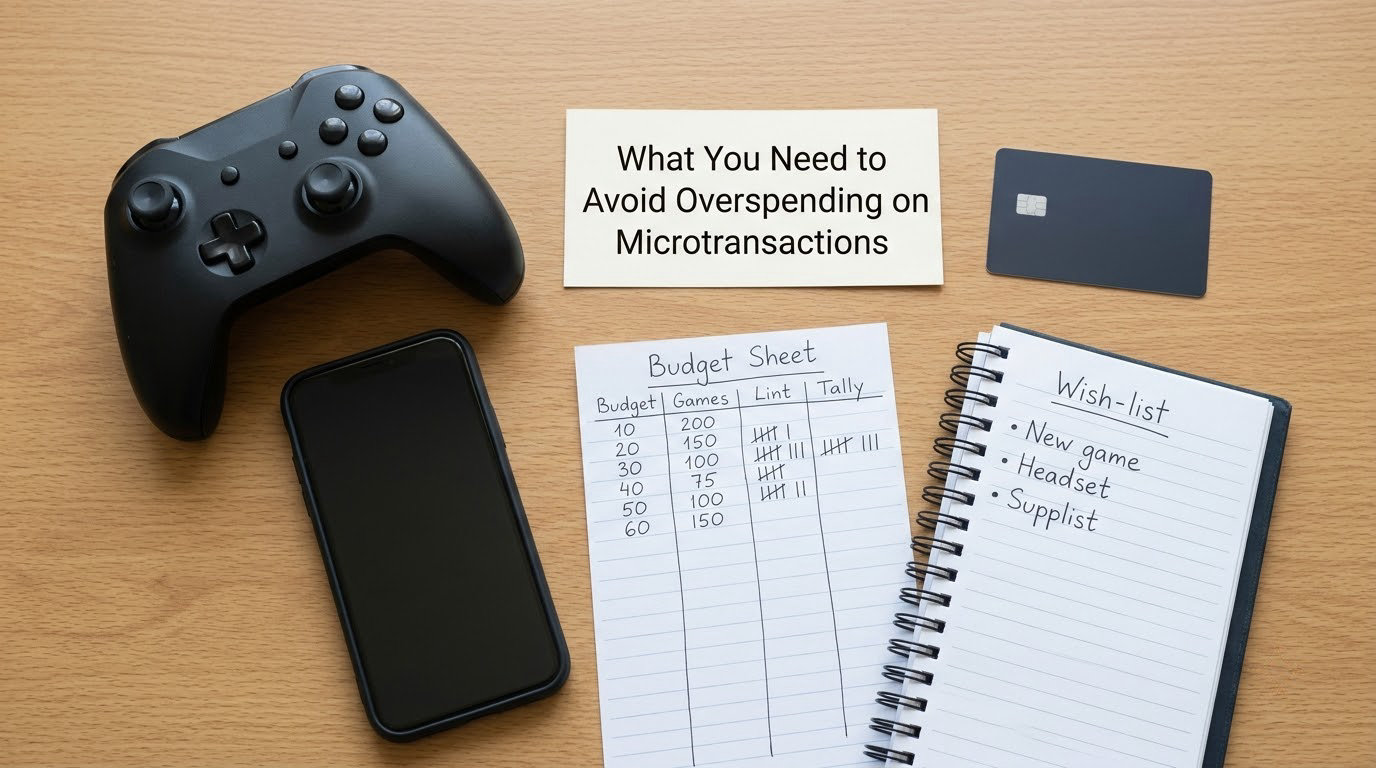
You need a number first. Before any account setting matters, write down one monthly amount you are willing to spend on in-game purchases across every game you play, and treat it as spent the moment the month starts.
Next, you need access to three things: your device’s app store or console settings, your bank or card app, and somewhere to keep notes. A notes app works. A paper notebook works better, because you cannot scroll a paper page at 1am.
A wish list is the fourth item. Every currency pack, skin or season pass you want goes on it before it goes anywhere near a checkout button, with the date you wanted it and what you thought it would change about your gameplay.
A tracking method completes the setup. A simple spreadsheet with six columns is enough, and I will show you the columns below.
One optional item makes a real difference: an accountability partner. Someone who will ask you what you spent this month, and who will not let you talk yourself out of the number.
Two things to know before you start. Account controls differ by device, platform, payment method and game, so the exact menu names I give below may not match your version. And this is general information about how these systems work, not individual financial advice. Your situation may need different numbers.
Step-by-Step: Set Limits Before You Shop
Six steps, in this order. Each one only works if the previous one is done, because a limit with no friction is a suggestion.
Calculate a Spending Limit You Can Afford
Separate your essential spending from your discretionary spending first. Rent, bills, food, transport and debt repayments come out before anything else, and gaming purchases live in what is left.
A common guideline people use is to treat entertainment and gaming together as somewhere around five to ten percent of take-home pay. That is a starting point for a conversation with yourself, not a rule, and if your situation is tight the honest cap is closer to zero for a few months.
Then subtract what you have already spent this month. If your cap is 60 for the month and you have already bought two currency packs, you have 48 remaining. Writing that figure somewhere you will actually see it matters more than the original cap.
You will know this step worked when the number feels slightly uncomfortable. A cap that feels obvious is usually too high.
Turn Off One-Tap Purchases and Store Credit Buys
The single most effective change is removing the gap between wanting something and paying for it. On iOS, spending is already routed through Face ID or Touch ID, but on Android, many games use Google Play with one-tap wallet charging enabled, and that is where impulse buying really lives.
On Google Play, open the Play Store, tap your profile picture, choose Payments and subscriptions, then Wallet, and turn off one-tap payments. Also check Play Store settings for purchase confirmation prompts, and remove your card from the payment methods list so buying requires re-entering details every time.
On Apple devices, open Settings, then App Store, and look at the purchase-related toggles there, including the setting that requires a password for in-app purchases and the setting to ask before purchasing subscriptions. Apple has never offered a store-level monthly budget, so older advice telling you to set one is out of date. Your options are the Screen Time purchase controls and a payment method you can physically remove.
On PlayStation, the account itself carries a spending limit. Go to Settings, then Account Management, then Payment Subscriptions, and set the account spending limit in your region, along with the monthly spending limit. On Xbox, open the Xbox app or your account settings, go to Privacy and online safety, then Xbox Live privacy, and check the online purchases controls there.
Store credit and gift card balances deserve special attention. An unused balance sitting on an account is a small, sunk amount that feels wasteful to abandon, and that feeling is exactly what pushes a second purchase. If you do use gift cards, treat the balance as part of your cap rather than as free money.
You will know this step worked when buying something in-game feels mildly inconvenient. That irritation is friction doing its job.
Use a Wish List and a 24-Hour Cooling-Off Rule
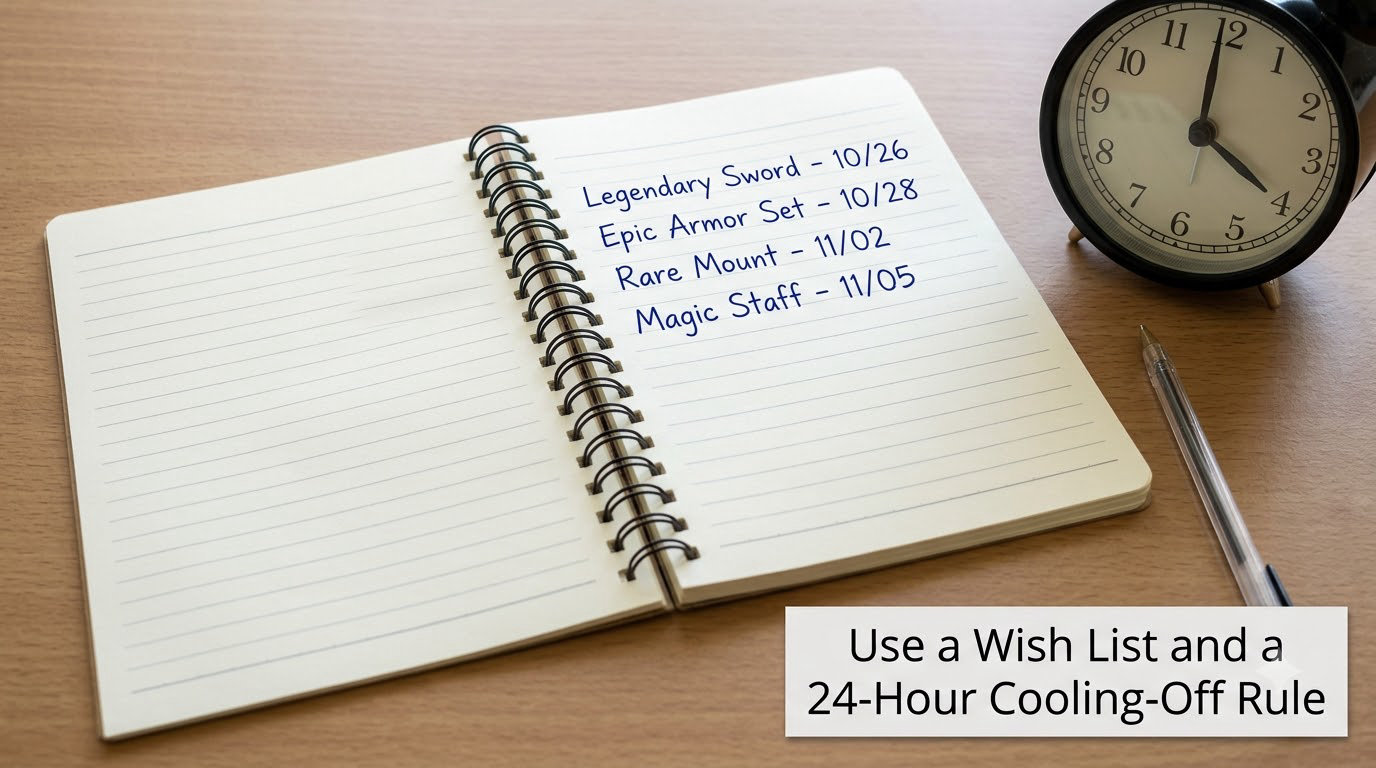
Write the item down with the date, the real-money cost, and one line about what you expect it to do. Then wait 24 hours before you decide anything.
The expectation line is the useful part, because the honest answer is often “nothing much.” A skin does not change how a gun shoots. A larger currency pack mainly shortens the grind, and you would still grind.
Here is a real pattern. Someone saves a large currency pack, goes to sleep, and comes back the next evening. The pack is now on their wish list dated yesterday, they played the game for an hour in between, and they realised they did not need it, because the free daily rewards had already covered the week’s shortfall. Delete it from the list and move on.
The 24-hour rule only works if it applies to every purchase, including the small ones. A rule you keep for big buys and skip for small ones is not a rule.
Set Purchase Alerts and Transaction Reminders
Turn on transaction alerts in your bank or card app. Almost every bank has a setting for instant notifications on card purchases, and some let you set a threshold so you get told about everything above a small amount, which is exactly the range microtransactions live in.
Turn on order and subscription emails from the store too. Battle passes and season tickets are often sold as recurring charges, and a subscription you forgot about is invisible until a statement lands.
Not every payment method has useful alerts. A prepaid card or a store gift balance will not notify you, which is exactly why those methods also function as caps. If your payment method has no alerts, add a manual check: open the purchase history every Sunday and read the total.
Watch for duplicate charges as well. Two identical purchases in the same minute usually means a double tap or a retry during a payment timeout, and it is usually refundable if you spot it quickly.
Track Every Purchase and Review the Trigger
Use six columns: game, date, amount, what balance or item you gained, the reason you bought it, and your mood at the time. The last two columns are what turn a log into something useful.
Review the log on a fixed day, once a week. Look for the time of day, the mood, and what had just happened in the game. Patterns show up fast: buying after a loss, buying at the end of a session when you are tired, buying when a friend is online and talking about their new skin, buying every time a limited event appears.
Community threads on r/gaming split on whether buying is a personal failing. What is harder to argue with is that spending on a losing streak, when a purchase is meant to recover progress you just lost, is a well-documented loss-chasing loop rather than a considered choice.
You will know this step worked when you can name your top two triggers in a sentence.
How to Avoid Overspending on Microtransactions After a Slip
A month where you break your own rules is data, not a verdict. Here is the recovery order that works: pause purchases, review the transaction, fix the setting that failed, and go back to the written plan.
First, pause. Put the game on a wish list, or remove it from your home screen for a week. Do not uninstall permanently, because deleting a game with a linked account can complicate getting your purchases or balance sorted later.
Second, review the transaction. Open your store purchase history and read the total for the game, then for the month. Most store settings keep a full purchase history, and this is also the only way to get an accurate number, because no game shows you a running total of what you have spent.
Third, if a charge is unauthorised, or the purchase never appeared in your account, contact the store first, then your card provider. A chargeback is a last step, and stores are generally more responsive the sooner you ask. Keep the order number and the date.
Fourth, fix the specific gap. Bought late at night with one-tap charging on? Turn it off. Bought because a friend was buying? Block the store page for the week. Bought while angry? That is the trigger to work on, not the game.
Fifth, lower the cap slightly for the rest of the month rather than trying to catch up. If you are carrying debt or the totals are large, a non-profit credit counsellor or a debt advice service can look at the whole picture with you, which is a different conversation from this one.
Common Mistakes
Most people who overspend on microtransactions are not careless. They are using a system that has no brakes.
Relying on willpower alone. The purchase screen is designed to be fast, and a tired brain loses the comparison every time. The fix is a hard external rule, such as no card saved to the account, so the decision is not available at 11pm.
Budgeting with whatever is spare at the end of the month. Money that has not been allocated is not a budget, it is a leftover. The fix is a fixed amount that comes out at the start of the month, treated as already spent.
Forgetting renewals. Season passes, storage subscriptions and game services bill quietly, and several of them can stack. The fix is one audit of your card and store subscriptions per quarter.
Buying while angry or frustrated. Emotional spending is a coping move, and the purchase is trying to fix a mood rather than a problem. The fix is to name the feeling out loud, close the game, and return to it tomorrow.
Chasing losses. A bad run followed by a currency pack is the same loop that drives gambling behaviour, and the variable rewards in loot boxes make it especially sticky. The fix is a hard rule: no purchases for 24 hours after a loss.
Using credit with no firm repayment limit. A card makes next month’s problem this month’s feeling. The fix is a prepaid or store gift card balance, which physically cannot exceed what you loaded.
Quick Tips for Keeping Your Gaming Budget Intact
Load a fixed amount onto a store gift card and treat the balance as your entire gaming budget for the month. It caps spending by construction.
Remove saved cards from every store and browser you have ever used to buy game credit, not just the one you use most.
Make free content the default: daily login rewards, free battle pass tiers, and events that hand out gear. Plenty of games are generous here, and the free path is often faster than expected.
Uninstall or hide a game during the weeks you know you are vulnerable, such as exam periods, a bad month at work, or any time you are sleeping badly.
Plan the earn. If you are saving for something, write down what free or in-game actions would get you closer, so the currency has a route that is not the store.
None of these are guarantees. They are cheap, and they work more often when they are set up before you want to spend than after.
Spending controls by platform
What each store actually lets you cap varies a lot. Menu names move between versions, so check the current build on your own device, but the shape of what is available is fairly consistent.
- PlayStation is the only console here with a real account spending limit and a separate monthly spending limit, plus confirmation prompts, removable payment subscriptions and per-account parental limits.
- Xbox has no hard monthly cap on the console itself, so you enforce one with a payment method that has a low limit. Purchases still prompt for confirmation and the payment source can be removed in account settings.
- Google Play has no built-in monthly cap, but one-tap payments can be switched off, a purchase confirmation prompt can be required, cards can be removed, and family controls cover approvals and limits.
- Apple’s App Store routes in-app purchases through device authentication and lets you remove the payment method, and Screen Time handles purchase approvals. There is still no store-level monthly budget, so the cap has to live on the card or the Screen Time side.
- Steam and the Epic Games Store offer a wallet balance and confirmation at checkout, with no native monthly cap. Loading the balance once is the whole mechanism.
- Roblox and similar kid-focused platforms let you lower the purchase limit on a child or teen account and add a purchase PIN, which is the fastest fix if a minor is spending without oversight.
Read that list this way: consoles give you a real cap, mobile stores give you friction, and PC storefronts give you a wallet you can load once. Pick the store where you actually spend and set the control there.
For a family member or a child, the pattern is the same with one addition: set the limit at the account level, not the device, and never share card details. One r/Anticonsumption poster described a six-year-old able to click their way through to a payment with nothing in the way. That is a setup problem, and it is fixable in about ten minutes.
When It Is More Than a Spending Habit
If you are borrowing to fund in-game purchases, hiding statements, or unable to stop for weeks at a time, spending has stopped being a budgeting question. Gamblers Anonymous and similar services run peer support specifically for gaming and spending, and a therapist who works with behavioural addiction is the right professional for the compulsion itself.
Nothing here is a diagnosis, and rules about payment systems and consumer rights differ by country and change over time, so check what applies where you live. Getting help is not a moral verdict, it is a practical response to a pattern that willpower has already failed to break.
Frequently Asked Questions
How can I avoid overspending on microtransactions?
Set a fixed monthly cap, remove saved payment methods from your store account, turn off one-tap or password-free purchasing, and put every desired item on a wish list for 24 hours before deciding. Track each purchase in a simple log with the date, amount, and the reason you bought it. Reviewing that log weekly is what turns a good intention into a pattern you can actually see.
Should I use a credit card to buy in-game items?
Only if you pay the full balance every month without fail. A card turns a small impulse into next month’s problem, and it removes the natural ceiling that a debit card or prepaid balance gives you. A store gift card balance is the simplest cap, because the account can only spend what you loaded onto it. Whichever you use, the limit has to be set before the purchase, not after.
Can I get refunds for unwanted microtransactions?
Sometimes, and it depends on the platform, the region and how quickly you ask. Start with the store’s purchase history and its refund or report a problem form, and include the order number and date. Consumer protection rules around digital purchases differ by country and can change, so check what applies where you live. Unauthorized charges are a different process, handled through your card provider, and are usually reported faster than regretted ones.
How do I stop buying when I am frustrated with a game?
Recognise the trigger first, because frustration is the signal that a purchase is about to happen. A simple rule works well: no buying for 24 hours after a loss or a bad session, and close the store page rather than just the game. Write the item on your wish list with the reason, and see in the morning whether it changes anything. If frustration buying happens most sessions, that is worth raising with someone you trust.
Are free-to-play games affordable without buying anything?
Many are, and the honest test is whether the free path still makes progress. Daily login rewards, free battle pass tiers and in-game earned currency can cover a lot of ground, especially in games that publish their earn rates. What makes a free-to-play game expensive is pressure rather than content: limited events, loss-chasing, and friends comparing purchases. Play the free content and see how far it gets you before deciding anything.
What should I do if a child makes an unauthorized purchase?
Act on three fronts at once. Disable purchases on the account, ask the store to review the charge, and set an account-level spending limit with a purchase PIN so it cannot happen again. On Apple, Screen Time lets you share purchases or require approval; on Google Play, family controls cover purchase approvals and limits. Never share card details with a child account, and keep the payment method on an account they cannot reach.
Conclusion
Start with the number. Write down one monthly amount you can genuinely afford, subtract what you have already spent, and treat the rest as spoken for. Then remove the payment method from the account you use most and turn off one-tap buying, so the first purchase of the month is not a reflex.
When something does catch your eye, it goes on the wish list with a date and waits 24 hours. Once the month is underway, log every purchase and read the log on a Sunday.
That is how to avoid overspending on microtransactions without giving up the games you like: systems first, willpower second. A plan you actually follow on a bad week will always beat a perfect plan you abandon by the third.