
Flash games disappeared for two linked reasons: Adobe Flash Player was a proprietary browser plug-in with a long record of security holes, and browsers stopped shipping it, so every game built on it broke at the same moment. What replaced them is a stack of open web standards — HTML5, Canvas, WebGL, WebAssembly — plus community projects like BlueMaxima’s Flashpoint and the Ruffle emulator. This guide covers both halves of the question: why flash games disappeared and what replaced them.
I remember the era differently than most people talk about it. Not the games themselves but the feeling of a whole afternoon disappearing into a browser tab while a school computer lab pretended not to notice. Almost every nostalgia thread about that era asks the same two questions: what happened to my favourites, and can I get them back?
The honest answer to the second question is yes, for thousands of titles, but not the way people expect. Nothing comes back by installing the old plug-in. What comes back is either a rebuilt version, a compatibility layer, or a preserved copy running through someone else’s software.
Table of Contents
- 1What Happened to Adobe Flash and Its Games?
- 2Why Flash Games Disappeared
- 3Why Flash Games Disappeared and What Replaced Them: The Timeline
- 4How Security Problems Damaged Trust in Flash
- 5Why Mobile Devices and Better HTML5 Browsers Changed the Market
- 6What Technology Replaced Flash Games?
- 7Did Flash Games Really Become HTML5 Games?
- 8How Can Players Still Experience Flash Games Safely?
- 9Frequently Asked Questions
- 10Did Adobe Flash Player shut down completely?
- 11Are old Flash games automatically converted to HTML5?
- 12Does Ruffle let me play every Flash game safely?
- 13Why did Flash games work so well on old computers?
- 14Where can I play preserved Flash games without installing Flash?
- 15Conclusion: What to Look For Instead
What Happened to Adobe Flash and Its Games?
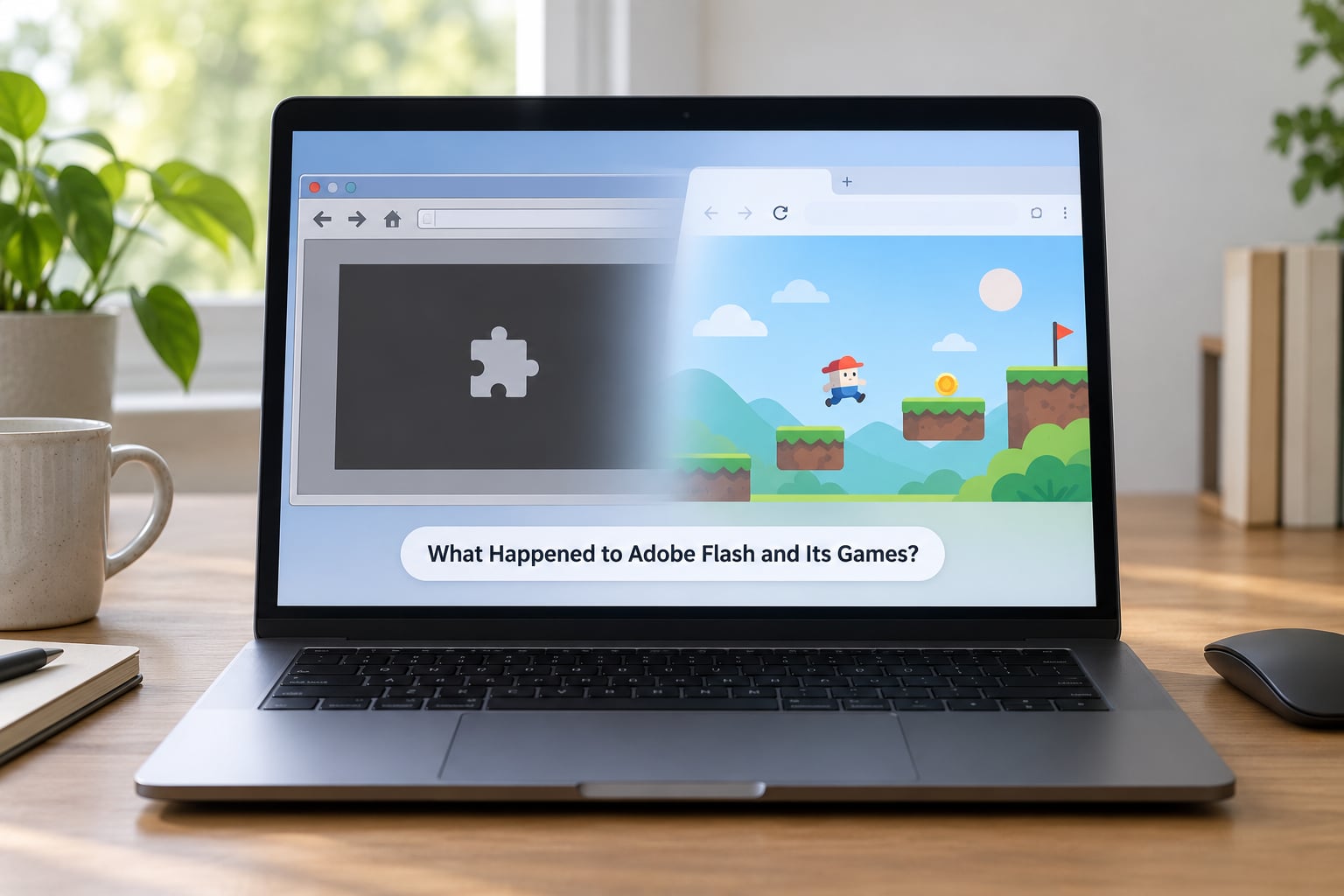
Adobe ended support for Flash Player on 31 December 2020, and on 12 January 2021 the runtime stopped loading in Chrome, Edge, Firefox and Safari. Any page whose only content was a Flash game went blank. Nothing was broken by a bug; one binary switch removed the interpreter that thousands of games depended on.
Two different things are often called “Flash”. Flash Player was the plug-in, a runtime distributed by Adobe and installed into browsers. Flash games were SWF files, individual projects written in ActionScript and distributed on sites like Newgrounds, Kongregate, Armor Games and Miniclip, or through portal games sponsored by big brands.
That distinction matters when people say thousands of games “died”. The files mostly survived. What vanished was the thing that ran them. A SWF sitting on a server in 2026 is as useless as an .exe on a machine with no operating system, unless a preservation project or emulator supplies the missing layer.
Why Flash Games Disappeared
Adobe’s end-of-support announcement was the trigger, not the cause. Flash games faded out because several pressures arrived together, and fixing any single one would not have saved it.
Recurring security failures made enterprise IT departments block Flash years before the official end date. Big advertising networks and retailers removed third-party plug-ins from their pages to protect their own users, which quietly removed the ad revenue that paid many Flash portals.
The plug-in architecture was the core liability. A plug-in sits inside the browser process with far more access than a web page should have, so a parsing bug in the player meant a risk on every site, not just the one running a game.
Developers themselves had already moved on. By the mid-2010s most people building browser games were writing JavaScript or using a cross-platform engine, and the talent pool for new Flash projects had drained.
Money changed too. Flash games were funded by sponsorship deals and ad revenue, a model that collapsed as display advertising prices fell and developers discovered direct-to-player payment on mobile and storefronts. When sponsors left, several popular portals stopped accepting new games and simply switched formats.
Why Flash Games Disappeared and What Replaced Them: The Timeline
1996: FutureSplash Animator ships, giving non-programmers an animation tool that became Macromedia Flash. 1998: the first Flash games appear on the web. 2005: Adobe buys Macromedia. 2005 to 2010: Flash becomes the default target for casual browser games and a genuine training ground for indie developers.
2007: the first iPhone ships without Flash support, and phone makers follow Apple’s lead. 2010: Apple publishes its open letter explaining why Flash will not come to iOS. 2010 to 2017: major browsers add click-to-play warnings and security vendors publish annual data showing Flash as one of the most attacked browser components.
July 2017: Adobe announces the end of Flash, with a target date three years out. 2018 to 2019: Chrome and Edge block Flash by default and start prompting users to remove it permanently. 31 December 2020: support ends. 12 January 2021: the runtime stops loading. 2021 onward: preservation efforts move from emergency archiving to long-term emulation.
How Security Problems Damaged Trust in Flash
Flash became a target because of how it was built, not because its users behaved badly. SWF parsing, ActionScript execution and sandbox enforcement all happened inside one closed binary with a documented history of remote code execution bugs.
Security reporting in 2010 ranked Flash as the second most attacked vulnerability on the web that year, and the pattern repeated: a flaw disclosed, an update shipped, and another parser bug followed within months. Each new browser restart reinstalled the same proprietary update.
Large sites noticed. Advertising networks, video platforms and retailers removed Flash embeds, and by the middle of the 2010s many companies banned the plug-in on managed networks outright. School and workplace filtering did the same on any computer students actually used, which is why so many people remember Flash games as something that worked until a library or office update quietly removed them.
By the time Adobe set an end date, browsers had already blocked Flash by default. The shutdown did not surprise the security community; it formalized a decision the web had made years earlier.
Why Mobile Devices and Better HTML5 Browsers Changed the Market
Flash assumed a desktop. It assumed a mouse, a right-click menu, a keyboard and enough CPU and battery to run a runtime that many sites used for animation ads alongside games. Phones broke that assumption on every axis at once.
Apple refused to allow Flash on iOS, and in 2010 published its reasons: Flash was a plug-in outside the browser sandbox, it drained battery, it was never designed for mobile hardware, and the iPhone’s own APIs did what Flash was being used for. Other phone makers followed, so the fastest-growing computing platform had no Flash at all.
Meanwhile HTML5 caught up. Canvas gave browsers immediate-mode 2D drawing, WebGL exposed the GPU directly, and JavaScript libraries such as Phaser made browser game development practical without any plug-in. A browser game built in 2018 could match a Flash game from 2006 and run on a phone.
Business moved the same way. App stores gave developers a real payment system, and touch games like Flappy Bird and Subway Surfers proved that small, cheap games could earn on mobile. The desktop Flash ad-and-sponsorship economy simply stopped being the most attractive market for a new game studio.
What Technology Replaced Flash Games?
Nothing replaced Flash one-for-one. The replacement is a set of separate tools, each covering a different slice of what Flash used to do, and no single option runs every old game perfectly.
HTML5 and Canvas cover most 2D browser games, with WebGL and its successor WebGPU handling 3D work that Flash could never do well. WebAssembly gives near-native speed for heavy browser titles. Unity and Godot produce standalone PC and console builds, and open-source wrappers such as OpenFL let ActionScript-style projects target modern browsers.
Native mobile games took the market share Flash once had. Modern .io games and hypercasual portals took the instant-play slot instead. And two community projects exist specifically for the archive: Ruffle re-implements the Flash runtime in an open-source player, while BlueMaxima’s Flashpoint preserves playable copies of thousands of titles.
| Option | What it does | Compatibility | Best for |
|---|---|---|---|
| Ruffle | Open-source Flash runtime, runs in browser or desktop app | Best on ActionScript 1 and 2 titles | Quick nostalgia play with nothing to install |
| BlueMaxima’s Flashpoint | Preservation project with a searchable archive and offline downloads | Very broad, including many later titles | Replaying a large library you remember |
| HTML5 remake or official port | Rebuilt game sold on a store or hosted on a portal site | Only the specific titles that were rebuilt | Games you loved enough to buy again |
| Legacy archive sites | Rehosts of individual classic titles in the browser | Catalogue varies by site | Quick play of well-known hits |
Did Flash Games Really Become HTML5 Games?
Some did, but far fewer than the number of HTML5 pages carrying the word “Flash” in the title suggests. Much of what sold itself as a conversion was a rebuilt subset of the original with the community features stripped out.
A genuine port means rebuilding the parts Flash gave you for free. Input has to be remapped from ActionScript’s keyboard and mouse model to browser events and then to touch controls. Audio moves from SoundChannel objects to the Web Audio API. Physics that relied on Flash’s fixed frame timing has to be re-tuned or it behaves differently at 60 frames per second.
Assets were the easy part: SWF vector graphics convert well to SVG or canvas drawing. Everything around the game was not. Multiplayer servers run for games are gone, high score tables were community-run and often closed, and the ad scripts that paid for hosting were dropped or replaced with intrusive advertising.
Emulation sidesteps that rebuild entirely. Ruffle interprets the original SWF file rather than translating it, which keeps gameplay identical, and its maintainers have extended ActionScript 3 support over time. That gap was the single most common complaint in community discussions about playing old games today, because late Flash games used ActionScript 3 heavily.
How Can Players Still Experience Flash Games Safely?
The safe route is to use projects built by preservation communities rather than searching for a Flash Player installer. Any download claiming to restore Flash in 2026 is not Adobe software, and it is one of the more common ways unwanted software gets onto a computer.
Start with BlueMaxima’s Flashpoint, the most complete preservation effort. It offers a browser-based launcher for streaming archived games and a downloadable database for offline play, and it deliberately avoids bundling anything it cannot document. Forum regulars describe it as the archive they trust most, largely because it is a hobby project with a public record rather than a download farm.
For single games, use Ruffle. Newgrounds has backed the project and built its own browser player on top of it, so a large slice of the catalogue plays on the site that hosted it in the first place. Other portals have adopted the same player, and desktop builds are available if you prefer playing away from a browser window.
Then look for official remakes and ports. Several Flash-era studios, including Nitrome, have rebuilt their back catalogues for browsers or mobile, and a handful of well-known titles were licensed onto modern storefronts.
Avoid random archive sites offering full game dumps, especially any page that asks you to disable your antivirus or install a “Flash Player” to make the games load. Genuine preservation projects tell you exactly what they run and where their files come from.
Frequently Asked Questions
Did Adobe Flash Player shut down completely?
Yes. Adobe ended support for Flash Player on 31 December 2020, and browsers stopped loading it in January 2021. Any page that needed the runtime now shows an empty frame or an error instead of the game. Adobe also removed the installer downloads, so a genuine Flash Player package is no longer distributed by the company. What still works today runs through emulators like Ruffle or preservation archives like Flashpoint.
Are old Flash games automatically converted to HTML5?
No. Conversion is manual, and only a fraction of the catalogue has been rebuilt. A developer has to rewrite input handling, audio, physics and assets for modern browsers, and reconnect or remove the multiplayer servers the original depended on. Many pages described as HTML5 versions are limited remakes with the social features cut out. Where an exact conversion was not worth building, preservation projects keep the original file running instead of translating it.
Does Ruffle let me play every Flash game safely?
Not every game. Ruffle is an open-source re-implementation of the Flash runtime and is safe to use, but its coverage depends on which ActionScript version a game was written in. Older ActionScript 1 and 2 titles generally work well, while many ActionScript 3 games failed until more recent versions added support. Some titles also depend on dead servers or third-party assets. For the widest library, pair Ruffle with the BlueMaxima’s Flashpoint archive.
Why did Flash games work so well on old computers?
Because Flash games were built for exactly that hardware. SWF files were small, vector graphics scaled to any screen, and games were often written around a single core and a 2005-era graphics chip. Audio was streamed and limited to a few channels, and the runtime did the rendering work. On a modern machine the same file can feel crude because the art style, not the engine, sets the ceiling. Flash’s convenience was that it hid that complexity from players entirely.
Where can I play preserved Flash games without installing Flash?
BlueMaxima’s Flashpoint is the main answer. Its web launcher streams archived games directly in the browser, and a separate downloadable database lets you play offline without any plug-in at all. Ruffle also runs in-browser and powers the player on sites such as Newgrounds. Both are free community projects. Avoid any site offering a Flash Player download in 2026, since Adobe never released one after the shutdown and those files are a common malware route.
Conclusion: What to Look For Instead
Flash games did not vanish because people stopped wanting them. They vanished because a closed plug-in became unsafe, phones went a different direction, and the money behind browser games moved to app stores. What sits in their place is not one replacement but many: HTML5 and WebGL for new browser games, native mobile and PC builds for bigger titles, and community archives for the ones already made.
Start with BlueMaxima’s Flashpoint for a large searchable catalogue, or Ruffle when you want to play in the browser with nothing to install. If a favourite was rebuilt properly, buy that version. And skip any site offering a Flash Player download in 2026, because there is no legitimate one and there never will be again.