Glitch hunting works by pushing a game to the edges of what its developers thought about: triggering mechanics in the wrong order, cancelling animations mid-frame, and stepping through the game one frame at a time to catch states the code never handled. When something breaks in an interesting way, the hunter shrinks the input sequence to its minimum, repeats it to measure how often it actually works, then shares it so others can confirm the cause. About 40 to 50 seconds can disappear from a single verified skip, which is why serious runners spend weeks on it.
I got into this sideways. I was playing a game badly, walked into a wall in a spot I had no reason to visit, and ended up somewhere the map said was solid rock. It took me an hour to work out that it was repeatable. That is the whole job, honestly, just with more patience than you think you have.
Table of Contents
- 1What Is Glitch Hunting?
- 2Why Do Glitches Happen?
- 3How Do You Find a Glitch in a Browser or MMO?
- 4What Makes Browser Games Especially Good or Bad Hunting Grounds?
- 5What Tools Do Glitch Hunters Actually Use?
- 6A Safe Testing Routine for Online Multiplayer Games
- 7How Can You Tell a Glitch from Normal Game Behavior?
- 8What Happens After a Glitch Is Confirmed?
- 9Glitch Reports: What Evidence Should You Include?
- 10Frequently Asked Questions
- 11Do all unusual game behavior count as a glitch?
- 12How can I find glitches in a browser-based MMO?
- 13Should I publicly share a multiplayer-game glitch before reporting it?
- 14What evidence makes a glitch report useful?
- 15Why does a glitch that worked in an old video no longer work?
- 16Is exploiting a glitch considered cheating?
What Is Glitch Hunting?
A glitch is game software doing something its designers never intended and never handled. Glitch hunting is the practice of deliberately looking for that behaviour by exploring boundaries, breaking animations, and testing mechanics in unusual combinations until you find one worth keeping.
The word gets stretched, so it helps to keep four things apart. A bug is any unintended fault, including the annoying visual ones. A glitch is a bug that a player can reproduce and benefit from, usually a skip, clip, duplication or out-of-bounds route. An exploit is a glitch used deliberately for an advantage. A cheat is code or hardware modification that changes values the game never exposed to you, like editing your own health in memory.
Search results for this topic constantly mix glitch hunting up with two neighbouring hobbies. Shiny hunting is deliberately hunting for a rare random spawn, and RNG manipulation is bending the random number generator so that spawn arrives sooner. Both rely on randomness. Glitch hunting relies on systems behaving wrongly in a reproducible way, which is a completely different skill.
Why Do Glitches Happen?
Games are written by people working against a deadline on systems that assume reasonable input. A collision routine that stops your character at a wall edge gets no test case for a character already moving fast enough to tunnel through it. That single missing case is a wall clip.
In online games the causes get messier. Your client draws what it thinks is happening while the server decides what actually happened, and the two disagree when your connection stutters or a packet arrives late. Overlapping events are another common source, a hit registering at the same moment a dodge animation ends, for instance, where neither state cancels the other cleanly. And any mechanic built years ago and never revisited keeps its old assumptions even after the surrounding game has changed around it.
Edge cases are where hunters live. Zero, negative, or exactly-at-the-limit values. First frame versus last frame of an animation. Standing exactly on a trigger volume’s edge. Every one of those is a place the code took a shortcut.
It helps to know there are two fairly different tracks here. Intuitive playtesting is running around breaking things until something odd happens, and it is how most finds start, including ones that take hours of walking into walls out of sheer curiosity. The technical track is deliberate, based on understanding what a system should be doing, and it is what turns a lucky moment into something you can reproduce on demand. Beginners live on the first track and stall there. The move that unsticks people is describing the odd thing in engine terms: which animation did not cancel, which collision box stayed active, which trigger fired twice.
| Type of glitch | What it does | How you find it | What it looks like in game |
|---|---|---|---|
| Clip | Pushes a character through solid geometry | Run at an angle into a corner or seam while jumping or dashing | You end up inside a wall or below the map with no fall damage |
| Skip | Removes an entire section of the game | Chain an animation cancel into a trigger or loading transition | A boss, boss phase or whole corridor simply never loads |
| Duplication | Copies an item or currency | Drop or trade an item during a cell change or save transition | Two copies exist where the inventory says one |
| Desync | Client and server disagree about game state | Load, drop connection or force a cell change under heavy load | Other players see you in two places, or you rubber-band back |
| RNG manipulation | Shifts the random number stream | Re-enter the same encounter repeatedly, or soft-lock and reset | Rare spawns or drops arrive much earlier than normal |
| Visual | Breaks rendering only | Move between areas mid-transition, or resize the window | Missing textures, floating geometry, invisible walls you can walk through |
How Do You Find a Glitch in a Browser or MMO?
This is the question people actually type, so here it is answered plainly. Seven steps, in the order that works.
- Pick one mechanic and one boundary. Newcomers fail by mashing random buttons. Choose a specific system, doors, ladders, mounts, teleports, or a specific wall seam, and treat it as your test subject for an hour.
- Learn what normal looks like. Watch the intended behaviour a few times so you can tell later when it changes. You cannot spot a deviation from a baseline you never recorded.
- Vary one variable at a time. Change input speed, or change the direction of approach, but never both at once. If two things move together you will never know which one caused the result.
- Step through it frame by frame. Frame advance slows the game to single frames so you can see the exact moment the state changes. This is where the method stops being guesswork.
- Use save states to isolate. Save immediately before the input you suspect, then reload and try the same input again. A state that never changes the outcome is a coincidence, not a glitch.
- Shrink the sequence. Remove inputs one at a time until it stops working. What survives is the real cause and the real recipe.
- Test it ten times, then fifty. Count the successes. A find that worked once is noise; a find that works 9 times out of 10 is a tool.
What Makes Browser Games Especially Good or Bad Hunting Grounds?
Browser games are a mixed bag. The upside is that everything runs on your machine, so dev tools are always open, network requests are inspectable, and you can replay a scenario in seconds. The downside is that most are built on general-purpose engines with a lot of untested custom logic bolted on top.
The feature combinations most likely to expose a fault are the ones that fire two systems at once. Rapid repeated inputs during a state transition. Standing exactly on a boundary while that transition fires. Movement collision during an animation that has already moved the character. And latency, because an online game with a slow or unstable connection produces desyncs that have nothing to do with your skill.
MMOs add one more thing: shared world state. Anything you do near other people can affect them, which changes how you are allowed to test. That is the next section.
Two practical nuisances catch out nearly everyone who copies an old video. The first is the input device, because a sequence written for a controller will not transfer to a keyboard and vice versa, since buffering and polling behave differently. The second is frame rate, because a system that updates at a fixed internal tick will respond to the same inputs differently on a machine running 40, 60 or 144 frames a second. Neither problem is exotic. Both make a correct sequence look broken when it is only mistranslated.
What Tools Do Glitch Hunters Actually Use?
Almost nobody needs much more than a notebook and a lot of repetition. The useful tools are unglamorous:
- An emulator with frame advance. This is the big one. You can pause on any single frame and step forward one at a time, which turns guessing into observation. Many emulators also record and replay your exact inputs.
- Save states. Save immediately before the suspect input, reload, retry. If the outcome never changes, you have found noise instead of a fault.
- Input macros. A recorded sequence played back at a fixed rate gives you a clean success count across many attempts, which is how you measure whether a find is real.
- Browser dev tools. In a web game these show you network requests, console errors and timing, which often reveals whether a failure came from your connection rather than the game.
- Memory viewers. Occasionally useful to confirm that a value changed. Treat them as a last resort, since modifying memory is cheating almost everywhere and gets accounts banned in online play.
- Community channels. Speedrunning forums and Discord servers are where a find gets peer reviewed. Post your video, your platform and your success rate, and someone will usually tell you why it works.
The order of tools matters more than the list. Frame advance and save states come first because they teach you the cause. Macros come second because they measure it. Memory editing comes last, if ever.
A Safe Testing Routine for Online Multiplayer Games
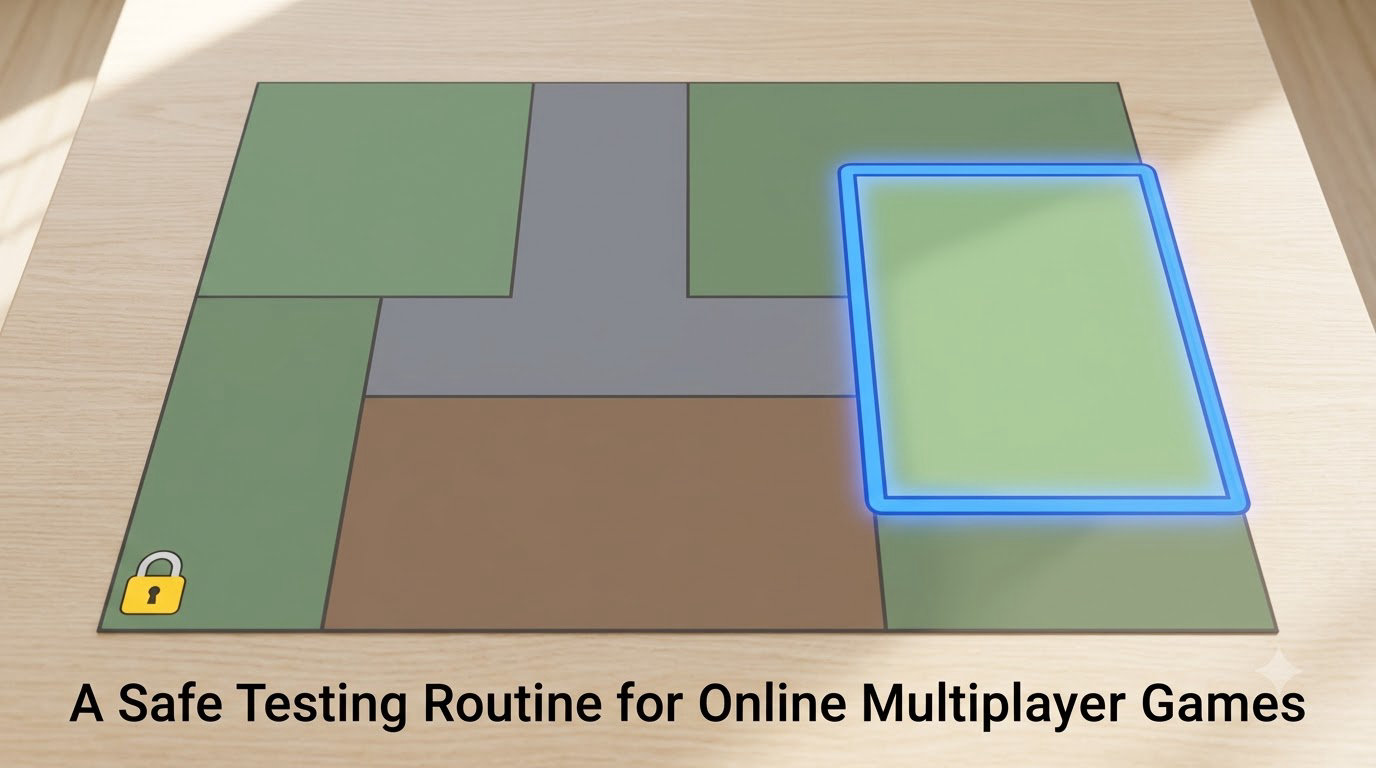
In a solo game you can break everything. In an online game you are running tests inside somebody else’s world, so the routine matters more than the technique.
Test in the quietest conditions you can find. A low-traffic channel or an off-peak hour gives you room without an audience watching a character fall through the floor. Check whether the game has a rules page about exploits, because a lot of them explicitly ban them even when nothing is technically cheating.
Never test a mechanic that affects other players directly. Do not use a duplication glitch in a shared economy, do not use a movement clip to reach an area still in an event, and do not bring an infinite resource into a party with strangers. Test economy and damage mechanics solo or with people who agreed to help.
Keep sessions short and clean. Load out of any state you corrupted, clear test items out of shared inventory, and stop if a session starts behaving oddly, because that is often the interesting part but also where accounts get flagged.
Keep a record as you go, even offline. Date, patch version, platform, the shortest sequence that works, and the result out of ten attempts. Half of all false bug reports I have seen were fixed by the reporter doing exactly this, because the sequence had quietly depended on a state they never wrote down. A second pattern is the same fault reported three times by three people because nobody shared it, and it gets patched as three separate issues instead of one.
When you have something, report it before you publish it. Private first, then public, always in that order.
How Can You Tell a Glitch from Normal Game Behavior?
Most false alarms are mechanics that were working exactly as designed. Some games let you jump higher on a specific tile, or sprint through an animation, or move while stunned, and those are features with no documentation. A short checklist separates them faster than arguing in a comment thread.
| Test | Likely a glitch | Likely intended behaviour |
|---|---|---|
| Reproducibility | Same inputs give the same result every single time | Result changes with timing, angle or nearby state |
| Visual feedback | Missing geometry, no collision mesh, objects that never unloaded | Everything renders correctly and the character animates properly |
| Game rules | Breaks a stated rule, a hard boundary or a progress check | Uses a rule in a way nobody wrote down but nothing breaks |
| Persistence | Survives a save, reload, or re-entering the area | Resets itself when you reload or move away |
| Cross-player effect | Other clients see something wrong too | Only your own client shows the issue |
If you cannot make it repeat on the third try, you do not have a glitch yet, you have a memory. That is the honest technical answer and it is where most beginner reports fail.
What Happens After a Glitch Is Confirmed?
A confirmed glitch has usually travelled a long way before anyone calls it confirmed. The rough pipeline goes: you find something, you measure it, you post it with a recording, other people reproduce it on their own setups, someone works out the underlying cause, and then it gets a name. That name is often the real prize, because a named mechanic with a known cause is the thing that spawns fifteen more finds.
GamesRadar wrote about a chain like this in the Souls games. One hunter combined an existing movement glitch with a ladder, produced something called Ladder Warping, and that opened up 15 to 20 further discoveries from the same starting point. Findings breed findings when you know why something works.
Consistency is the number people quote. In the same report, a skip that a computer replicated only about half the time still saved 45 to 50 seconds in a real run, even at roughly a one-in-ten success rate. That is normal. It is also why runners save states at every major split.
Measuring that rate is unglamorous work and nobody films it. Set up a macro, run the same attempt fifty times, and write the number down. A find that works 9 out of 10 belongs in your routing immediately. One that works 3 out of 10 might still be worth it if it saves a minute, but it belongs behind a save state. One that works 1 out of 50 does not belong in a run at all, no matter how good the video looked.
Versioning matters just as much as the success rate. A patch that adjusts collision or animation timing can delete a find without ever mentioning it, and old tutorials do not get updated. Before you trust a three-year-old video, match its patch date and its platform. If you cannot match both, retest it yourself rather than assuming you did something wrong.
There is a point where a bug turns into an exploit, and it is worth being clear about it. A bug is an unintended fault. An exploit is a bug you have weaponised. Once a skip shortens a route, it is an exploit by definition, which is normal and fine in any% categories and a violation in glitchless ones. Online, where it hands other people an unfair advantage, it stops being a craft question and becomes a conduct question.
Glitch Reports: What Evidence Should You Include?
Good reports get fixed. Thin ones get closed. If you are reporting to developers rather than to a speedrunning community, include all of this:
- Game title and the exact version or patch number you are running.
- Platform, operating system, browser and version if it is a browser game, or console model.
- Region and server, since some faults are regional.
- Account conditions, new or veteran, and whether it happened in solo or group play.
- The shortest sequence of steps that reproduces it.
- Expected behaviour and observed behaviour, stated side by side.
- A video or screenshot that shows the moment clearly.
- How often it happens out of your attempts, and whether anyone else can see it.
Send that privately first. Posting the exact steps publicly can hand the fault to people who will use it against others, and it can also spoil a discovery a speedrunning community has not verified yet.
Frequently Asked Questions
Do all unusual game behavior count as a glitch?
No. A glitch is unintended behaviour that breaks a normal rule or a boundary, and it has to be reproducible. If a game quietly lets you sprint during an animation and everything still works, that is a hidden mechanic, not a fault. Test it three times before you report it.
How can I find glitches in a browser-based MMO?
Test boundaries rather than random button combinations. Try unusual movement paths, rapid or overlapping actions, transitions between zones, crowded locations, and interactions that happen while a panel or cutscene is still open. Keep one variable changing at a time so you can tell what actually caused the result.
Should I publicly share a multiplayer-game glitch before reporting it?
Report it privately to the developer or support team first, especially if it gives an unfair advantage, affects other players, or exposes a security weakness. Publishing the exact steps can hand it to people who will use it in live play. Wait until support confirms or fixes it before you post.
What evidence makes a glitch report useful?
State the game version, platform, browser or console, region, and whether the problem affects one player or several. Include the shortest steps that reproduce it, expected versus observed behaviour, and a short video. Then add your success rate out of ten attempts, which is the detail most reports are missing.
Why does a glitch that worked in an old video no longer work?
Patches change collision, animation timing and trigger logic, so old tutorials break quietly. Frame rate and input device matter too, since a sequence timed for a controller will not transfer to a keyboard. Always check the video’s patch date and match its platform, then retest frame by frame.
Is exploiting a glitch considered cheating?
It depends entirely on where you use it. Offline or solo, exploiting a skip is normal speedrun practice and lives in its own category. In competitive online play it is usually a rule violation, and in PvP it hands other people an unfair advantage. Modifying memory or code is a different thing entirely and is cheating nearly everywhere.
Start small today. Pick the mechanic you use most, find one wall seam or one doorway where it should not work, and run the same input sequence ten times in a row. Write down what happened each time. That count is the whole discipline, and it is the part almost every tutorial skips.