Most gaming wrist pain comes from three things working together: hours of the same small movement, a wrist held bent or braced on the desk edge, and a grip that tightens the moment things get tense. The fix is mostly setup and pacing rather than equipment, and the biggest wins usually arrive in the first week.
This guide is general information about comfort and ergonomics, not medical advice. If you have numbness, tingling, weakness, or pain that is not settling between sessions, stop reading and book an appointment with a doctor, physiotherapist, or hand specialist.
Most people can feel the difference between tired and injured within a few minutes of changing how they sit. Here is what I would change first, in the order I would change it, with the check that tells you whether a change actually helped.
Table of Contents
- 1What You Need
- 2Step-by-Step: How to Reduce Wrist Pain From Gaming
- 3Step 1: Reset Your Desk and Chair
- 4Step 2: Reduce Wrist Pain With Lighter, Slower Mouse Inputs
- 5Step 3: Take Microbreaks Without Leaving the Match
- 6Step 4: Warm Up and Cool Down Your Hands
- 7Step 5: Know When to Stop and Seek Help
- 8Common Mistakes
- 9Frequently Asked Questions
- 10Can gaming cause wrist pain?
- 11What is the best keyboard and mouse setup for reducing wrist pain while gaming?
- 12How often should I take breaks from gaming to reduce wrist pain?
- 13Are wrist stretches helpful if my hands already hurt while gaming?
- 14Should I stop gaming if I have wrist numbness or tingling?
- 15Do gaming wrist braces actually help?
- 16Conclusion
What You Need
You do not need a new setup to start. The free adjustments below do most of the work, and they cost nothing but ten minutes of your evening.
First, an adjustable chair. If your feet do not sit flat on the floor, or your knees are noticeably higher or lower than your hips, no amount of new gear will fix your wrists.
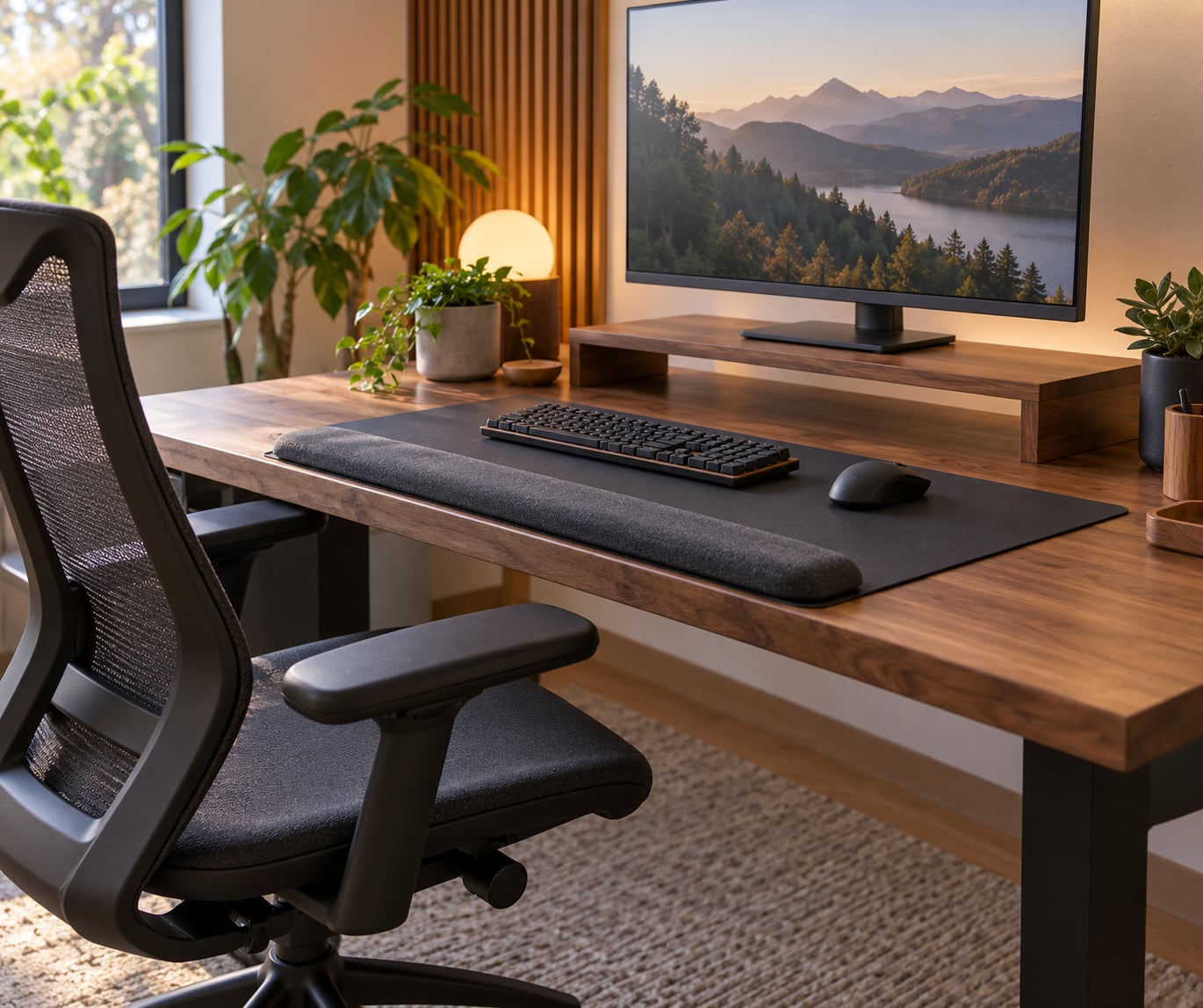
Second, a surface to put your forearms on. Many players find that adding a palm rest or a desk-edge forearm pad, and then actually using it between actions, does more than any other single change. It stops the small habit of leaning the wrist into the mousepad while the hand is moving.
Third, a warm-up. That is not a product. A warm shower, a mug of something hot, or two minutes of wrist circles will do it.
Then the optional gear, listed roughly in the order I would buy it:
- A lighter mouse. If your current mouse takes real force to drag across the mat, a lighter body is a direct reduction in effort. A mouse with a lighter switch also needs less finger pressure.
- A supportive or ergonomic mouse shape. A mouse that fits your hand so you do not have to claw at it reduces the tension you are holding all session. A vertical mouse, which holds your forearm in a more neutral handshake angle, helps some players a lot and does nothing for others. Players on r/pcmasterrace and elsewhere describe it as the change that fixed their wrist issues, and just as many describe switching back. It is a test, not a guaranteed answer.
- A palm rest. Useful during pauses. Keep it soft, keep it low enough that it does not prop your wrist upward, and do not lay your wrist across it while you type.
- A wrist brace or splint. Worth having for a flare-up. It is not something to wear every session, and I will explain why below.
- A hand exerciser or grip trainer. Gentle, and best used as a warm-up or a cool-down rather than a workout. Heavy squeezing through pain is how people make a mild problem permanent.
- A controller swap, if that is your main input. Players in r/Fighters who tested pad, hitbox, leverless and arcade stick reported that changing the control type was the change that let them keep playing, though it took a few tries to find the right one.
The honest summary is that gear changes the effort your hand has to produce. Posture and pacing change how long that effort lasts. Fix the second pair first and you will not need much of the first.
Step-by-Step: How to Reduce Wrist Pain From Gaming
Step 1: Reset Your Desk and Chair
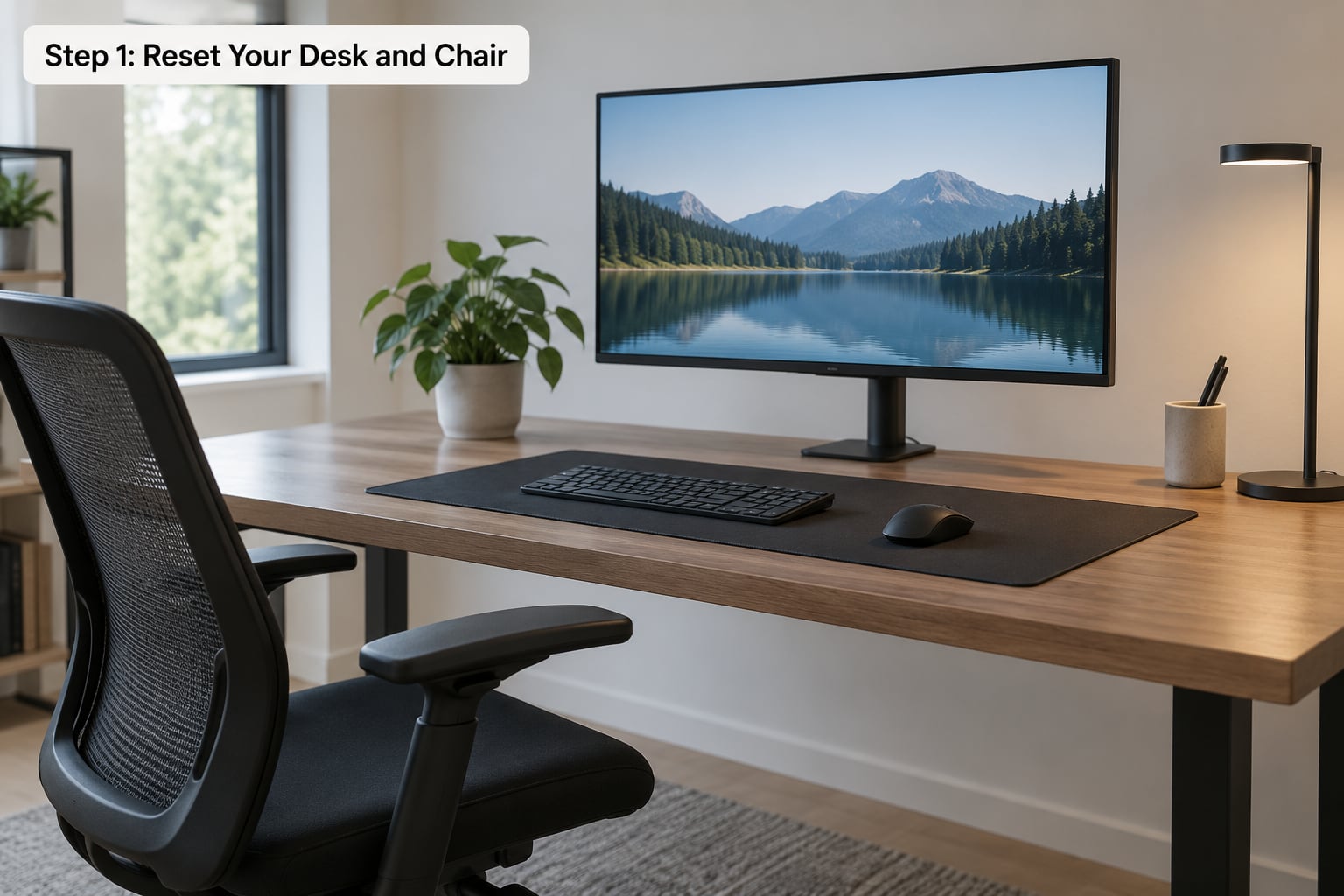
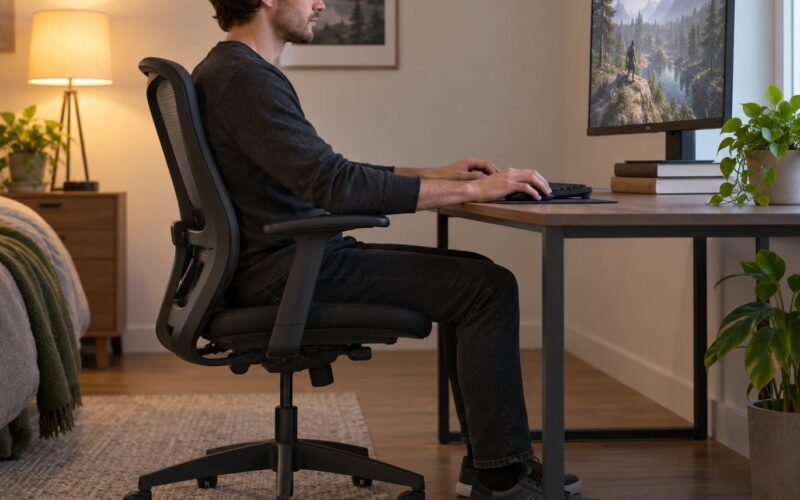
Sit down and set your chair so your feet are flat and your thighs are roughly parallel to the floor. Then set your desk height so your elbows sit close to your sides at about 90 degrees when your hands are on the keyboard.
Most setups fail on the elbows, not the wrist. When the desk is too high, the shoulders lift to compensate and the forearms angle upward, which pushes the wrist into extension. When it is too low, players compensate by shrugging and holding their arms up.
Put the keyboard and the mouse next to each other and in the same plane. If you have to reach sideways or reach forward to get to your mouse, your shoulder is doing work that your arm should be doing.
Raise the monitor so the top of the screen is at or just below eye level. A monitor sitting low is not a wrist problem, but a bent neck pulls on the same chain of muscles running down to the hand, and a lot of players who feel forearm tension are really feeling tension that starts in the neck.
Finally, aim for a neutral wrist: straight, not bent up or down. Flat desk mats and low-profile keyboards make this easier to hold.
Here is the ten-second check. Look at yourself side-on. If your forearms slope upward, lower the desk or the chair. If your wrists fold down toward the mat, move the keyboard up or pull the mouse closer. If your shoulders are near your ears, the desk is too high. Repeat until the forearms are level and the shoulders are quiet.
It is working if you can play a full session and your shoulders are not tired at the end. Shoulder and elbow pain usually arrive alongside wrist pain, and players on gaming forums consistently recommend fixing desk height and elbow angle together for exactly that reason.
Step 2: Reduce Wrist Pain With Lighter, Slower Mouse Inputs
Repetition is the load your wrist actually feels. Every click, every small adjustment, every tight flick repeats the same movement hundreds of times an hour, and the fix is to make each repetition cheaper.
Start with sensitivity. Turn it down until a full-arm flick still reaches the target. Most players carry far more sensitivity than they need, which means the wrist is doing micro-movements constantly instead of the arm and shoulder doing the big sweeps. You will lose a little raw speed for a while. The trade is usually worth it if you are already in pain.
Then fix the click. Most mice let you raise the click-force setting, and a light click is a small thing that happens thousands of times a session. If your hand cramps on the left side, you are squeezing.
Next, drop the grip. Clench the mouse hard enough to hold it against a desk, then let go about 30 percent. That is roughly the tension you want, and it feels too loose at first. Fighting-game players get this worst, because the instinct to death grip during a match overrides any conscious plan you made in the loading screen.
Finally, give the mouse room. A mat big enough for small arcs means you lift and replace rather than drag your forearm across the desk, and lifting costs the wrist nothing.
It is working if your flicks feel smooth and your forearm tires before your wrist does. That is the right order. If your wrist is the first thing to ache, your arm is still doing too little of the movement.
Step 3: Take Microbreaks Without Leaving the Match
The single most repeated piece of advice across gaming communities and clinical ergonomics pages is the same: frequent breaks beat everything else. Not one long break at the end. Frequent.
Use this as your baseline. Play 30 to 45 minutes, then take 5 to 10 minutes away from the setup. Stand up, walk to the kitchen, let your arms hang. A break where you keep one hand on the mouse does not count.
Scale it to the session:
- Ranked matches, 30 to 40 minutes each: Use the queue and selection screen. That is your natural gap, every single round.
- Long MMOs, raid nights, 4-hour sessions: Set a timer you cannot silence. Sessions 8 to 10 hours long do most of the damage, because by hour four you have stopped noticing tension.
- Esports practice and aim training: These are the worst cases. High APM strategy games and aim trainers produce forearm soreness rather than wrist pain, which feels unrelated and is easy to ignore. Break more often here, not less.
- Streaming while playing: You are doing your day job with the same hands. Budget your hand load for the whole day, not the gaming block.
Then use the gaps you cannot avoid. Between rounds you have 60 seconds, which is plenty for a short routine: shake both hands out, ten slow wrist circles each way, open and close your fingers, flex and extend your ankles ten times, and roll your shoulders back. No equipment, no changing clothes, no leaving the chair.
Doing that between every single round is far more useful than a good stretch session once a week. Players in r/CoDCompetitive and r/pcmasterrace threads converge on this: the fix that worked was the boring one, applied often.
It is working if you finish a session with hands that feel rested rather than hot and tight. If you cannot tell, the next morning is the better test.
Step 4: Warm Up and Cool Down Your Hands
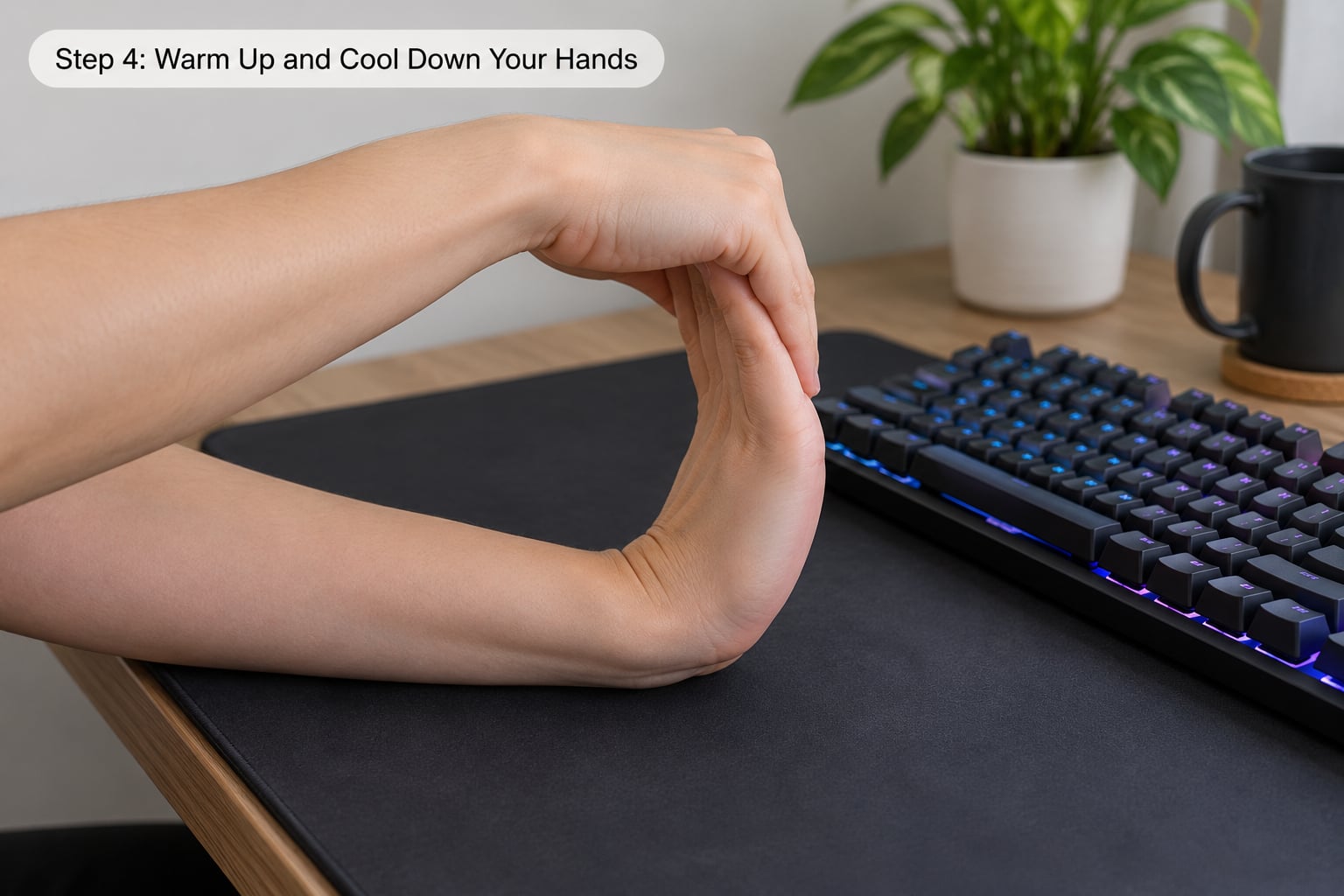
Cold, stiff hands play worse and ache more. Ninety seconds before a session and sixty seconds after makes the difference, and it takes less time than most people spend adjusting graphics.
Warm-up, about 90 seconds:
- Shake it out. Loosen your hands and shake them for 15 seconds. It looks silly. It works.
- Wrist circles. Ten slow circles each direction, moving through the full comfortable range. Do not force the ends.
- Tendon gliding. With your palm open, bend one finger at a time toward your palm and back, then reverse. Move slowly, the tendons slide independently rather than all at once.
- Forearm stretch. Extend one arm, palm facing up, and use the other hand to gently draw the fingers down toward the floor. Hold 20 seconds per side, no more, and stop if it pinches.
- Grip work. Squeeze a stress ball or hand exerciser gently for 10 seconds, five times. Warm muscles, not fatigue them.
Cool-down, about 60 seconds: the same circles, one stretch per side, and then shake the hands out again. This is where you notice whether the session went well. If your hands feel looser than they did an hour ago, your setup is working.
Two rules keep this safe. Stay inside a comfortable range, which is usually well short of what you can force, and never stretch into pain. A stretch should feel like a pull, not a stab. If pain increases during a movement or lingers afterwards, stop that movement and change the position instead of pushing further.
There is a strength side to this as well, and it comes later. Stretching helps with immediate stiffness. Strengthening helps with long-term change, and it is what people who only ever stretch tend to be missing. Once symptoms are settling, add gentle progressive work: controlled wrist extension and flexion with a light resistance band, a few repetitions, a couple of times a week, stopping well before fatigue.
Some players in forum threads found that forearm and general strength work cleared up years of chronic wrist pain, while stretching alone never stuck. A doctor or physiotherapist can give you a program matched to your symptoms, and that is the right place to start if you are already hurting rather than pre-empting anything.
Step 5: Know When to Stop and Seek Help
Sorting your symptoms by where they appear is more useful than guessing at a diagnosis, and it is what a good hand clinic will ask you first.
Thumb and base of the thumb, especially during button mashing or thumbstick use. Usually tendon irritation from repetitive pressing, sometimes a trigger finger where a finger catches and releases. Reduce press force, spread the load across more fingers if the game allows, and try a controller with more face buttons.
Palm side of the wrist, in the centre of the palm. This is the classic gaming location and often involves the median nerve. Change the wrist angle first, then the break cadence.
Thumb-side wrist, around the base of the thumb. Common with a mouse held in a tense or claw grip and with a low, cramped hand position. Loosen the grip, raise the forearm, and check your sensitivity.
Pinky-side wrist. Less common and more likely to be nerve-related in the ulnar nerve rather than tendon-related. Split your desk sessions and get it looked at if it persists.
Forearm, especially the top of the forearm toward the elbow. Usually the forearm extensor muscles, tired from holding position, often mistaken for a wrist problem. The fix is grip tension, session length, and desk height.
Numbness or tingling that runs into the fingers. This is the line between fatigue and nerve involvement. It is not normal soreness, and it is the single symptom most worth a doctor’s appointment.
There is one reliable test that patients themselves use: does it fade with rest? Ordinary post-session tiredness eases overnight and is gone by the next morning. Symptoms that come back faster each session, that wake you at night, or that persist through normal typing and lifting are a different category.
Book an appointment if you have any of these:
- Numbness or tingling, especially if it spreads into the thumb, index, middle or half the ring finger
- Weak grip, dropping objects, or buttons not registering when you press them
- Symptoms that wake you up at night or need shaking out to settle
- Swelling, a visible lump, or a finger that catches and stays bent
- Pain that is getting worse rather than better after two weeks of changes
- Symptoms that show up when you are not gaming, or on your non-gaming hand
Until then, reduce your gaming load, break the sessions up, and get the setup sorted while you wait. Rest and ice after a session can settle a flare-up, and a brace is reasonable for a short period of activity. Do not push through numbness, and do not keep training through a flare-up hoping it strengthens the joint.
On timing, which is the question everybody asks: expect to feel a real difference within two to three weeks of consistent setup and pacing changes, and expect the underlying tendon irritation to take six to twelve weeks to properly settle. If a week goes by with no change at all, the change you made probably was not the one that mattered, or the pain has a cause that posture will not touch.
Clinical guidance on wrist and hand conditions from the American Academy of Orthopaedic Surgeons, Mayo Clinic and the NHS is the right background reading if you want to go deeper than a blog. It is also what a doctor or physiotherapist will be working from, so arriving at that appointment with the facts written down, which game you play, how long you play, where the pain sits, and what makes it better or worse, tends to make the appointment shorter and more useful.
Common Mistakes
Anchoring the wrist. Leaning the wrist into the mousepad or desk edge to move the mouse is the habit that shows up most in complaints. The wrist is a hinge, not a support. Move the arm instead.
Death grip. Tension spikes during a clutch moment and never drops. You cannot see it, which is why the fix is a physical one: set the mouse down, notice your jaw and your hands, reset the grip, pick it up again. The r/Fighters threads make this point constantly, and the advice for fight games is to lower stakes practice, where losing does not cost you anything.
Resting on a wrist rest while typing. A palm rest is for pauses. If you lay your weight on it while typing, you are replacing one bent-wrist habit with a compressed-wrist habit. Rest the heel of the hand, and only between actions.
Micro-breaks that are too short. Twenty seconds of shaking your hand out is a nice gesture, not a break. You need 5 to 10 minutes where the hands are genuinely not being used. A minute between rounds is still worth doing, but do not count it as your only break.
Ignoring numbness. This is the one that causes lasting damage. Soreness fades; numbness does not. The moment symptoms move from dull ache into tingling, the rules above stop being enough.
Stretching into pain. A good stretch feels like a strong pull and then eases. Sharp pain, pain that builds during the stretch, or pain that lasts an hour afterwards means you went too far, and repeated attempts like that tend to irritate rather than relieve.
Counting gaming hours only. If you also work at a desk, study, play on your phone, or stream, your hands have a longer day than your gaming stats suggest. Budget the whole day, because the two hours on the keyboard matter more to your tendons than the six on the mouse.
Two habits worth adding on top of everything above: keep your sessions to something you can finish without pain, and change one thing at a time. Changing desk height, mouse, sensitivity and break schedule in the same week means you will never know which one helped.
Frequently Asked Questions
Can gaming cause wrist pain?
Yes. Hours of repeated clicking, aiming and button presses load the same tendons thousands of times, and holding the wrist bent or gripping hard adds to it. Most gaming wrist pain is tendon irritation and muscle fatigue rather than a single injury. It becomes a real problem when it lingers between sessions, spreads into numbness, or starts affecting typing and lifting.
What is the best keyboard and mouse setup for reducing wrist pain while gaming?
Keep the keyboard and mouse close together in the same plane, set the desk so your elbows sit near 90 degrees with shoulders relaxed, and keep the wrist straight rather than bent. Add a forearm support for pauses, use a lighter mouse and a lower sensitivity setting so your arm does the big movements, and raise the monitor to eye level. Setup changes help more than any single accessory.
How often should I take breaks from gaming to reduce wrist pain?
Every 30 to 45 minutes, for 5 to 10 minutes, with the hands genuinely away from the setup rather than resting on the mouse. Between rounds you usually have about 60 seconds, which is enough for wrist circles, finger opens and closes, and shoulder rolls. Longer sessions need more frequent breaks, not fewer, because by hour three most players stop noticing how tense they are holding their hands.
Are wrist stretches helpful if my hands already hurt while gaming?
Gentle movement is usually helpful, stretching into pain is not. Stay inside a comfortable range, treat a stretch as a strong pull that eases rather than a stab, and stop any movement that increases your symptoms. If your hands are actively sore, shorten your sessions and add breaks first, and get advice from a doctor or physiotherapist before adding strengthening work. Stretches feel good but rarely fix an underlying overload on their own.
Should I stop gaming if I have wrist numbness or tingling?
Yes, stop for the day and do not push through it. Numbness and tingling suggest nerve involvement rather than ordinary muscle fatigue, and it is the symptom that most warrants a proper assessment. Ordinary tiredness fades overnight; nerve symptoms come back faster each session, spread into the fingers, and can wake you at night. Reduce your gaming load and book an appointment with a doctor, physiotherapist or hand specialist.
Do gaming wrist braces actually help?
They help short term, and that is their use. A brace or splint takes load off an irritated tendon or nerve during a flare-up and reminds you to stop gripping so hard. Worn constantly through healthy sessions they can weaken the muscles that support your wrist, and many players end up with a cycle of relief followed by stiffness when they take it off. Use one for flares, then return to setup and pacing fixes.
Conclusion
Start with the setup. Get the chair and desk so your elbows sit near 90 degrees, put the keyboard and mouse side by side, keep the wrist straight, and stop resting your weight on the mousepad. That change is free and it takes ten minutes.
Then reduce the load. Lower your mouse sensitivity so the arm does the big movements, click lighter, hold the mouse 30 percent looser, and take 5 to 10 minutes away from the setup every 30 to 45 minutes.
Expect to feel a difference inside two to three weeks if the changes are right. If symptoms are moving into numbness, into weakness, or into your sleep, stop and see a clinician, because that is the point where setup advice runs out and proper assessment matters.