How to report cheaters in online games comes down to three things: capture the evidence before you leave the match, use the game’s official reporting channel, and describe only what you actually saw. Most failed reports fail on one of those three. A report with a clip, an exact username and a match ID is far more likely to be actioned than a one-line complaint with no identifiers.
Reporting is worth the few minutes it takes. A report is one input among several — automated anti-cheat and server-side log review are the primary detectors — but human reports flag accounts for review and add weight when a pattern of behavior is documented. Accuracy matters more than volume, so one clean report beats five vague ones.
Table of Contents
- 1What You Need
- 2Step-by-Step: How to Report Cheaters in Online Games
- 31. Confirm the suspected cheating behavior
- 42. Record clear evidence
- 53. Find the game’s official reporting system
- 64. Select the correct report category
- 75. Submit a factual report
- 86. Protect your account and avoid retaliation
- 97. Check for updates or follow up
- 108. Handle an unresolved or mistaken report
- 11Common Mistakes
- 12Frequently Asked Questions
- 13Does reporting a cheater actually do anything?
- 14Is there a website to report cheaters?
- 15What counts as evidence of cheating?
- 16Can I get banned for reporting someone?
- 17Can I report a cheater with only screenshots?
- 18Is it illegal to cheat in online games?
- 19Conclusion
What You Need
Before you open a report form, assemble a small evidence pack. Most of it has to be gathered during the match itself, because once the match ends some of it disappears.
- An untrimmed clip of the moment. Record the whole incident from a few seconds before it starts. Trimmed clips are hard to verify and moderators often reject them.
- The exact in-game username. Copy it rather than typing it from memory. Display names and account tags differ, and a report with the wrong identifier goes nowhere.
- The match ID, server name or game mode. Nearly every support form has a field for it. It is the fastest route for a moderator to pull the server logs.
- A timestamp. Note the in-match clock time or the time of day in your own time zone, whichever the form asks for.
- A one-line description of the cheat type. Aimbot, wallhack or ESP, speed hack, aim-lock, packet manipulation — naming it precisely helps the report land in the right queue.
- The replay or demo file, if the game records one. Some titles keep a server-side demo you can attach or reference by ID.
- Chat or system messages. Occasional kill-feed messages, scoreboard anomalies and text chat lines help reviewers see a pattern rather than a single moment.
Step-by-Step: How to Report Cheaters in Online Games
1. Confirm the suspected cheating behavior
Report what you observed, not what you concluded. That distinction is the difference between a useful report and one the moderation team discards.
An aimbot tracking a target through a wall, a wallhack or ESP overlay showing enemies through geometry, or a speed hack moving at physically impossible pace are cheat violations. Smurfing, boosting, a strong legal build, bad sportsmanship and team-killing usually are not — and reporting them can get your own account flagged for abuse.
| Behavior | Reportable as cheating? | What to do instead |
|---|---|---|
| Aimbot, aim-assist, ESP overlay, speed hack | Yes | Report with clip and match ID |
| Exploit abuse (bug gives an unfair reward) | Usually yes, under exploit abuse | Describe the exact sequence, not the outcome |
| Boosting (someone else plays your account) | Only as account sharing | Report the shared account, not the friend |
| Smurfing (playing on a lower-ranked account) | No | Report only if the account is also cheating |
| Strong but legal build or gear | No | Leave it. Report noise dilutes real reports |
| Team-killing, feeding, rage quitting | No | Use the harassment or sportsmanship category |
| Suspiciously good reaction time | Uncertain | Report only with a clip, and phrase it as an observation |
| Lag, server issues, high ping | No | Report the connection, not the player |
Players who misuse one button for every complaint are why genuine cheater reports get lost in the queue. Keeping your reports clean is the single biggest thing you control.
2. Record clear evidence
Hit record first, ask questions later. You can reconstruct what a username was after the match; you cannot reconstruct a clip that was never captured.
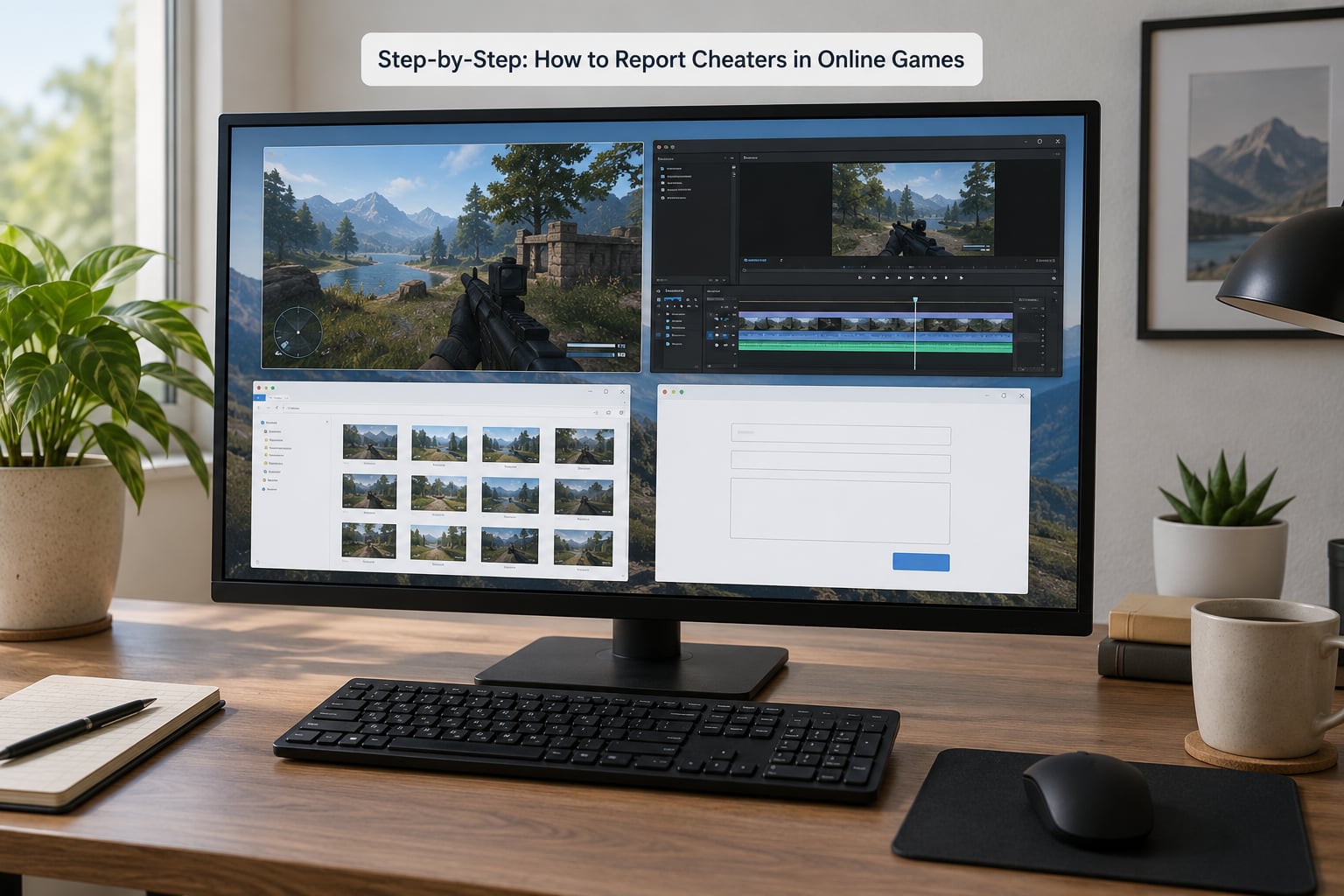
Start the recording a few seconds before the suspicious behavior, keep it running through the end of the exchange, and do not pause or trim it. Then screenshot the scoreboard, the kill feed and the player profile showing the exact username and account tag. Write down the match ID from the post-match summary before you close that screen.
One incident per clip. If you captured three separate incidents, note the timestamp of each and submit them separately so a moderator reviews something specific rather than a vague montage.
3. Find the game’s official reporting system
Almost every modern online game has an in-game route, and it is usually faster than any website. Menu names change between versions, so treat the exact wording as approximate and the location as the guide.
Common locations: the player profile’s option menu during a match, a report icon on the post-match scoreboard, the pause or settings menu, or a reporting tab on the game’s main menu. On PC, check the community or profile hub; on console, look for reporting options inside the game’s own menus first, since platform-level reporting is the escalation tier rather than the starting point.
| Platform | Where the report usually lives | Who actually enforces |
|---|---|---|
| PC | In-match report icon, scoreboard, or the publisher’s support site | Game developer or publisher, plus platform-level tools such as Steam or Epic reporting |
| Console | In-game menus first, then the console’s own online safety or profile reporting route | Publisher for game rules; console platform for account and communication violations |
| Mobile | In-match report button, often inside the results screen or a side panel | Developer, usually with platform store review as the outer layer |
If a game has no report option at all, the publisher’s official support or abuse address is the fallback. Send the same evidence pack you would have attached in-game.
4. Select the correct report category
Pick the category that matches the specific behavior, not the closest-sounding one. If you saw a wallhack, choose the wallhack or cheating option, not the generic “other” field.
Typical categories include cheating or unfair advantage, exploit abuse, account compromise or account sharing, offensive name or harassment, and boosting. When the right category genuinely does not exist, use the closest one and state the cheat type in your own words so the description carries the signal.
On games that treat cheating as a serious offense, choosing the wrong category can downgrade a serious report into a conduct warning, which is why the description matters as much as the dropdown.
5. Submit a factual report
Write the description so a stranger who did not play the match can follow it. One paragraph, plain text, no speculation about intent or software.
A template that works: “Player [exact username and account tag] used [specific cheat type] during a [mode] match on [server or match ID] at [timestamp]. Attached clip shows the moment from [time] to [time]. Their [relevant stat, kill feed or chat line] is visible in the screenshot.”
Fill every identifier field the form offers. Skip every field you cannot fill rather than guessing, and never write “they’re definitely using a hack” when what you saw was a wall visible through geometry — describe the wall and let the reviewer interpret it.
6. Protect your account and avoid retaliation
Reporting through official channels is the safest way to deal with a cheater. Public callouts, streams devoted to exposing them and confrontations mid-match are the fastest way to become the problem yourself.
Blur personal information in screenshots, especially profile pages and friends lists. Do not post the suspect’s clips to social platforms without evidence in the description, and never share their real name, location, workplace or any identifying detail you did not learn in-game. Doing that can expose you to harassment and, in some jurisdictions, legal trouble.
Keep to the report cooldown. Reporting dozens of players in a row is the pattern most associated with abuse flags, and it can cost you access to the reporting tool entirely. One report, one player, one incident.
7. Check for updates or follow up
Save your ticket number or report confirmation when the game gives you one. Those confirmations are how you check status without submitting a duplicate.
If the game has no status tracking, expect silence. Manual review takes time, and there is no published service level for how long a cheating report takes. If two weeks pass with nothing, send one polite follow-up to the same channel, reference the original date and match ID, and ask whether more evidence would help.
After that, stop. Repeated messages to support are treated as noise, and a second complaint about the same player is frequently read as harassment rather than escalation.
8. Handle an unresolved or mistaken report
If nothing happens after a follow-up, escalate in order: publisher support, then the platform or store the game runs on, then the console or online safety route if the behavior involved threats or communication. Keep each message self-contained and factual.
If evidence came from outside the game — a stream clip, a Discord message, a direct message advertising a cheat vendor — say so plainly in the ticket and attach it. Some platforms have dedicated routes for cheat sales and promotion rather than in-match cheating, and Discord’s trust and safety team handles promotion and advertising rather than gameplay itself.
If your own report turns out to be wrong and you are penalized for it, appeal once through the game’s official process, attach your original clip and timestamps, and state what you saw rather than insisting on a conclusion. Nobody reviewing the appeal saw the match, so give them the evidence.
Common Mistakes
Most wasted reports share the same handful of errors. Each has a straight fix.
- Reporting a rumor. Someone in chat said the player cheats, so you filed a report. Fix: report only what you witnessed yourself.
- A vague description. “This guy is hacking.” Fix: name the behavior, the mode, the match ID and the timestamp.
- Missing identifiers. A display name with no account tag. Fix: copy the exact username and tag from the profile.
- No clip or a trimmed clip. Fix: attach the uncut recording; if you have none, say so honestly rather than guessing.
- Flooding. Ten reports in ten minutes across ten accounts. Fix: one report per player, respecting the cooldown.
- Blaming the wrong layer. Reporting a smurf to the anti-abuse team as a cheat. Fix: report cheating to game enforcement, conduct issues to communication tools.
- Public callouts instead of reports. Posting a clip with “everyone report this account.” Fix: submit your own report and let the system handle it.
- Giving up early. One report, no follow-up. Fix: check for a confirmation number, then follow up once after about two weeks.
One habit covers most of these: write the report as if a stranger will read it with no memory of the match, because that is exactly what happens.
Frequently Asked Questions
Does reporting a cheater actually do anything?
Yes, usually as one signal among several. Developers rely mainly on automated anti-cheat and server-side log review, and your report flags the account for a human look and adds weight when it matches a pattern. One accurate report with evidence is worth more than a burst of vague ones, because noisy reporting dilutes the queue.
Is there a website to report cheaters?
There is no single universal site for every game. The pattern is consistent though: the game’s in-match report menu first, then the publisher’s official support or abuse address, then the platform or store the game runs on. If the game is on PC, the store platform usually has its own reporting route for accounts and marketplace activity.
What counts as evidence of cheating?
An untrimmed clip of the moment itself, the player’s exact username and account tag, the match ID or server name, a timestamp, and a short description of the cheat type. Save the replay or demo file if the game records one. Screenshots of the scoreboard and kill feed help show a pattern rather than a single incident.
Can I get banned for reporting someone?
Not for using an official report channel honestly. You can be penalized for false or mass reporting, for repeated submissions that ignore the cooldown, for public harassment in chat or voice, and for doxxing. Stick to the in-game button or the official ticket, describe only what you saw, and file one report per player.
Can I report a cheater with only screenshots?
Yes, especially for evidence that happened outside the game, such as a Discord message, a stream clip or a direct message advertising a cheat vendor. Say clearly in the ticket that the evidence is off-platform and attach it, because those cases go to a different queue than in-match cheating reports.
Is it illegal to cheat in online games?
Rarely in the way most players assume. Cheating normally violates a terms-of-service agreement, which is a contract you agreed to when you made the account, and the usual consequence is a ban. Legal consequences are uncommon, though contracts involving real money, gambling-like mechanics or damage to a business can attract lawyers.
Conclusion
Start recording the moment you see something wrong, before you do anything else. Copy the exact username, note the match ID and the timestamp, then use the in-match report menu with the category that matches the cheat you actually observed. If the game has no report option, send the same package to the publisher’s official support address.
Keep reports to one player, one incident, one submission. Check for a confirmation number, follow up once after about two weeks, and escalate to the platform only if the publisher goes quiet. That is how to report cheaters in online games in a way that gets read.