Posture matters during long gaming sessions because your body settles into whatever position you stop correcting. Over a few hours the head drifts forward, the upper back rounds, the arms lose their support and the wrists drift out of neutral. The position itself is not the problem, and neither is the chair. What builds discomfort is holding one shape for hours without moving, and leaning in without noticing while you concentrate.
I want to be clear about what follows: this is general information about comfort and body mechanics, not medical advice or a diagnosis. If something hurts persistently, that is a conversation to have with a healthcare professional rather than with me.
Table of Contents
- 1What Is Good Posture During Long Gaming Sessions?
- 2How Posture Changes During a Long Gaming Session
- 3The Main Ways Posture Affects Comfort and Focus
- 4How to Adjust Your Posture Without Interrupting Play
- 5A Comfortable Setup for PC and Console Players
- 6Simple Habits That Reduce Strain
- 7When to Ask a Healthcare Professional
- 8Frequently Asked Questions
- 9Can gaming cause bad posture?
- 10What is the 90-90-90 rule for sitting?
- 11What are four signs of poor posture?
- 12How do I get rid of gamer posture?
- 13How often should I take breaks while gaming?
- 14Is sitting upright at 90 degrees bad for you?
- 15Conclusion
What Is Good Posture During Long Gaming Sessions?
Good gaming posture is not a single pose you are supposed to hold for four hours. It is a small set of conditions that let your muscles work with less effort, and you are allowed to move within them. The research on office and screen work actually points away from rigid 90-degree sitting, because a locked upright posture demands continuous muscular effort to stay put.
A reasonable target looks like this, body part by body part:
- Head: roughly over your shoulders rather than pushed in front of them, with your gaze slightly downward toward the middle of the screen instead of level with the top edge.
- Shoulders: down and back, not lifted toward your ears. If your shoulders are up there, they are working overtime.
- Elbows: close to the body, supported by armrests or the desk so your upper arms are not hanging in the air.
- Wrists: straight, in line with the forearm, not bent up or down over the keyboard or held in a permanent fist around the mouse.
- Lower back: supported through the curve of your lumbar region, with a slight backward lean rather than a rigid vertical.
- Hips and knees: hips slightly higher than or level with the knees, feet flat or supported, and weight spread across both sitting bones rather than all on one side.
The common thread is support. Anything the chair or desk can take weight off your muscles is work your muscles do not have to do, and muscles that are not working continuously are muscles that do not fatigue.
How Posture Changes During a Long Gaming Session
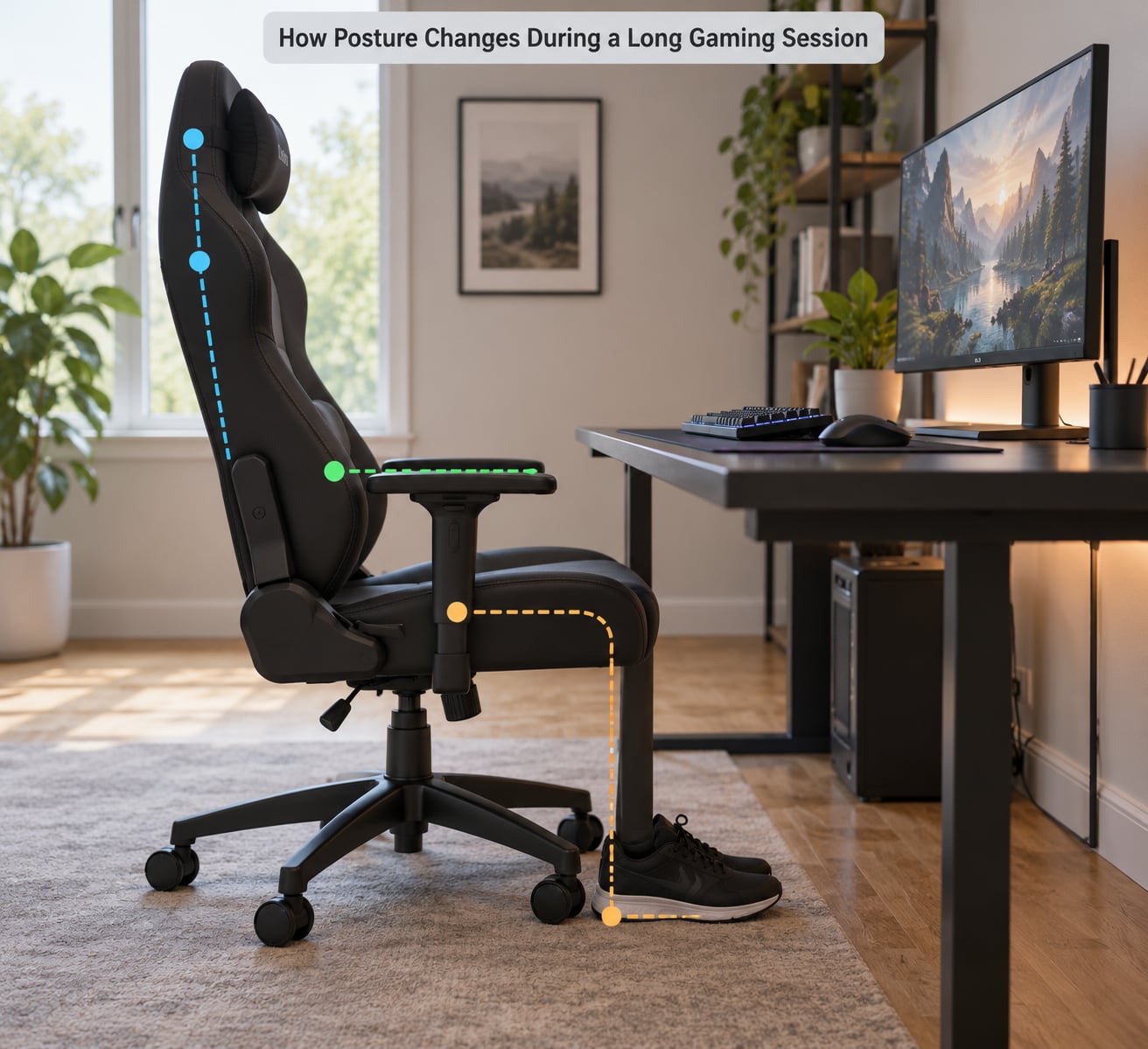
The change is gradual, which is exactly why people miss it. Nobody decides to slouch at minute forty. The first twenty minutes feel fine, and by the time you notice a kink in your neck, the pattern has already set.
Three things drive the drift. The first is static loading. Holding one position for hours means the postural muscles around your spine, neck and shoulders contract continuously to keep you upright, with almost no variation in how they are used. Muscle endurance is limited, and when it runs out, the muscles stop holding the position and the body defaults to whatever shape needs less effort.
The second is the forward lean. Players describe leaning in during intense moments, and it is genuinely unconscious rather than a choice you can simply decide against. A study of 160 gamers found a strong correlation between how long people played and how far the head moved forward, with a correlation coefficient of -0.73. Longer sessions, more forward head posture. The longer you play, the more your head sits out in front of your shoulders.
The third is the input volume. In competitive play, hands can be producing several hundred actions a minute, and the mouse hand in particular tends to lock into one shape. Combined with a static torso, that repetition loads the same tendons and joints for the entire session.
Prolonged stillness adds a fourth factor that is easy to overlook. Movement is what circulates blood through the tissues; sitting still for long stretches reduces that circulation, and sore muscles recover slowly when they are not being used. That is part of why the discomfort lingers into the evening after a long session rather than clearing the moment you log out.
The Main Ways Posture Affects Comfort and Focus
Neck and shoulder tension usually arrives first. When the head sits forward of the shoulders, the neck muscles at the back of the skull have to hold more weight in a worse mechanical position, and the muscles between the shoulder blades work continuously to keep them from rounding. The result is a dull ache at the base of the skull, tightness across the tops of the shoulders, and headaches people blame on the screen.
Back and hip discomfort follows from the same pattern in a different region. Without lumbar support the lower back rounds, which shifts load onto the discs and the soft tissue around the spine. Long static sitting also puts pressure on the underside of the thighs where the seat meets you, which is the most common reason people report leg numbness or tingling after an evening on the couch.
Wrist and hand fatigue is a different mechanism. A bent wrist, whether angled up over the keyboard or out to the side on the mouse, narrows the tunnel the nerves pass through and changes how the tendons run. Hours of that shows up as aching in the knuckles, tingling in the fingers, and weakness in the grip. It is one of the areas players notice latest and treat longest, because it is easy to keep playing through mild tingling.
Breathing and focus are the subtler effects. A rounded, compressed torso limits how far your diaphragm can drop, so breathing gets shallower and higher in the chest. A long, slow exhale is a genuinely useful reset and one of the few things you can do mid-match. Mentally, sustained muscular effort takes attention away from the game, and players frequently describe the combination of a sore body and a wandering mind at the end of a session.
On performance, the honest answer is that there is far less evidence than there is on comfort. Weakened and fatigued postural muscles plausibly reduce fine motor control and speed up nothing at all, but most of what you will read claiming posture directly wrecks your reaction time comes from marketing copy rather than measurement. Treat the comfort and concentration case as the strong one.
One piece of context is worth knowing. A systematic review of 16 studies covering 62,987 gamers found musculoskeletal disorder risk up to 5.2 times higher for people playing more than three hours a day, with the neck, lower back and hands affected most. It also found that only around 2% of the 77.8% of gamers reporting upper-body pain sought treatment for it. Problems that get ignored for years are the ones worth taking seriously.
How to Adjust Your Posture Without Interrupting Play
The fix does not require quitting the session or buying anything. It requires interrupting the automatic kind, which is the hard part.
Run this reset the next time you notice discomfort, and then again roughly every half hour even when you feel fine. It takes under a minute.
- Check your head. Where are your ears relative to your shoulders? If they are in front, glide your head straight back over your shoulders, like making a double chin, and hold it for five seconds. Repeat five times.
- Check your shoulders. Roll them up, back and down, then deliberately pin your shoulder blades together for five seconds. Repeat five times.
- Unload your arms. Drop your hands into your lap for thirty seconds and let your shoulders take the weight they were holding.
- Check your wrists. Make a fist, then spread your fingers wide, then flex each wrist gently backwards and forwards, ten times each.
- Move your spine. Stand up, reach overhead, and bend gently side to side. If you can, walk to another room.
The point is not the stretches. It is that breaks alone are not enough, and the research is unusually blunt about this. When researchers looked at whether taking breaks reduced forward head posture, the correlation was essentially nothing at 0.08. Breaks help circulation and alertness. They do not, by themselves, re-teach your body where to sit, and that requires actively repositioning yourself rather than simply standing up and waiting.
A Comfortable Setup for PC and Console Players
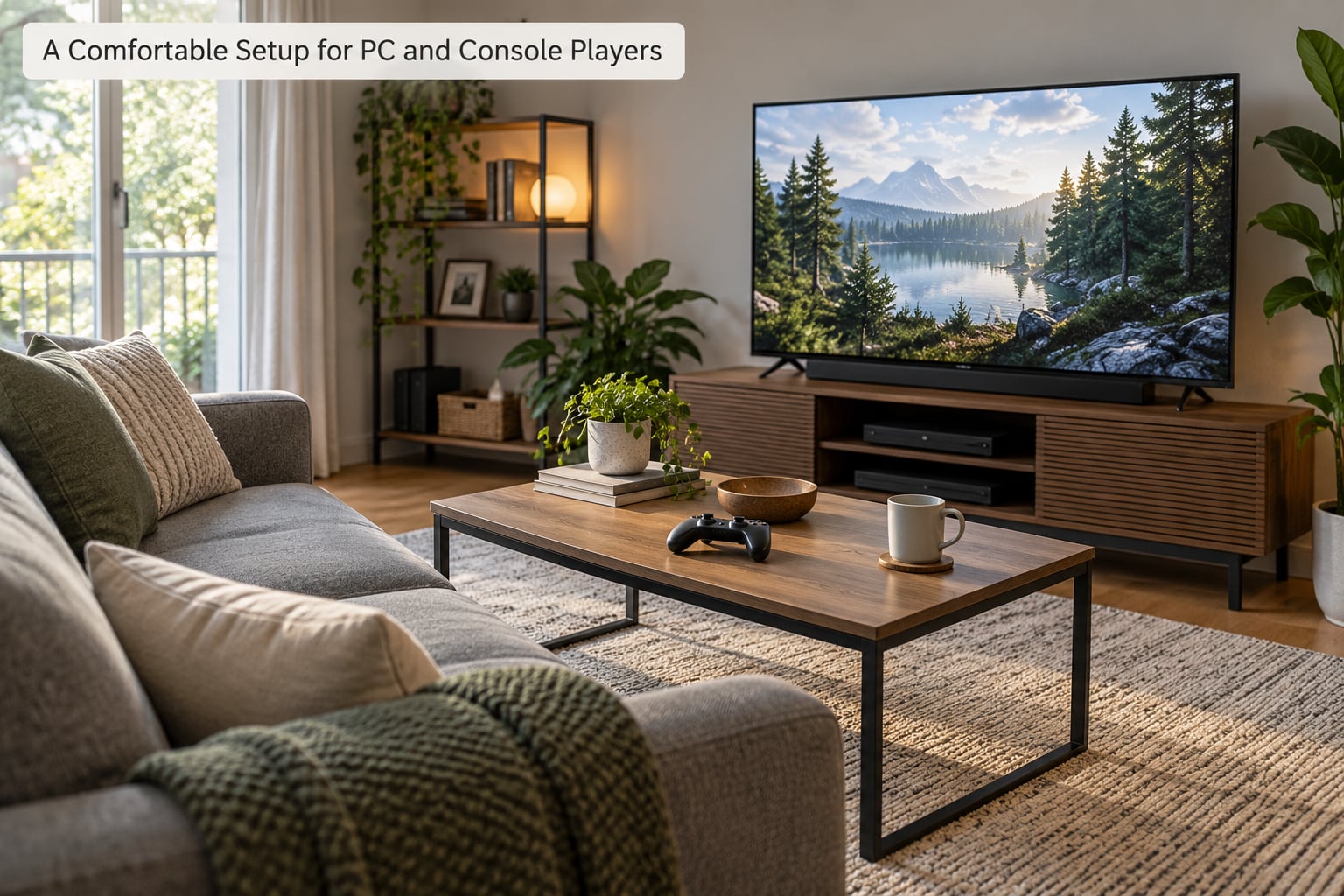
Good setup changes how much attention posture costs you in the first place. Nothing here is expensive, and most of it is free.
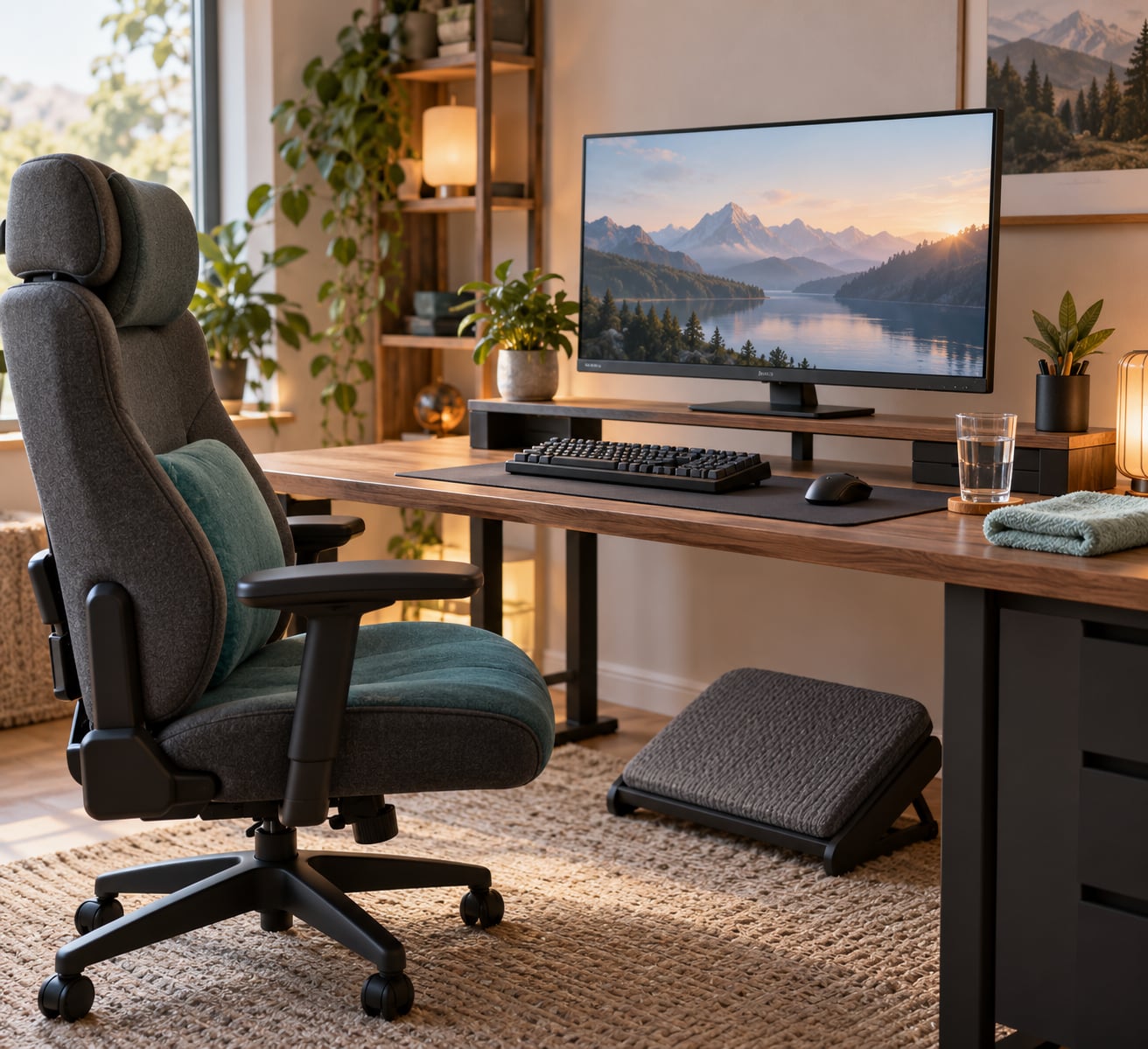
Screen. Put the top of the monitor at or slightly below eye level so your gaze falls a little downward, and keep it about an arm’s length away, roughly 20 to 26 inches. If the screen is too low, your neck tips forward all session; too far away, you lean in, which is the exact habit that produces forward head posture.
Chair and back. Whatever you sit in needs a back that supports the lower curve, and you need to actually use it. A slight backward lean around 100 to 110 degrees tends to feel better over hours than a locked upright position, because it lets the backrest take weight instead of your spine muscles.
The 90-90-90 rule. A common guideline is elbows at 90 degrees, hips and knees at 90 degrees, and ankles at 90 degrees, so the feet rest flat. It is a useful starting point for a desk setup, not a posture to police yourself against for three hours.
Feet. If your feet dangle or are tucked under you, the pressure moves to the back of your thighs. A footrest, a stack of books or a box under the desk fixes it.
Keyboard and mouse. Keep them close, so you are not reaching forward with rounded shoulders. Let the mouse sit close to the body rather than out to the side, and keep your wrist flat rather than arched over it.
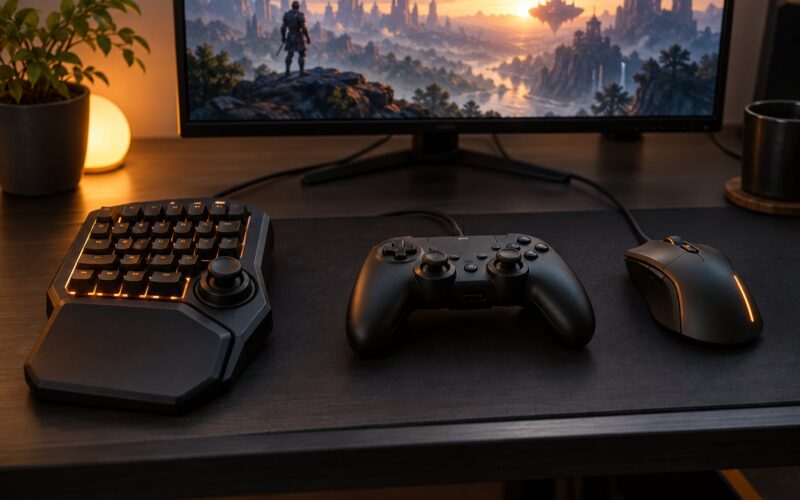
Controller play. The problems differ but the fixes are the same. Support your elbows on the armrests or on a cushion so the shoulders are not holding your arms up, keep the controller at lap or low-chest height rather than eye height, and take the pressure off the underside of your thighs. Players who cross their legs on a couch end up with the torso twisting to one side for hours; feet on the floor solves most of that.
Laptops. A laptop screen and a laptop keyboard cannot both sit at the right height, so you are always choosing. For long sessions, an external keyboard and mouse is the single biggest improvement, since it lets you raise the screen to eye level and put your hands where they belong. Without one, raise the screen on a stand or a book stack and accept shorter stretches.
On whether a gaming chair is worth it, the honest summary is that the chair matters less than most product pages suggest. A rigid racing-style seat with fixed bolsters can actively push you into a fixed shape, and a good office chair with an adjustable back does most of what a gaming chair does. The order that works better: screen height first, then back support, then feet, then arms.
Simple Habits That Reduce Strain
A few habits do most of the work, and none of them require discipline at the level you are probably imagining.
- Change position on purpose. Not because the new one is perfect, but because variety beats optimisation. Lean back, then sit up, then cross your legs, then put both feet down. Alternating keeps muscles from being stuck in one sustained contraction.
- Look away from the screen regularly. Twenty seconds at something six metres away every twenty minutes or so. Your eyes and your neck are separate problems, and this handles the first one at almost no cost.
- Keep the controls close. Any reaching you do not have to do is reaching you can stop doing. This is the cheapest fix on the list and the one most people skip.
- Support the arms. Armrests, a desk edge or a cushion under the elbows. Hanging arms are the most common source of shoulder burning during long sessions.
- Alternate active and passive breaks. Passive means standing up and scrolling on your phone, which is barely a break. Active means moving the joints that have been still: your neck, shoulders, wrists, hips.
- Do something after a long session. A few minutes of walking or a gentle chest and shoulder stretch matters more than people expect, because the tissues that have been compressed for hours benefit from circulation afterwards.
Break timing deserves realism. Advice to stand up every twenty minutes does not survive contact with a real session, because matches run 30 to 45 minutes. Building the movement into the natural gaps between rounds works far better than fighting the session structure.
When to Ask a Healthcare Professional
Most discomfort from long sessions is temporary and clears within a day or two. That is not the pattern worth worrying about.
Book an appointment if you notice any of these:
- Pain that is still there the next morning, or that keeps getting worse across weeks of playing
- Numbness, tingling or weakness in your hands or fingers that persists after you stop playing
- Loss of grip strength, or dropping things more often than you used to
- Headaches that arrive during sessions rather than after them
- Radiating pain down an arm or leg, or any pain that wakes you at night
- Symptoms that continue to build across several sessions instead of settling
It is worth asking specifically about posture and screen work, because general advice tends to assume eight hours at an office desk rather than six hours of forward-leaning concentration. A physiotherapist or ergonomics specialist can assess your actual setup and give you something specific to change. Nothing in this article is a substitute for that.
Frequently Asked Questions
Can gaming cause bad posture?
Yes, indirectly. Gaming rarely damages your posture in a single session, but hours of static sitting let postural muscles fatigue, so the head drifts forward and the upper back rounds without you noticing. A study of 160 gamers found a strong link between session length and forward head posture. A review of 62,987 gamers found musculoskeletal disorder risk roughly 5.2 times higher above three hours a day.
What is the 90-90-90 rule for sitting?
It means elbows at 90 degrees, hips and knees at 90 degrees, and ankles at 90 degrees, which usually means feet flat on the floor. The goal is to spread your weight across supported surfaces rather than holding yourself up with muscle effort. Treat it as a starting point to adjust into, not a position to lock into for hours.
What are four signs of poor posture?
Four reliable ones: your head sits in front of your shoulders, your shoulders are rounded forward or held up near your ears, your lower back has lost its natural curve and is rounded, and your wrists are bent rather than straight in line with your forearms. Add a fifth if you notice: a dull ache at the base of the skull that shows up late in a session.
How do I get rid of gamer posture?
Start with the screen, since height drives most of the rest. Put the top of the monitor at or slightly below eye level, an arm’s length away, and raise your laptop screen if you use one. Support your lower back and let your feet rest flat. Keep the mouse and keyboard close, support your elbows, and build chin tucks and shoulder-blade squeezes into the gaps between rounds rather than sitting rigidly straight.
How often should I take breaks while gaming?
Aim for two or three minutes of active movement about every thirty minutes, and match it to your session length so it lands between rounds rather than mid-fight. The key word is active. Research found that taking breaks alone correlated barely at all with reduced forward head posture, so standing up and scrolling is not the same as resetting how you sit.
Is sitting upright at 90 degrees bad for you?
Not bad exactly, but it tends to be uncomfortable to hold. A locked upright position keeps muscles working continuously to stop you from moving, and muscle endurance runs out. Most people find a slight backward lean of around 100 to 110 degrees more comfortable over long stretches, because the backrest takes weight that your muscles would otherwise hold. Change positions; do not pick one and police it.
Conclusion
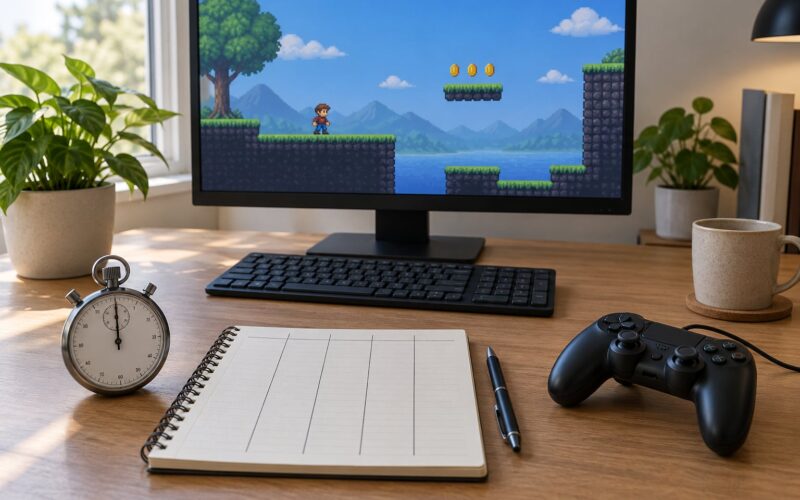
If you change five things tonight, make them these. Raise the screen so the top of it sits at or slightly below eye level. Let your lower back rest against something that supports its curve, and put your feet on the floor. Get your elbows and forearms supported so your shoulders are not holding your arms up. Change position deliberately rather than holding one shape. And build two or three minutes of active movement into the gaps between rounds, not into a stopwatch you will ignore.
None of it needs new equipment, and none of it needs you to stop playing the way you like. It just moves the effort from your muscles to your furniture, which is the whole point of how posture affects long gaming sessions.