To find beginner friendly multiplayer games, work in this order: decide what “friendly” means for you, start in co-op or bot modes instead of competitive PvP, screen the community before you commit, test with a free trial, then check that it fits your device, schedule, and friends. Most beginners quit over community and skill-gap problems, not graphics.
That order matters more than any game list. The games themselves change, the patch notes change, but the way a first session goes does not. Someone who drops into a ranked shooter on day one and gets destroyed for an hour learns nothing except that they are bad at a game they have not understood yet.
I have watched a lot of people try to start online gaming, and almost nobody quits because a game was hard. They quit because it was confusing, unwelcoming, or expensive. This guide is updated for 2026 and applies to PC, console, and browser games alike.
Table of Contents
- 1What You Need
- 2Step-by-Step: How to Find Beginner Friendly Multiplayer Games
- 31. Define What Beginner Friendly Means to You
- 42. Start With Low-Commitment Modes
- 53. Check Player Expectations and Community Health
- 64. Use Free Trials, Demos, and Test Servers
- 75. Match the Game to Your Schedule and Budget
- 86. Verify Device, Network, and Cross-Platform Compatibility
- 97. Make a Small Test Commitment and Reassess
- 10Common Mistakes
- 11Quick Tips for Choosing With Confidence
- 12Frequently Asked Questions
- 13What is the best beginner friendly multiplayer game for a complete newbie?
- 14Are free-to-play multiplayer games suitable for beginners?
- 15How can I find a multiplayer game with a low-toxicity community?
- 16Can beginners play multiplayer games on an older computer or console?
- 17How do I play multiplayer games with friends on different platforms?
- 18How long should I test a multiplayer game before deciding it is not for me?
- 19Conclusion: Start With the Lowest-Risk Option
What You Need
Before you browse anything, write down the constraints you actually have. Most bad picks come from ignoring one of these and falling for a game that is perfect on every other axis.
- Your devices and operating systems. The PC, its OS version, your console generation, or whether you are on a phone. Cross-platform play matters if your friends are split across devices.
- Your internet limits. A wired connection and a steady upload speed matter more for multiplayer than raw download speed. Constant lag ruins a friendly game faster than anything else.
- Your budget shape. Whether you want no-cost games, a single purchase, a subscription, or games you can share with family. Also decide how you feel about cosmetic spending.
- Genres you will actually enjoy. Shooter, survival, racing, party, puzzle, strategy, MMO. Genre fit beats every other factor in staying power.
- Your play schedule. 20-minute sessions after work and 4-hour weekend blocks need completely different games.
- Your learning-curve tolerance. Some people want hand-holding, others want to be dropped into the deep end. Both are fine, but you need to know which one you are.
- Who you are playing with. One partner, a group of long-time friends, or strangers. A group with a wide skill range rules out most competitive modes.
Step-by-Step: How to Find Beginner Friendly Multiplayer Games
Work through these in order. Each one saves you from a different kind of regret, and skipping ahead usually means redoing the work later.
1. Define What Beginner Friendly Means to You
“Beginner friendly” is not a rating a publisher assigns. It is five separate things, and you can test each one in about five minutes.
- Low skill floor. Can a new player contribute in their first session, or are they a liability?
- Fast time-to-fun. How many minutes until something rewarding happens?
- Forgiving loss punishment. Do you lose progress when you lose, or only lose the round?
- Drop-in, drop-out sessions. Can you join and leave without wrecking anyone else’s evening?
- Real onboarding. Is there a tutorial that teaches controls, or are you expected to learn by dying?
Here is the distinction that catches people: a game can be mechanically easy and socially brutal. If losing a match takes forty minutes, ranks drop, and the voice channel is open, none of your mechanical skill matters. Play the tutorial first, then check the community side before you decide.
2. Start With Low-Commitment Modes
Your first real goal is not winning. It is finishing a session that felt fine enough to do again. Low-stakes modes get you there without a public scoreboard.
Beginners should start in co-op against AI or bots, practice arenas, co-op campaigns, casual playlists, and beginner-friendly party games. On r/gamingsuggestions, one thread is blunt about it: do not put a brand-new player into a multiplayer shooter first, because the first ten minutes teach defeat before the game has taught anything.
The success check is simple. After your first session you should be able to say one of two things: you got better at something specific, or you had a decent time. If the honest answer is “I got killed repeatedly and felt stupid,” change modes rather than games.
3. Check Player Expectations and Community Health
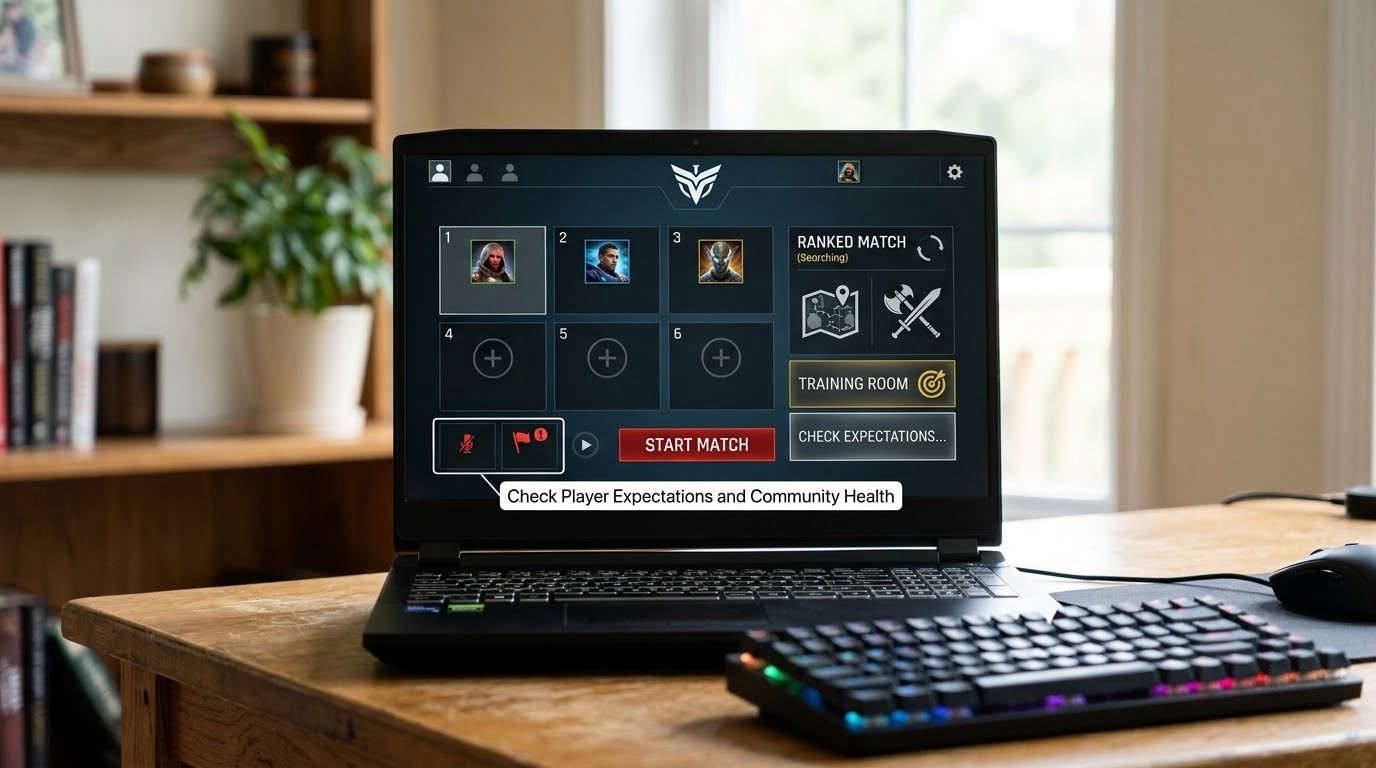
Community health is the top reason beginners leave online games, and unmoderated voice chat is the reason behind the reason. You can screen it before you commit.
- Look for a mute button and a working report option. If reporting is buried or absent, treat that as a warning.
- Read recent player feedback, not launch-week reviews. A community can turn welcoming or hostile within one update cycle.
- Check whether the game separates casual players from ranked ones, and whether new-player lobbies still exist.
- Check the age rating and the chat setup. Text-only or push-to-talk options matter more than people expect.
- Watch ten minutes of real beginner play on video. If the loudest voice in the lobby is mocking new players, you have your answer.
One thing to keep straight: community health changes over time. A game that was calm two years ago can be different now, and a launch-month review tells you almost nothing about today. Re-check this before you buy anything, not just once.
4. Use Free Trials, Demos, and Test Servers
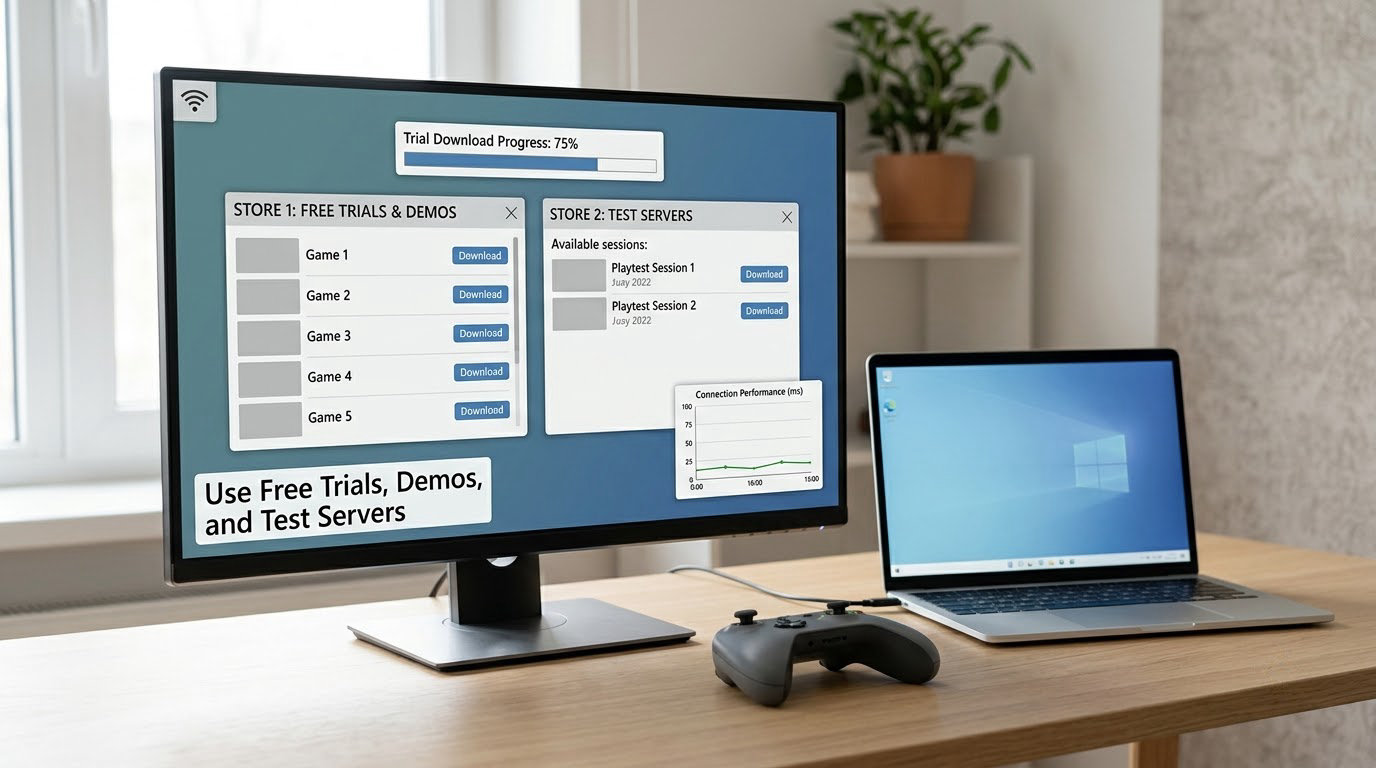
A trial tells you more in 30 minutes than a review tells you in 30 hours. Test the things reviews rarely cover.
- Connection quality. Watch your ping and packet loss during actual play, not in the menu.
- Performance. Confirm it runs on your hardware with settings you would actually use.
- Interface clarity. Can you read the HUD, find the menu, and understand the objective without a guide?
- Tutorial quality. Does it teach, or does it just announce?
- Queue times. Time your first queue. A 20-minute wait at off-peak hours tells you a lot about off-peak hours in general.
- Match difficulty. Note how the first match felt, then the second. Improvement is the real signal.
Where you look depends on the platform. On Steam, demos sit on the store page and free weekends let you try a full game; the client also has a small free-play section. On the Epic Games Store, free games claim directly to your account and timed trials appear on store pages. In a browser, a session loads in seconds, which makes browser games the cheapest way to test whether online play appeals to you at all. On consoles, trials show up on the store page or the console’s own trial row, and family sharing lets someone else try a game you already own.
5. Match the Game to Your Schedule and Budget
A game that demands four hours a night will lose to one that works in 20 minutes, no matter how good it is. Be honest about your week.
Look for short-session games with save-anywhere, quick matchmaking, and modes that end cleanly. Long raids, open-world grind loops, and survival timers need blocks of uninterrupted time. Check how often the game expects maintenance or you will simply wait through downtime.
On money, free-to-play is a genuine option for testing, but read what “free” means. Battle passes, cosmetic shops, character slots, and storage upgrades are normal, and a heavy one can add up fast. Paid games are clearer but riskier for a beginner, since you may buy something you cannot play on your hardware or with your friends.
Family sharing, play-together features, and friend-discount passes cut the cost of trying something together, and those matter most when the group is the reason you are playing.
6. Verify Device, Network, and Cross-Platform Compatibility
This is the step where good intentions meet reality, and it is where first sessions get lost before they start.
- Check the minimum and recommended hardware specs, then compare them to your actual machine rather than the marketing line.
- Confirm operating system support and whether older titles stay backward compatible on your platform.
- Check controller support. Many PC multiplayer games assume a controller, and keyboard-and-mouse support is not a given.
- Look at download size, install space, and whether you need a large update before the first match.
- Check server regions and whether ping is playable at your usual hours.
- Confirm cross-play exists and that your friends’ progress carries across, then work out how friend invites and codes work on your platform.
If your group is split across devices, confirm every member can join the same party before downloading anything. The group that cannot connect stops playing, and that has killed more beginner attempts than difficulty ever has.
7. Make a Small Test Commitment and Reassess
Set the goal before you start: two or three sessions of roughly 30 minutes. Then commit to that, nothing more.
- Finish the tutorial instead of skipping it. The tutorial is where the learning curve is cheapest.
- Play one session with a friend or a beginner-friendly group, not alone.
- Score the game against the five criteria from step 1.
- Check your own enjoyment honestly, separately from whether you think you are improving.
Two or three sessions is long enough to see whether the community is the community you hoped for, and short enough that quitting costs you nothing. This is the whole trick: keep the downside small so the decision stays a decision rather than an investment.
Common Mistakes
Judging by review score alone. A high average hides the newest complaints. Fix: read feedback from the current version only.
Ignoring toxicity and voice chat. This is the most commonly reported reason beginners leave. Fix: confirm mute and report exist before you commit an evening.
Starting in a competitive mode. Ranked queues measure you against people with years of practice. Fix: co-op, bots, or a casual playlist first.
Trusting the word free. Free-to-play means no entry cost, not no spending. Fix: check what the store sells and how often you will be prompted.
Choosing on graphics. Beautiful and punishing beats ugly and welcoming for a first game. Fix: judge fit first, looks second.
Buying before testing. Fix: use a demo, a free weekend, or a friend’s copy first.
Recruiting friends without checking servers. Fix: verify cross-play and server region before anyone downloads.
Quitting during the tutorial. The opening is usually the steepest part. Fix: give it one more session before deciding.
Quick Tips for Choosing With Confidence
- Filter reviews by recent version or recent months so you are reading about the game as it exists now.
- Watch a full beginner session rather than a highlight reel, and watch how the game treats the weakest player.
- Check server populations at the hours you actually play, not at launch time.
- Use family and privacy settings before the first session, especially on console.
- Vet any Discord or community server before you join; a good one posts rules and has active moderators.
- Write two lists: must-haves (party size, cross-play, no-shooter) and nice-to-haves (graphics, story). Buy against the first list.
- If you are introducing a non-gamer, ask them to pick the genre and find you the game. Ownership changes the patience you get.
Frequently Asked Questions
What is the best beginner friendly multiplayer game for a complete newbie?
There is no single answer, because fit beats reputation. For most complete newbies the safest starting point is a co-op game with bots or AI allies, so an early loss is not attributed to your own skill. Older MMORPGs and pick-up-and-play co-op games are often recommended because their systems are well documented and other long-time beginners are still around. Pick by party size and genre first, then test it for two sessions.
Are free-to-play multiplayer games suitable for beginners?
Usually yes, and for a specific reason: cost. A free game lets you test whether you enjoy playing online at all before spending anything. The tradeoffs are a storefront inside the game, battle passes, cosmetic purchases, and monetization that some players read as hostile to newcomers. Read recent reviews specifically about spending, and set a personal limit before your first session.
How can I find a multiplayer game with a low-toxicity community?
Spend five minutes screening before you commit. Check that a working mute button and report option exist, look for recent player feedback rather than launch-week reviews, and see whether casual players are separated from ranked ones. Watch a real beginner session on video and listen to how the lobby treats its weakest member. Community health changes with every update, so re-check it before you buy.
Can beginners play multiplayer games on an older computer or console?
Yes, but you have to check compatibility before you fall for a game. Compare the minimum specs against your actual machine, confirm your operating system version is supported, and check whether older games still run on your platform. Budget, indie, and management games are usually the safest bets on modest hardware. Download a demo or free weekend build and run it before committing, and expect an update before the first match.
How do I play multiplayer games with friends on different platforms?
Check for cross-play and cross-progression first. Many current multiplayer games support cross-platform parties, but some are still locked to one store or console, and some keep progression separate even when matchmaking is shared. Verify party invites and friend codes work between your devices, and check server regions so ping is playable. Agree on the platform before anyone spends money downloading.
How long should I test a multiplayer game before deciding it is not for me?
Two or three sessions of about 30 minutes each. That is long enough to see whether the community matches your expectations and short enough that quitting costs nothing. Finish the tutorial, play at least one session with a friend, and score the game on skill floor, time-to-fun, forgiving losses, drop-in play, and onboarding. Do not judge a game on its first ten minutes alone.
Conclusion: Start With the Lowest-Risk Option
Pick one multiplayer game with a low skill floor and forgiving losses. Run the tutorial or a bot mode before anything competitive, invite one friend if you can, and give it two or three sessions before you judge it. That is how to find beginner friendly multiplayer games without gambling your time on the wrong first pick.