Patch notes are the developer-written changelog that ships with every game update, listing what changed: character buffs and nerfs, item and system adjustments, map edits, bug fixes, and anything new. To understand patch notes, you read them section by section, not line by line, and you judge each change by what it touches rather than by how many numbers appear.
The mistake almost every beginner makes is reading a patch note front to back like a news article. A big season update can run to tens of thousands of words, and only a handful of lines will ever change how you play. The skill is filtering, and you can learn it in about five minutes once you know what to look for.
I’ve been reading game updates the same way for years, and the routine has not changed much: check the header, sort the note into categories, match those categories against your own play, then go test the single biggest lever. Everything below is that routine, written out so you can use it on the next patch that lands.
Table of Contents
- 1What Are Patch Notes?
- 2How to Understand Patch Notes Step by Step
- 3Start With the Version Header and Date
- 4Separate Changes by What They Affect
- 5Read Gameplay and Balance Changes Closely
- 6What Does a Bug Fix Tell You?
- 7How to Tell Whether a Change Matters for Your Playstyle
- 8Patch Notes, Hotfixes, and Expansions: What Is the Difference?
- 9How to Check and Share Patch Notes
- 10Frequently Asked Questions
- 11What are patch notes in a game?
- 12Is a patch just a software update?
- 13What does buff and nerf mean in games?
- 14What is a hotfix and how is it different from a patch?
- 15Do I need to read the whole patch note?
- 16Why do the official notes feel so vague?
- 17Conclusion
What Are Patch Notes?
Patch notes are the official list of everything a developer changed in a given update, written by the studio and published so players know what to expect before they play. They cover balance changes, new content, system adjustments and bug fixes, and they are usually tied to a version number and a date.
They are not the same thing as a raw changelog. A changelog is the complete technical record, often machine-generated and written for support and QA teams. Patch notes are the edited, player-facing version of the same data, and they deliberately leave out internal-only changes.
A hotfix is also different, though it comes with patch notes attached. A patch is a scheduled release with a planned scope; a hotfix is an unscheduled release pushed out to repair something urgent, usually within days of the patch that caused it. Most studios publish notes for both, but a hotfix note is typically two lines long.
How to Understand Patch Notes Step by Step
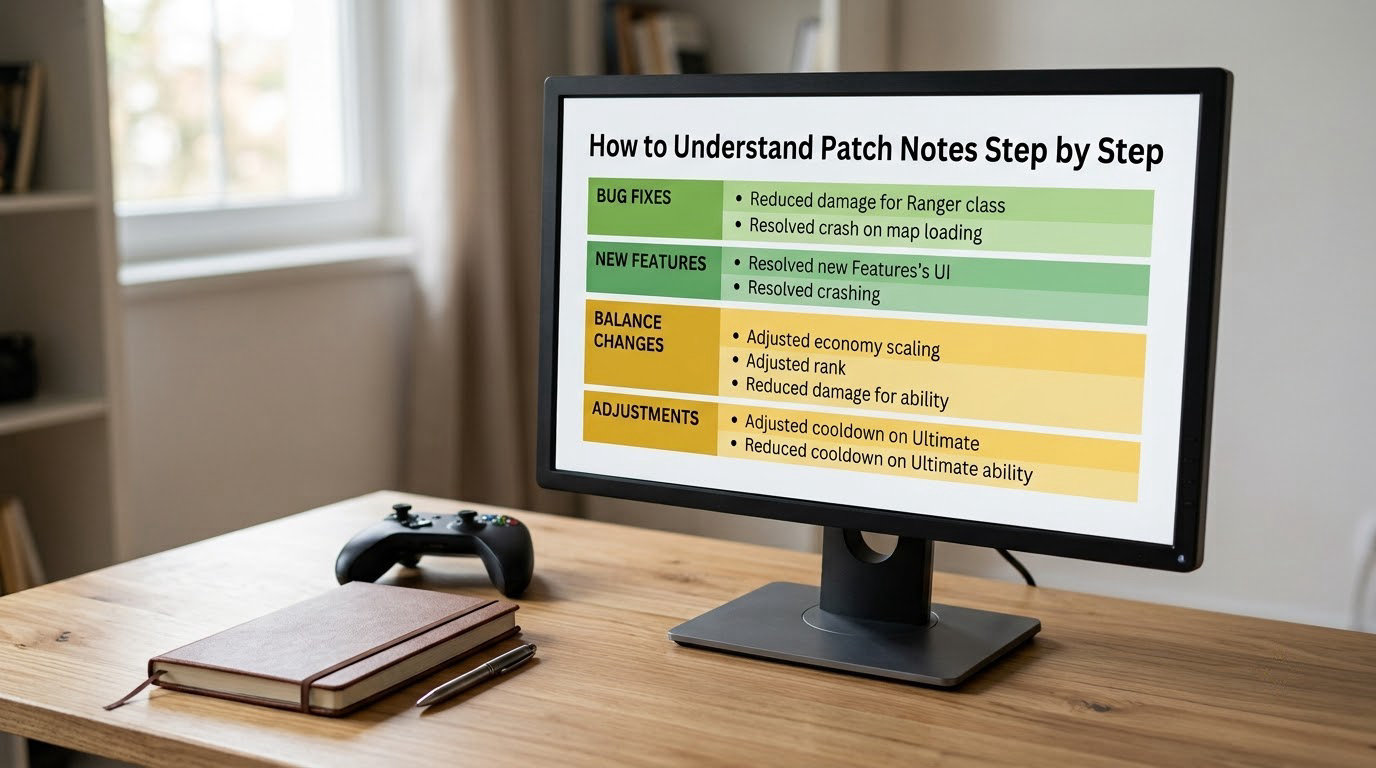
Reading patch notes well is four passes, not one. Most of the work happens in the first two passes, and the reading itself takes less time than most people expect.
Start With the Version Header and Date
The version number and date at the top tell you which update you are actually looking at. Patch numbers move fast, and advice written for one version is routinely wrong two versions later.
Confirm the same version is live on your platform. Console updates often roll out in stages, so a note published Tuesday afternoon may not describe the build you load until Wednesday. If your client shows a different number, you are reading the wrong note.
Separate Changes by What They Affect
Sort every entry into a category before you decide whether it matters. This is the step that turns a wall of text into a short list, because categories show you where the real impact sits.
| Category | What it touches | Typical entry |
|---|---|---|
| Gameplay mechanics | The rules of movement, combat, aiming, resources | Reduced knockback by 10% |
| Character or class balance | Individual abilities, health, damage, cooldowns | Ability cooldown 12s to 10s |
| Items and economy | Costs, stat budgets, recipes, drop rates | Component cost reduced by 100 |
| Maps and modes | Level layouts, objectives, spawn points, win conditions | Objective respawn time 90s to 120s |
| Progression and ranked | Matchmaking, ranking, unlocks, reward tracks | Ranked queue expanded by 200 |
| Performance and technical | Frame rate, load times, crashes, servers | Reduced stutter in dense areas |
| Quality of life | Annoyances that never needed to be that way | Added a skip-back option in replays |
| Bug fixes | Restoring intended behaviour | Fixed an issue where the buff applied twice |
Read systems before characters. A change to a shared rule, such as armour formula or damage falloff, quietly affects every character that touches that rule, and it changes the meaning of the character entries listed below it.
Read Gameplay and Balance Changes Closely
Once a line is sorted, translate the number. A cooldown cut from 12 seconds to 10 seconds means you can fit roughly 20 percent more casts into a 60-second fight, which matters a lot for a build that leans on that ability and barely at all for a build that saves it for a once-a-match moment.
A percentage increase is not automatically a big deal. Ten percent off a stat nothing scales with does nothing. Ten percent off a stat that sits in every single one of your damage calculations is a different patch entirely.
Watch for wording that signals a hidden change. Phrases like no longer incorrectly apply, adjusted to match intent, or corrected a miscalculation usually mean the previous behaviour was stronger than intended. That is a nerf written in polite language.
What Does a Bug Fix Tell You?
A bug fix tells you the intended behaviour was not what you were getting, which means the numbers you were reading may no longer describe the game. The dev team built the ability to do a certain thing, a bug made it do more, and the fix quietly returned it to spec.
This is why bug-fix sections deserve a careful read rather than a skim. A line about a buff no longer being applied twice is a straight damage cut for anyone whose build relies on stacking it. A line about a collision or hitbox being corrected can change which abilities land at all.
A survival game forum thread made this exact point without using the word: players worked out that an item durability increase shipped in the same update quietly cancelled out the weapon buffs that shipped with it. Nominal buffs, net change to the item’s real output. Nothing in either entry said nerf.
The habit worth building is simple. When you hit a bug-fix entry, ask what behaviour it restored, then check whether your build was benefiting from the old behaviour. If it was, treat the fix as a balance change and test it as one.
How to Tell Whether a Change Matters for Your Playstyle
A change matters to you when it touches the thing you rely on, the thing that beats you, or the thing your team runs on. Anything else is context, not news.
If you play a damage dealer, cooldown and cast-time lines matter most, since uptime drives your output. If you play a tank or support, knockback, ability to land abilities on moving targets, and objective timing matter more, since your value comes from controlling space rather than from raw damage.
Map and objective changes deserve an immediate test when you play in a fixed group. If a rotation point moves or an objective takes longer to respawn, your squad’s route plan changes with it, and the only way to check the new timing is to walk it once.
Here is a concrete case. You main a character whose whole kit is a short-cooldown ability that scales with attack speed. A patch cuts that cooldown from 12 seconds to 10 seconds and raises the attack speed bonus on one item. Both lines are small in isolation, but together they describe a character that can now fire much more often through a much better source of scaling.
That is a same-day test, and the right test is one match played deliberately, not ten matches played while ignoring the change.
Patch Notes, Hotfixes, and Expansions: What Is the Difference?
Knowing what kind of release you are reading tells you how much disruption to expect and how long the notes will be. Routine patches follow a schedule, hotfixes break it, major versions reset systems, and expansions add new ones.
| Type | When it arrives | What to expect in the notes |
|---|---|---|
| Routine patch | On the published schedule | Balance changes, quality of life tweaks, bug fixes |
| Balance patch | On the schedule, focused | Almost entirely character and item numbers |
| Content patch | On the schedule, larger | New modes, maps, events, systems |
| Hotfix | Unscheduled, within days | A handful of urgent fixes and reversals |
| Major version | Season or milestone | System rewrites, resets, large-scale rebalancing |
| Expansion | Rare, paid release | New content plus changes to existing systems |
Version numbers give you the first hint. Studios that number by season or year, such as a year-dot-cycle format, signal a bigger release when the first number jumps. Studios that use a decimal sequence usually reserve the first decimal place for planned content and later decimal places for smaller fixes, which means patch 10.2 carries less weight than patch 10.1.
When in doubt, read the header line the studio writes under the number. Most of them describe the release in one sentence, and that sentence is the most honest classification you will get.
How to Check and Share Patch Notes
Start at the source. Every studio keeps a patch notes page on its own site or in its own client, and for competitive and online games that page is the version of record. Community wikis mirror those notes for searchability, which is useful for looking up a single ability, but the studio is where the numbers are confirmed.
To compare two versions, note both version numbers first, then read only the entries that name the same subject in each. A cooldown line in patch 10.1 and a cooldown line in patch 10.3 are one change over time, and reading them separately is how players end up quoting numbers that are a month old.
When you summarise a patch for a team, keep three things: the version number, the categories that changed, and the one or two entries that touch your group. Leave the raw numbers out of the summary and link the source instead, because numbers get copied forward and drift.
Creator videos and community breakdowns are worth watching after you have read the official notes yourself, not before. Watching a summary first teaches you someone else’s priorities, and the interpretation you really need comes from matching the text against what you play.
Be skeptical of anything published before the official notes appear. Early summaries frequently get corrected once the live version goes out, and acting on a pre-launch number is how a squad ends up planning around a change that never shipped.
Frequently Asked Questions
What are patch notes in a game?
Patch notes are the developer-written list of every change shipped in a game update. They cover character buffs and nerfs, item and economy changes, map and objective edits, progression and matchmaking adjustments, bug fixes, and new content, all tied to a version number and a date so you know which build the note describes.
Is a patch just a software update?
Yes, in the computing sense a patch is a set of changes applied to already-released software. Games use the same idea with the same goal: fix problems, adjust balance and ship new content without asking you to reinstall anything. The difference in games is that balance decisions are deliberately part of the patch, not a side effect of it.
What does buff and nerf mean in games?
A buff makes something stronger, usually by raising damage, lowering a cooldown, improving a stat or reducing a resource cost. A nerf does the reverse. The tricky part is that a buff on one thing can behave like a nerf overall, because a cost elsewhere in the same item, character or system can cancel out the gain entirely.
What is a hotfix and how is it different from a patch?
A patch is a planned release with a scheduled scope and a full set of notes. A hotfix is an unscheduled release pushed out quickly to repair something urgent, often days after a patch caused the problem. Hotfixes sometimes reverse part of the patch that triggered them, which is why a hotfix note can read as a buff to something you just saw nerfed.
Do I need to read the whole patch note?
No, and trying to is why most people skip them. Read the version header, then sort the entries into categories, then focus on the character, item and system lines you actually interact with. Bug fixes deserve a slower pass because they often quietly restore intended behaviour and quietly cut whatever you were benefiting from before.
Why do the official notes feel so vague?
Studios often publish only what changed, not why, because internal discussion, player sentiment and competitive testing rarely point the same direction. Reading between the lines is part of the skill: a reworked value usually signals the old number was over-performing, and a repeated reversion across versions usually signals they have not landed on the right number yet.
Conclusion
Start at the version header, sort the entries into categories, match those categories against what you actually play, and test the biggest lever first. That is the whole method, and it takes five minutes on a small patch, longer on a season update.
Two habits will do more for you than any tier list: read bug-fix entries as potential balance changes, and judge every number by what scales with it. Once those become automatic, understanding patch notes stops being a chore and turns into the fastest way to work out why the game suddenly feels different.