Whether you should use a controller or mouse and keyboard comes down to the games you actually play and where you sit while you play them. Competitive shooters, MMO and strategy titles reward mouse and keyboard precision; racing, fighting games, platformers and couch sessions reward a controller.
Most players settle somewhere in the middle, using one for shooters and the other for driving, exploring or relaxing at the couch. That is the honest answer, and it is why the question keeps coming up: there is no single winner, only a better fit for a particular library and setup.
This guide breaks the choice down by aiming precision, command capacity, comfort, genre and hardware. It also covers aim assist, why pro players split across both inputs, and how to test each one before spending anything.
Table of Contents
- 1How to Choose Between Controller and Mouse and Keyboard at a Glance
- 2Mouse and Keyboard for Precision and Competitive Speed
- 3Is it easier to aim on a mouse or a controller?
- 4Controller for Comfort, Accessibility, and Console-Style Play
- 5What accessibility needs favour a controller?
- 6Which Games Favor Each Control Method?
- 7Why does aim assist cause arguments in crossplay shooters?
- 8Which input do pro players use?
- 9Comfort, Setup, and Practical Trade-Offs
- 10How to Test Both Before Buying or Switching
- 11How to check controller support in a specific game
- 12Which Should You Choose?
- 13Frequently Asked Questions
- 14Is a keyboard or controller better for fighting games?
- 15Do pro gamers use keyboard or controller?
- 16Why do PC players hate aim assist?
- 17Is it easier to aim on a mouse or a controller?
- 18Is switching between controller and mouse and keyboard hard?
- 19Conclusion: Choose by Game, Style, and Comfort
How to Choose Between Controller and Mouse and Keyboard at a Glance
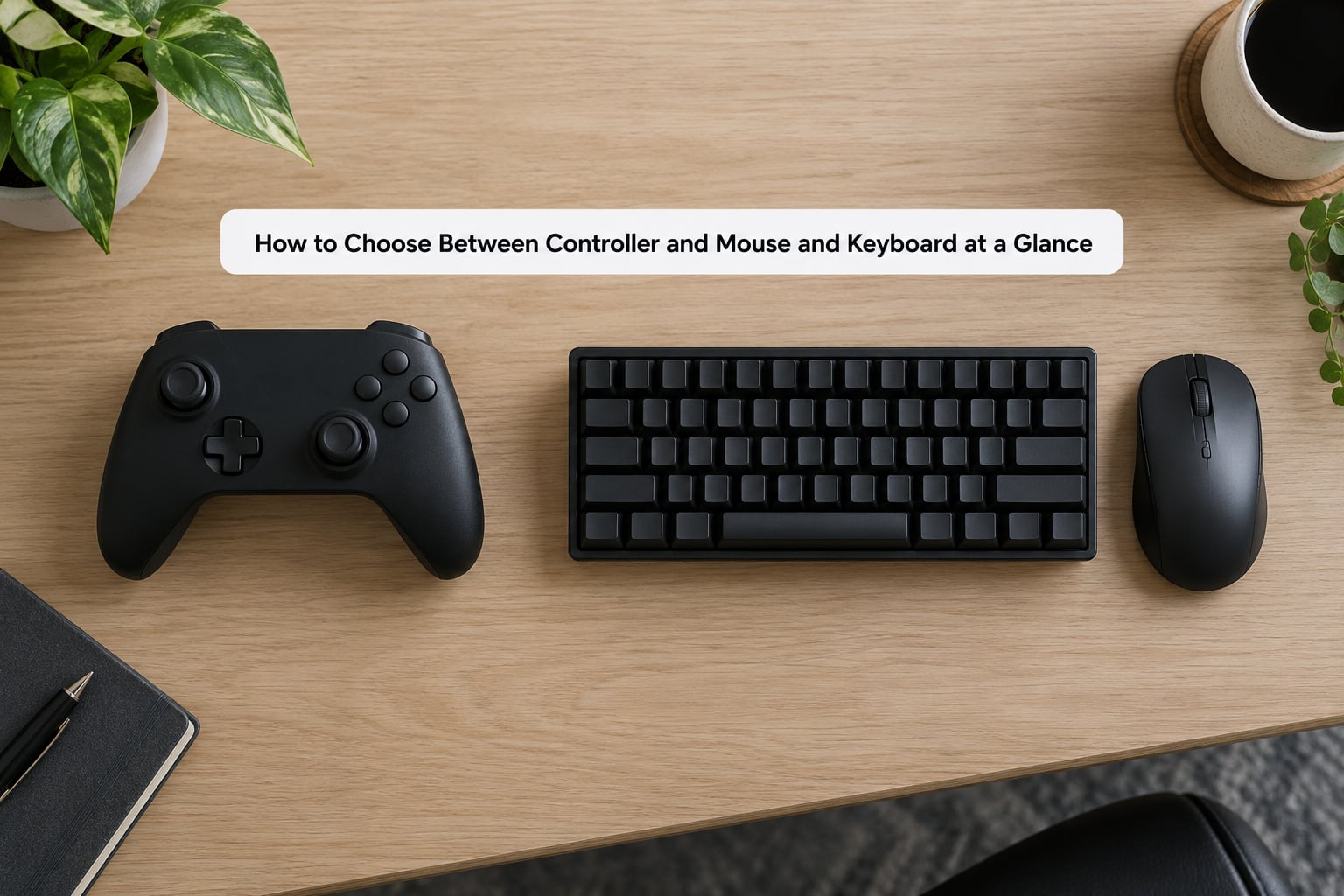
The table below answers most of it. Read down the row that matches the game you play most.
| Criterion | Mouse and keyboard | Controller |
|---|---|---|
| Aiming | 1:1 pointer movement, fast flicks, precise target switching | Slower fine aim, but steadier tracking with a soft response curve |
| Movement | Discrete on/off: walk, sprint, crouch, jump bound to keys | Variable speed, plus pressure-sensitive triggers for throttle and brake |
| Commands available | 100+ keys, macro keys, N-key rollover, per-game rebinding | Around 15 inputs, many bound to chords and shoulder buttons |
| Genres it favours | Competitive FPS, battle royale, MOBA, MMO, RTS, strategy | Racing, flight, fighting, platformers, third-person action, couch co-op |
| Feedback | Audio and visual only; no force feedback | Haptic feedback and rumble, plus trigger resistance |
| Comfort over long sessions | Fine at a desk, can strain the wrist and forearm | Thumb fatigue is common after several hours of stick use |
| Portability | Tied to a desk and a mousepad with room | Wireless, works on a TV from the couch or a laptop in bed |
| Learning curve | Steep if you are new to WASD, easier once muscle memory settles | Short ramp, familiar to most people from childhood |
| Setup required | Mousepad, desk space, DPI and sensitivity tuning | Usually plug and play, wireless or wired |
Mouse and Keyboard for Precision and Competitive Speed
A mouse moves the crosshair in direct proportion to the distance your hand travels, with no acceleration curve in the way. That 1:1 relationship is why flick shots feel immediate: you swing your forearm, the crosshair goes where you swung it, and correcting an overshoot takes the same movement in reverse.
Controllers work differently. The thumbstick reports how far it is pushed and in which direction, so the game decides the speed of the resulting movement through a sensitivity curve. That curve is exactly what makes walking slowly through a corridor easy on a stick and nearly impossible with a movement key.
The keyboard side brings a second advantage that people underestimate: capacity. A full-size board gives you a hundred or more discrete keys, so MMOs and RTS games can bind every ability, item and macro to its own key. Controllers cap out around fifteen inputs and rely on chords, which is why macro-heavy games feel clunky on one.
Two hardware numbers matter if you are buying a mouse. DPI, or dots per inch, decides how far the cursor travels for a given hand movement, and most competitive players land somewhere in the 400 to 1600 range before tuning it further. Polling rate, measured in hertz, decides how often the mouse reports its position to the game; 1000 Hz is the common ceiling on gaming mice. Neither replaces practice, but both tighten the gap between your intent and the game’s response.
Is it easier to aim on a mouse or a controller?
It is easier on a mouse for fine, single-shot aiming and for snapping between distant targets, because the whole arm moves the crosshair and the movement is exact. It is easier on a controller for keeping a reticle near a moving target, since the stick’s gradual response curve corrects small errors without overcorrecting.
Controller for Comfort, Accessibility, and Console-Style Play
Variable-speed movement is the controller’s quiet advantage. Push a thumbstick a few millimetres and your character creeps; push it fully and you sprint, and you get every speed in between without touching a key. Pair that with pressure-sensitive triggers and driving games gain a real, tactile throttle and brake that no keyboard setup replicates.
Haptic feedback adds another layer. Impact, texture and weight can be communicated through the rumble motor, so a footstep, a collision or a blade landing carries information you would otherwise only see. Nothing on a mouse and keyboard does that job.
Layout simplicity matters more than most buyers expect. Two sticks, a D-pad, four face buttons and four shoulder buttons is a fixed vocabulary you already know, which reduces the number of things you have to think about while aiming. People coming from a console to PC often report the opposite of what the “PC is for keyboards” crowd claims.
What accessibility needs favour a controller?
A controller suits players who cannot comfortably use a precise pointing device, who want on-screen prompts for every action, or who benefit from remappable stick sensitivity, adjustable trigger thresholds or larger, higher-contrast buttons. One-handed or limited-mobility setups also tend to work better with a device that needs only two hands in a fixed position. For accessibility needs, check the specific game’s remap options rather than assuming the hardware alone solves it.
Which Games Favor Each Control Method?
Genre is the strongest predictor, stronger than skill level or hardware budget. Here is the short version.
| Genre | Better input | Why |
|---|---|---|
| Competitive FPS and battle royale | Mouse and keyboard | Fast flicks, precise peeking, no input lag on turning |
| MOBA | Mouse and keyboard | Rapid target selection plus ability hotkeys for combos |
| Tactical shooter | Either | Mouse for gunplay, controller for squad commands and vehicles |
| MMORPG | Mouse and keyboard | Hundreds of hotkeys for rotation and crafting |
| Real-time strategy | Mouse and keyboard | Box selection, quick camera jumps, mass hotkeys |
| Racing | Controller | Analog throttle, brake and steering with force feedback |
| Flight simulation | Controller | Stick axes map directly to pitch, roll and throttle |
| Fighting games | Controller | Face buttons for simultaneous inputs, D-pad for motions |
| 2D platformers | Controller | Tight timing windows suit face buttons and D-pad |
| Third-person action and RPG | Controller | Smooth camera and lock-on targeting for exploration |
| Couch co-op and sports | Controller | Wireless, durable, and multiple players from one couch |
Why does aim assist cause arguments in crossplay shooters?
Crossplay shooters pair mouse and keyboard players with controller players in the same lobby, and the two sides get different tools. Mouse and keyboard players aim with hand speed alone, so titles often add rotation assist or aim assist to controllers to compensate for the stick’s slower ceiling and to make mixed lobbies playable. Mouse and keyboard players usually get access to that assist turned off, and in some titles enabled separately.
That asymmetry is the whole argument. Players on mouse and keyboard see the assist as an unearned advantage; controller players see it as a handicap that lets them compete at all. Both readings are partly right, which is why the debate never resolves and why aim assist is the single most heated topic in controller versus mouse and keyboard discussions across shooter communities.
Which input do pro players use?
Both, and the split is genre-specific. In Counter-Strike and most classic PC esports, mouse and keyboard is the only competitive option. In the Call of Duty professional scene, a large share of players compete on controller and rely on the game’s aim assist, and controller input has its own champions in Super Smash Bros., Street Fighter, Madden and similar console-leaning titles. Pro data supports “match your input to the game”, not “controllers are worse”.
Comfort, Setup, and Practical Trade-Offs
Your room decides more than your preferences do. At a desk, mouse and keyboard is friction-free and a controller means reaching for a device that isn’t under your hands. On a couch with a TV across the room, a wireless controller is the only comfortable option, and a mouse on a sofa cushion is miserable. Single-monitor players tend to gravitate to mouse and keyboard; TV players tend to end up on a pad.
Fatigue is the input people notice late. Long mouse sessions can aggravate the wrist and forearm, particularly with a low-sensitivity, high-DPI setup that forces large arm movements. Long controller sessions tire the thumbs and the muscles that hold the sticks down. Neither is universally safer, and switching grips, resting periodically and matching mouse size to your hand matter more than the label on the box.
Connection style is the practical tiebreaker when everything else is equal. A wired mouse and a wired controller both minimise input delay; modern wireless peripherals are close enough that the difference is hard to notice in normal play, but competitive players still tend to reach for the cable. If you play on a laptop or a TV, wireless is worth more than any spec on the packaging.
A keyboard and mouse also earn their keep outside games. Typing, browsing, work and admin tasks use the same gear, which quietly pays back the desk space and the cost. A controller sits in a drawer until you need it.
How to Test Both Before Buying or Switching
- List your real library. Look at your playtime in the last month and write down the two or three games that actually take up your hours. Generic genre lists mislead; your own hours are the deciding data.
- Borrow both. Play on a friend’s setup before committing. A controller is cheap enough to try from almost anyone, and a mouse and keyboard is standard at any library or a friend’s house.
- Play familiar games, not new ones. Familiar levels make it obvious whether aiming, strafing and camera movement feel good or awkward. Three short sessions over a few days beat one long marathon.
- Review your settings afterwards. Check aim sensitivity or response curve, deadzone, field of view and button bindings for both. A bad sensitivity setting ruins the first impression of either input.
Track two things while you test: how long you can play before your hands hurt, and whether you finished a session wanting another one. Comfort and the desire to come back beat any benchmark.
How to check controller support in a specific game
Look the title up on the store page and read the input support section, which usually lists controller support and whether it includes full remapping and motion controls. On PC, Steam Input also lets you bind a controller to any title, including ones with no native support, with per-game presets you can export and share. Check that before you buy a pad, not after.
Which Should You Choose?
- Competitive shooter or battle royale player: mouse and keyboard. Flick speed and precise peeking are the deciding factors.
- MOBA, MMO or RTS player: mouse and keyboard, for hotkeys and rapid target selection.
- Racing, flight or driving game fan: controller, for analog throttle, brake and force feedback.
- Fighting game or platformer player: controller, for face buttons, D-pad motions and tight timing windows.
- Couch and shared-screen player: controller, since it is wireless, durable and lets several people play from one sofa.
- Single-player RPG and third-person action player: controller, for camera control, lock-on targeting and long-session comfort.
- Beginner: controller first. It is easier to pick up, needs almost no setup, and works across most genres.
- Mixed-library player: keep both within arm’s reach and switch per game. This is what regulars on r/pcgaming describe as the normal pattern, and it is the setup that keeps arguments about which input is better out of your evening.
If you only buy one device today and your library is mostly competitive shooters, buy the mouse and keyboard. If your library is mixed or single-player heavy, start with a controller and add a mouse when a specific game demands it.
Frequently Asked Questions
Is a keyboard or controller better for fighting games?
A controller is better for most fighting games. Face buttons let you press several inputs at once for special moves, and the D-pad handles quarter-circle and half-circle motions that need a directional sweep. Directional inputs also work on keyboards with arrow keys, but combining them with a modifier for throws and shortcuts is clumsier. Competitive fighting scenes settle this: Super Smash Bros. and Street Fighter are played almost entirely on pads.
Do pro gamers use keyboard or controller?
Both, depending on the game. Counter-Strike and most PC esports titles are played almost entirely on mouse and keyboard. In the Call of Duty professional scene a large share of players compete on controller using the game’s aim assist, and console-leaning competitive scenes such as Super Smash Bros. and Madden are controller-only.
Why do PC players hate aim assist?
Because crossplay shooters hand controllers a tool mouse and keyboard players do not get. Stick aiming is slower than a mouse, so titles add rotation or aim assist to keep mixed lobbies playable, and mouse and keyboard players usually have that assist disabled or tuned separately. It reads as an unearned advantage even though it compensates for a real physical disadvantage. That tension is why aim assist is the most argued-about topic in the controller versus mouse and keyboard debate.
Is it easier to aim on a mouse or a controller?
A mouse is easier for flick shots and for precise single-shot aiming, because the crosshair moves 1:1 with your hand and correcting an overshoot takes the same movement in reverse. A controller is easier for tracking a moving target, since the stick’s response curve absorbs small errors without overcorrecting. Most players perform best at whatever they practised for the longest.
Is switching between controller and mouse and keyboard hard?
Expect two to four weeks of slightly worse results before it settles. Muscle memory built on one input does not transfer, and mouse players who move to a controller often find themselves overshooting because they over-push the stick. Set your sensitivity or response curve deliberately, train aiming in a aim trainer for a short daily session, and give it a full week before judging it. Mid-game switching between both is easy and most PC players do it without thinking.
Conclusion: Choose by Game, Style, and Comfort
The choice is genre first, room second, habit third. Mouse and keyboard wins on precision and command capacity; a controller wins on analog control, feedback and comfort at a distance from the desk. If your games lean one way, the answer is already obvious.
Start by writing down the two or three games that take up most of your playtime, then play each one on both inputs for a few short sessions. Notice how your hands feel at the end, not just your score. Whichever one you want to start again the next evening is your input, and keeping the other one nearby costs nothing.